




Contents
- First, Understand What You’re Actually Comparing
- When Buying (or Using an Existing Plugin) Makes Sense
- The Hidden Costs of Off-the-Shelf Plugins
- When Custom WordPress Plugin Development Is the Right Call
- The Build vs. Buy Decision Framework
- What Affects Custom WordPress Plugin Development Cost and Timeline?
- What Good Custom Plugin Development Actually Looks Like
- A Quick Note on “Hybrid” Approaches
- Common Custom WordPress Plugin Development Use Cases
- Custom B2B Pricing and Approval Workflows
- CRM and ERP Data Synchronization
- Membership and Role-Based Platforms
- Custom WooCommerce Functionality
- Internal Reporting and Operational Dashboards
- The Bottom Line
- FAQs
- When should I choose a custom WordPress plugin over an existing one?
- Are premium WordPress plugins better than custom development?
- What are the risks of relying on third-party WordPress plugins?
- Is custom WordPress plugin development expensive?
- Can I combine custom plugins with existing WordPress plugins?
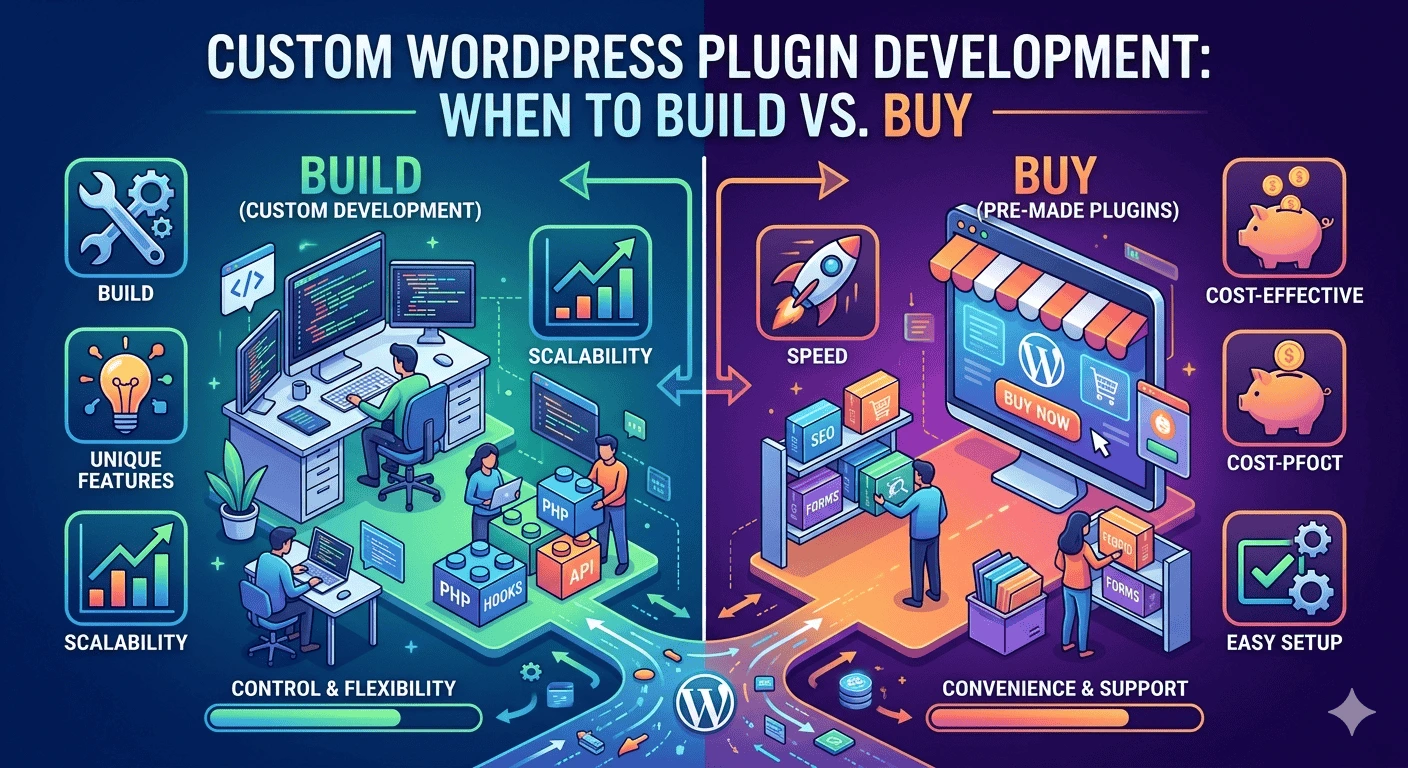
Custom WordPress Plugin Development: When to Build vs. Buy is a practical guide for businesses deciding between a purpose-built plugin and an existing solution. It compares cost, launch speed, security, performance, integrations, ownership, maintenance, and scalability so you can choose the right approach for your WordPress website.
There’s a moment when almost every WordPress project hits. You need a specific feature, you open the plugin repository, and you find… fifteen options that sort of do what you want. None of them do it exactly right. Some have terrible reviews. One hasn’t been updated in two years.
So now you’re stuck asking yourself: do we just make one of these work, or do we build something custom?
It’s not a trivial question. The wrong call can cost you months of frustration, bloated code, or a budget you didn’t plan for. This guide is meant to help you think through it properly.
First, Understand What You’re Actually Comparing
When people say “buy a plugin,” they usually mean one of two things: a free plugin from the WordPress.org repository, or a premium plugin purchased from a marketplace or the developer’s own site.
“Building” means hiring a WordPress developer or a WordPress development services team to write a plugin specifically for your site and your requirements.
Both paths have their place. The question is which one fits your situation.
When Buying (or Using an Existing Plugin) Makes Sense
Let’s be honest, for a lot of common functionality, existing plugins are perfectly fine. WordPress has a massive ecosystem precisely because so many problems are universal.
You should lean toward an existing plugin when:
- The functionality is standard and doesn’t need to reflect your brand or business logic (contact forms, SEO meta fields, basic galleries)
- You’re early in a project and still validating whether the feature is even worth the investment
- The plugin is actively maintained, has a strong user base, and the developer offers real support
- The cost of customization doesn’t justify the complexity for example, a simple booking calendar for a small business doesn’t need to be built from scratch
A well-built premium plugin from a reputable developer can be genuinely excellent. WooCommerce itself is a plugin. So is Advanced Custom Fields, which powers some incredibly sophisticated WordPress builds. These tools exist precisely because they solve real problems for a huge range of use cases.
The issue isn’t that existing plugins are bad. The issue is when people try to force them into situations they weren’t designed for.
The Hidden Costs of Off-the-Shelf Plugins
Here’s where a lot of businesses get burned: they choose a plugin because the upfront cost is low, and they don’t account for what happens next.
Plugin bloat is a real problem. Many commercial plugins are built to satisfy the broadest possible audience, which means they come packed with features you’ll never use. All of that code is still loading on your site, still affecting your performance, still creating potential security surface area.
Dependency risk is another one. When your business logic lives inside a third-party plugin, you’re at the mercy of the developer’s roadmap. They might abandon the plugin. They might release an update that breaks your customizations. They might get acquired and the pricing changes entirely.
And then there’s the “good enough” trap you spend weeks customizing a plugin through filters, hooks, and workarounds, and eventually you’ve written so much custom code around it that you’re essentially maintaining two codebases anyway. At that point, you’d have been better off building from scratch.
When Custom WordPress Plugin Development Is the Right Call
Custom development makes sense when your requirements are genuinely specific to how your business works, not just your preferences, but your actual operational logic.

Here are clear signals that you need custom plugin development:
Your business process doesn’t map to generic solutions.
If you’re running a B2B platform with custom pricing tiers, role-based access, approval workflows, and integration into your internal ERP no off-the-shelf plugin is going to handle all of that cleanly. You need something built around your process, not the other way around.
You need deep integration with other systems.
Custom plugins can be architected specifically to communicate with your CRM, your inventory system, your payment processor using exactly the data structures and authentication methods those systems require. Generic plugins often offer integrations, but they’re surface-level connections that break down when your setup is non-standard.
Performance is a real concern.
When you build a plugin for one purpose, it does one purpose. There’s no feature creep, no unnecessary database calls, no front-end scripts loading on pages where they’re not needed. For high-traffic sites, this matters enormously.
You’re building something you’ll scale.
If your WordPress platform is a core part of your business not just a marketing site then the code running it needs to be maintainable, documented, and owned by you. Custom plugins give you that control. When a developer writes something specifically for your codebase, following WordPress coding standards, you can hand it off, extend it, or rebuild parts of it without starting over.
You’ve already tried the plugin route and it hasn’t worked.
Sometimes the clearest signal is experience. If you’ve been through three different plugins trying to solve the same problem and you’re still patching gaps, that’s the market telling you your use case is non-standard enough to warrant a custom build.
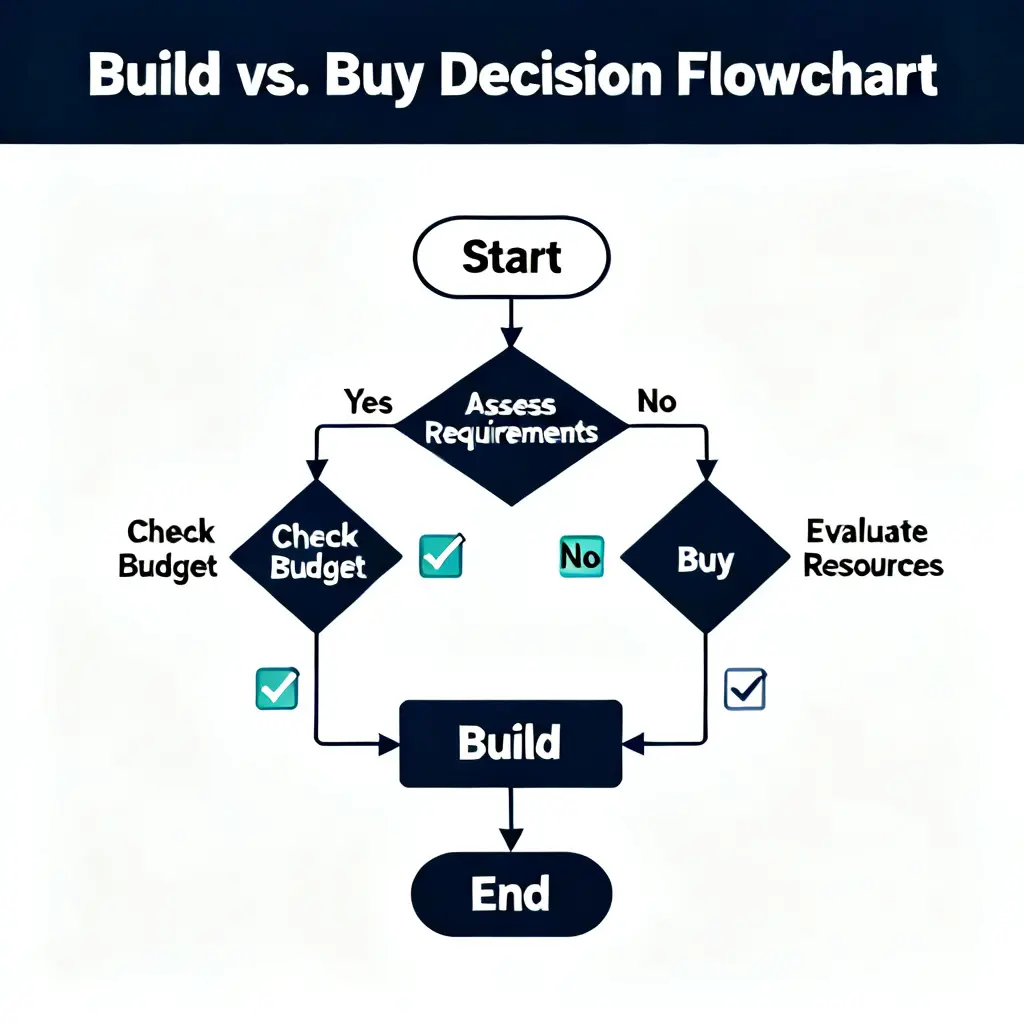
The Build vs. Buy Decision Framework
Rather than guessing, here’s a practical way to think through it:
Ask these questions before deciding:
- Does any existing plugin do at least 80% of what we need, cleanly, without major workarounds?
- Is the remaining 20% something we can live without, or is it core to how we operate?
- How long has the plugin been actively maintained, and what does the support track record look like?
- If we customize this plugin, are we creating a maintenance burden we’re prepared to manage?
- Is this feature going to be central to our platform for the next 2–3 years?
If the answers push toward “this needs to be ours,” then it’s worth investing in custom development. The upfront cost is higher, but the total cost of ownership when you factor in the time lost fighting with unsuitable tools often comes out lower.
What Affects Custom WordPress Plugin Development Cost and Timeline?
Custom WordPress plugin development cost and delivery time depend on more than the number of visible features. A seemingly simple feature can require complex permission rules, data processing, integrations, security controls, testing, and compatibility work behind the scenes.
The main cost and timeline factors include:
- Functional scope: A single-purpose plugin is generally simpler than a system that manages multiple workflows, user roles, dashboards, notifications, and reports.
- Third-party integrations: CRM, ERP, payment gateway, inventory, shipping, accounting, or external API integrations require authentication, data mapping, error handling, and synchronization logic.
- Admin interface requirements: Custom dashboards, settings pages, filters, reports, import tools, and role-based controls increase design and development work.
- Data storage and migration: Plugins that introduce custom database tables or migrate existing records need careful planning, validation, rollback procedures, and upgrade routines.
- Security requirements: Payment information, customer records, account permissions, file uploads, and external requests require stronger validation, sanitization, authorization, and logging.
- Testing requirements: The plugin should be tested against the active WordPress version, PHP environment, theme, important plugins, user roles, and expected traffic conditions.
- Documentation and support: Technical documentation, installation instructions, change logs, handover support, and future maintenance should be included in the project plan.
Before requesting a quote, document the required workflow, users, permissions, integrations, data inputs, expected outputs, edge cases, and future expansion plans. A clear specification reduces uncertainty and produces a more reliable estimate.
What Good Custom Plugin Development Actually Looks Like
If you do decide to go the custom route, it’s worth understanding what you should expect from a professional development team.
Good custom plugins aren’t just code that works, they’re built with an architecture that makes future changes manageable. That means proper use of WordPress hooks and filters, clean separation of concerns, thorough documentation, and security practices like input validation, data sanitization, and nonces.
A serious WordPress development services partner will also build in proper activation and deactivation hooks, handle database schema changes through upgrade routines, and write the plugin in a way that survives WordPress core updates without breaking.
The plugin should also be testable. That sounds obvious, but a lot of rushed development skips this. A plugin that ships with a test suite is a plugin that’s far easier to update safely down the road.
A Quick Note on “Hybrid” Approaches
Sometimes the right answer isn’t fully one or the other. A common approach is to use a solid foundational plugin WooCommerce, for example, or a booking system and then build a custom plugin on top of it that extends its functionality for your specific needs.
This gives you the benefit of a maintained core with battle-tested functionality, while still allowing your custom business logic to live in code you control. It’s a pragmatic middle ground that works well for a lot of B2B and ecommerce platforms.
Common Custom WordPress Plugin Development Use Cases
Custom development becomes valuable when WordPress must support a process that generic plugins cannot handle cleanly. The following examples show where a purpose-built solution may provide better control and maintainability.
Custom B2B Pricing and Approval Workflows
A B2B website may need customer-specific pricing, quote requests, purchase approval, credit limits, sales representative access, and different payment terms. Combining several unrelated plugins can make this workflow difficult to manage, while a custom plugin can connect each step within one controlled process.
CRM and ERP Data Synchronization
A custom integration plugin can send leads, customers, orders, inventory, or account information between WordPress and an internal CRM or ERP. It can also include scheduled synchronization, field mapping, authentication, failure logs, retry rules, and administrator alerts.
Membership and Role-Based Platforms
Businesses may need different content, dashboards, forms, downloads, pricing, or actions for customers, partners, vendors, employees, and administrators. A custom plugin can define these permissions without relying on a complex collection of membership add-ons.
Custom WooCommerce Functionality
WooCommerce stores sometimes require custom product configuration, pricing calculations, checkout rules, subscription logic, order routing, shipping conditions, or inventory workflows. In these situations, a custom extension can add the required functionality while keeping the main WooCommerce platform intact.
Internal Reporting and Operational Dashboards
A custom plugin can collect selected WordPress, ecommerce, customer, or integration data and present it through an internal dashboard. Reports can be limited by user role and designed around the metrics the business actually uses.
The Bottom Line
There’s no universal answer to build vs. buy. Anyone who tells you “always go custom” or “just find a plugin” isn’t thinking about your specific situation.
What matters is honest assessment: what does your platform actually need, how central is this feature to your business, and what’s the real cost of getting it wrong?
Off-the-shelf plugins are great tools for standard problems. For everything else the workflows that are specific to how your business operates, the integrations that need to be tight and reliable, the features that are going to carry weight as you scale custom plugin development is usually the more sustainable path.
If you’re in the middle of that decision right now and want to talk through the specifics, the team at FiliCode works with businesses on exactly these kinds of WordPress development services challenges. Sometimes a conversation is the fastest way to figure out which direction makes sense.
FAQs
When should I choose a custom WordPress plugin over an existing
one?
You should choose a custom plugin when your requirements are specific to your business logic, workflows, or integrations. If existing plugins in WordPress only solve part of the problem or require heavy workarounds, a custom solution is usually more efficient long-term.
Are premium WordPress plugins better than custom development?
Not always. Premium plugins can be excellent for standard features like SEO, forms, or eCommerce. However, platforms like WooCommerce or Advanced Custom Fields are designed for general use cases, not highly specific business workflows. Custom development wins when flexibility and control matter more than convenience.
What are the risks of relying on third-party WordPress plugins?
The main risks include plugin abandonment, compatibility issues after updates, performance overhead, and dependency on external developers. If a plugin is discontinued or changes its pricing model, your business functionality can be directly affected.
Is custom WordPress plugin development expensive?
It has a higher upfront cost compared to buying a plugin, but it can reduce long-term costs. You avoid licensing fees, unnecessary features, and ongoing workarounds. For business-critical systems, custom development often provides better ROI over time.
Can I combine custom plugins with existing WordPress plugins?
Yes. A hybrid approach is very common. Many projects use stable plugins like WooCommerce for core functionality and build custom plugins on top to handle specific business logic or integrations. This balances stability with flexibility.