






Contents
- Quick Summary:
- What Businesses Actually Need From an Affordable Website Design Company
- 7 Checks Before Hiring an Affordable Website Design Company
- Why Cheap Website Builds Become Expensive Later
- Common Production Bottlenecks
- Database Contention
- Plugin Conflict Cascades
- Cron Reliability Issues
- How Website Architecture Affects Long-Term Cost
- Traditional WordPress
- Headless WordPress
- How an Affordable Website Design Company Should Handle SEO
- Production-Level SEO Considerations
- CDN Configuration
- Structured Data Governance
- Programmatic SEO Risks
- WordPress and WooCommerce Under Production Load
- WooCommerce Scaling Realities
- Payment Workflow Reliability
- AI Automation and Modern Website Infrastructure
- WordPress vs Custom Platforms: What Actually Works?
- Regional Scaling and Multi-Location Website Design
- What Founders and CTOs Often Miss
- Observability Is Rarely Discussed
- Security and Maintenance Realities
- How Filicode Approaches Maintainable Website Systems
- Affordable Website Design vs Cheap Website Design
- Frequently Asked Questions
- How much does an affordable website design company typically charge?
- How do I choose an affordable website design company?
- Can WordPress scale for SaaS or enterprise businesses?
- How long does a professional website implementation take?
- Why do some affordable websites become slow after launch?
- Is headless WordPress worth it?
- How to Choose an Affordable Website Design Company You Can Trust
- Conclusion
Choosing an affordable website design company is not just about finding the lowest price. The right company should build a website that supports SEO, performance, maintainability, and future growth without creating unnecessary technical debt. A website usually starts breaking when early design decisions turn into operational problems, such as overloaded WordPress plugins, fragile hosting, poor API integrations, bloated themes, or weak caching.
A business might start with a simple brochure website and suddenly require:
- CRM synchronization
- payment workflows
- booking systems
- AI-driven support automation
- regional SEO pages
- inventory sync
- role-based dashboards
- multi-location management
- multilingual content delivery
That is where many businesses discover the difference between a cheap freelancer build and a web partner that understands production systems.
The real cost of web development is rarely the initial invoice. It is the maintenance burden, technical debt, downtime risk, SEO degradation, plugin instability, and operational inefficiency that appear six to twelve months later.
An affordable website design company should reduce operational friction, not create it.
Businesses evaluating pricing, scalability, and long-term maintainability often compare multiple approaches before selecting affordable website design services that align with operational requirements.
Quick Summary:
- Low-cost websites often fail because of poor architecture, not poor visuals.
- WordPress scales well when caching, plugin governance, and infrastructure are engineered correctly.
- SEO performance depends heavily on technical implementation quality, not only content.
- Businesses outgrow template-based systems faster than expected once integrations and automation increase.
- Maintainability matters more than launch speed for long-term operational efficiency.
- A technically capable affordable website design company prevents future migration and rebuild costs.
What Businesses Actually Need From an Affordable Website Design Company
Most businesses searching for an affordable website design company are not looking for abstract creativity. They are solving operational problems:
- slow lead generation
- poor mobile performance
- broken integrations
- difficult content management
- weak local SEO visibility
- unreliable hosting
- outdated plugins
- poor conversion tracking
- fragmented workflows
Visual design alone rarely fixes conversion issues. In many cases, improved navigation, layout structure, and behavioral flow from professional UI and UX design services have a bigger operational impact.
The challenge is balancing affordability with maintainability.
That trade-off becomes more visible in industries like SaaS, WooCommerce, healthcare, logistics, fintech, and multi-location service businesses where websites become operational systems instead of static marketing assets.
A modern website typically functions as:
- a lead management layer
- a customer acquisition system
- an automation trigger source
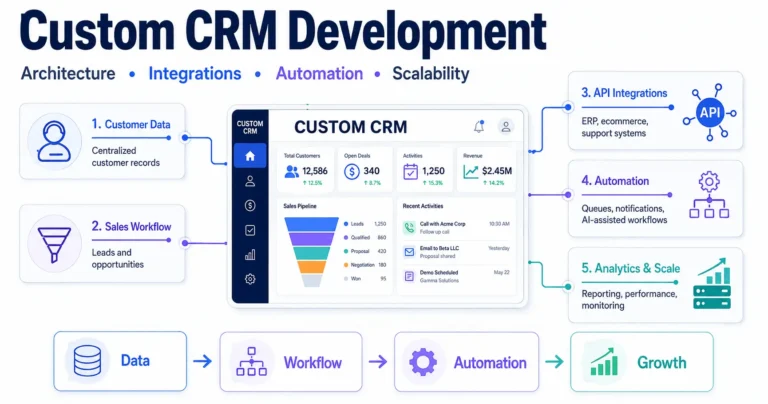
- a CRM data pipeline
- an analytics collection layer
- a support gateway
- an SEO distribution platform
Once that happens, architecture decisions matter.
7 Checks Before Hiring an Affordable Website Design Company
The lowest quote and the highest proposal can both be wrong for the same project. Before hiring an affordable website design company, compare the scope and the operating model behind the price.
- Check what the quote includes. Confirm whether design, development, responsive layouts, forms, analytics, testing, technical SEO basics, deployment, and post-launch fixes are included.
- Confirm ownership. Know who owns the domain, hosting account, content, theme, design files, custom code, and paid licenses.
- Understand the build approach. Ask whether the project uses a template, page builder, custom WordPress theme, headless frontend, or custom application layer.
- Review performance standards. The team should explain image optimization, caching, CDN use, mobile performance, frontend assets, and Core Web Vitals.
- Check the SEO foundation. Ask about headings, metadata, schema, redirects, internal links, crawlability, sitemap handling, and content migration.
- Clarify maintenance responsibilities. Confirm who handles updates, backups, security checks, compatibility testing, uptime problems, and emergency fixes.
- Evaluate communication and support. A reliable provider should define milestones, responsibilities, revision rules, approval stages, launch steps, and support expectations before development starts.
These checks make quotes easier to compare because they expose what happens after the homepage is approved. Affordability is useful only when the website remains manageable after launch.
Why Cheap Website Builds Become Expensive Later
Businesses often compare website providers using only initial pricing.
That is usually the wrong metric.
A low-cost build may include:
- overloaded page builders
- 40+ plugins
- shared hosting bottlenecks
- duplicated CSS and JavaScript
- no staging environment
- weak security policies
- inconsistent schema markup
- poor Core Web Vitals
- missing observability
These systems work initially because traffic is low and operational complexity is limited.
The problems appear when traffic, integrations, content volume, or internal workflows start increasing.
At that stage, small technical shortcuts start affecting conversion tracking, page speed, editor productivity, support workload, and the cost of every future change.
Common Production Bottlenecks
Database Contention
Many WordPress sites rely heavily on the wp_options table without proper indexing or object caching.
As traffic increases:
- admin dashboards slow down
- WooCommerce checkouts lag
- API requests timeout
- cron jobs overlap
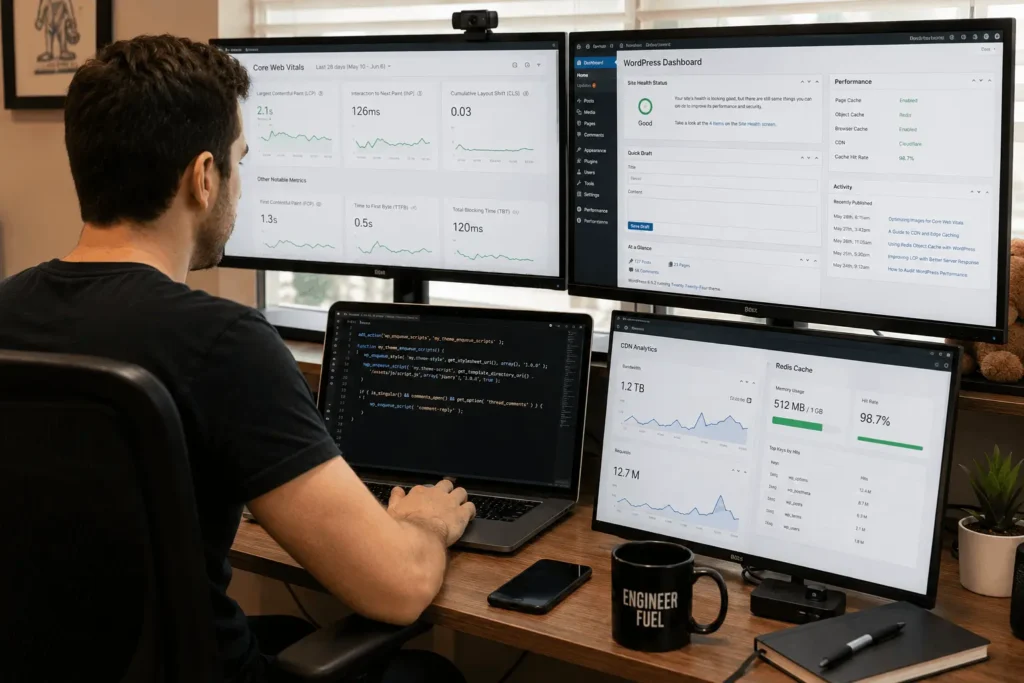
Redis object caching can significantly reduce database load, but many low-cost providers never configure it properly.
For example, a WooCommerce store syncing hundreds of inventory changes per hour can slow down badly if every update hits the database directly during checkout traffic.
Plugin Conflict Cascades
A plugin update affecting checkout hooks, Gutenberg blocks, or REST API endpoints can break production systems unexpectedly.
This becomes especially dangerous when:
- payment systems are involved
- multilingual plugins are active
- membership systems exist
- third-party APIs depend on webhook consistency
An experienced affordable website design company plans for plugin governance from day one.
In cases where off-the-shelf plugins create conflicts or operational limitations, custom WordPress plugin development services can replace unstable plugin stacks with purpose-built functionality.
Cron Reliability Issues
WordPress pseudo-cron depends on traffic.
Low-traffic sites may miss:
- scheduled emails
- cache invalidation
- inventory sync
- AI automation workflows
- backup rotations
Production-grade systems usually move cron execution to server-level schedulers.
How Website Architecture Affects Long-Term Cost
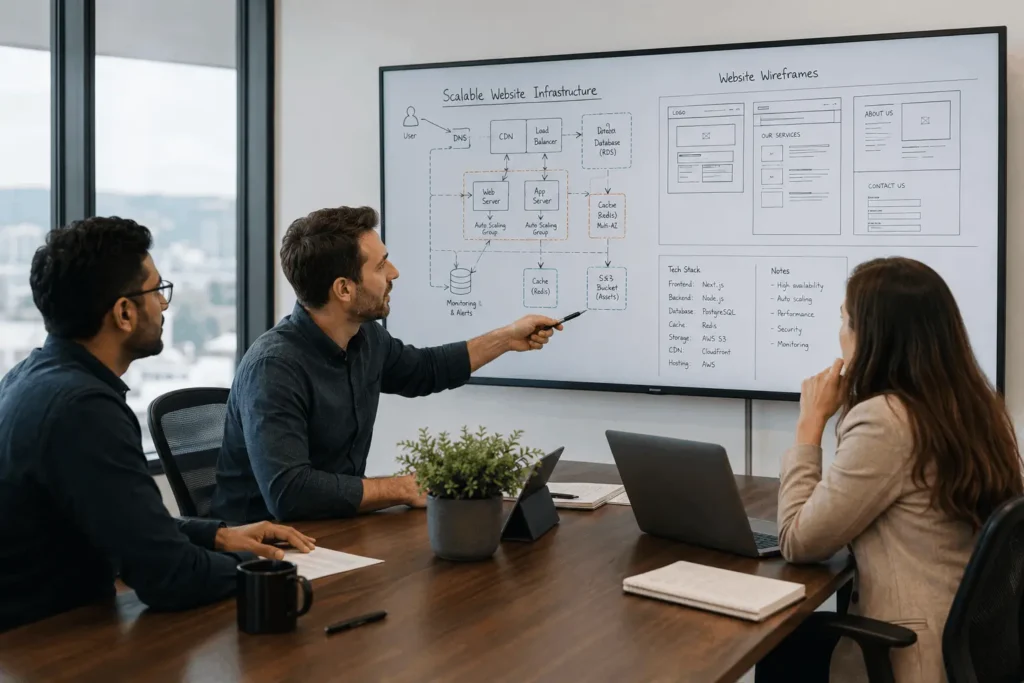
The difference between a temporary website and a maintainable system often comes down to architecture discipline. The goal is not to choose the most complex stack. The goal is to choose one that matches the website’s actual workload.
Traditional WordPress
Traditional WordPress is often a strong fit for local businesses, content-heavy sites, service companies, and SaaS marketing websites where editorial control and SEO flexibility matter. Structured WordPress development services can reduce future performance and maintenance problems.
Its strengths include lower development cost, easier content management, and a mature ecosystem. Its limitations appear when deeply transactional workloads, real-time synchronization, or uncontrolled plugin dependency increase.
Headless WordPress
A headless setup separates WordPress content management from the frontend application. It can improve frontend flexibility and multi-platform delivery, but it also adds development, hosting, preview, caching, and DevOps complexity.
A strong affordable website design company should recommend headless architecture only when the operational need justifies the added cost and maintenance.
How an Affordable Website Design Company Should Handle SEO
For companies dependent on local visibility, technical architecture should support indexing, structured data, and long-term search performance. This becomes more effective when paired with practical SEO services for small business.
Poor architecture affects:
- crawl efficiency
- rendering speed
- indexation
- structured data consistency
- mobile usability
- internal linking
Google’s Core Web Vitals documentation explains how loading speed, responsiveness, and visual stability affect real user experience metrics and search performance.
Production-Level SEO Considerations
CDN Configuration
Many websites use CDNs incorrectly.
Static assets should typically include:
- cache-control headers
- image optimization
- Brotli compression
- edge caching policies
Without proper CDN configuration:
- Time To First Byte increases
- mobile performance drops
- global latency rises
Structured Data Governance
Schema markup should be managed systematically.
For businesses operating across multiple cities, states, or countries, location schema consistency becomes critical. Each location should accurately represent the business information, services, and geographic area relevant to that page.
Programmatic SEO Risks
Businesses scaling local service pages often create thin content unintentionally. Creating separate pages for every city, county, or service area without providing genuinely useful local information can result in many nearly identical pages.
These pages need:
- differentiated service content
- localized operational context
- unique metadata
- unique structured data
- actual regional relevance
Otherwise Google may classify them as doorway pages.
WordPress and WooCommerce Under Production Load
WooCommerce works well for many businesses until operational complexity increases.
Problems usually emerge from:
- synchronous checkout workflows
- inventory synchronization
- webhook congestion
- heavy plugin stacks
- slow payment gateway responses
WooCommerce Scaling Realities
A high-volume WooCommerce system typically needs:
- Redis object caching
- optimized database indexing
- background processing systems
- CDN edge caching
- asynchronous webhook handling
- dedicated search infrastructure
Without these layers:
- abandoned carts increase
- checkout latency spikes
- admin operations slow dramatically
Payment Workflow Reliability
Payment systems fail more often than businesses realize.
Common production issues:
- duplicate webhook events
- delayed transaction reconciliation
- refund synchronization mismatches
- partial order failures
Reliable systems implement:
- idempotency checks
- transaction state validation
- retry queues
- audit logging
This is especially important for subscription businesses and SaaS platforms.
AI Automation and Modern Website Infrastructure
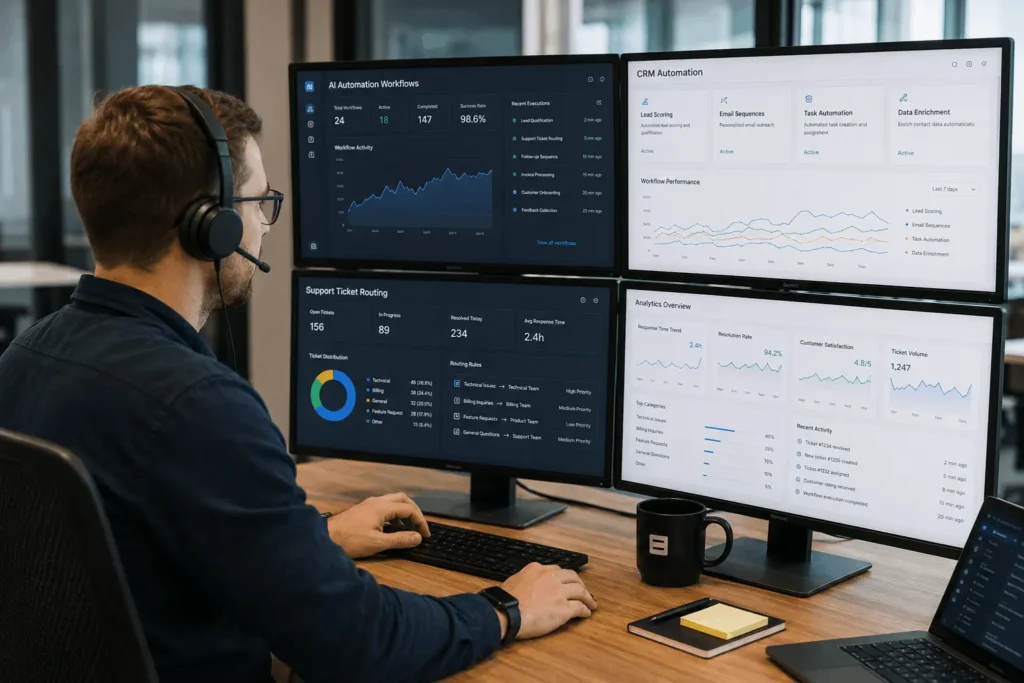
An affordable website design company does not need to turn every project into an AI system. However, modern websites increasingly connect with lead qualification, CRM automation, support tools, proposal workflows, and chatbot systems.
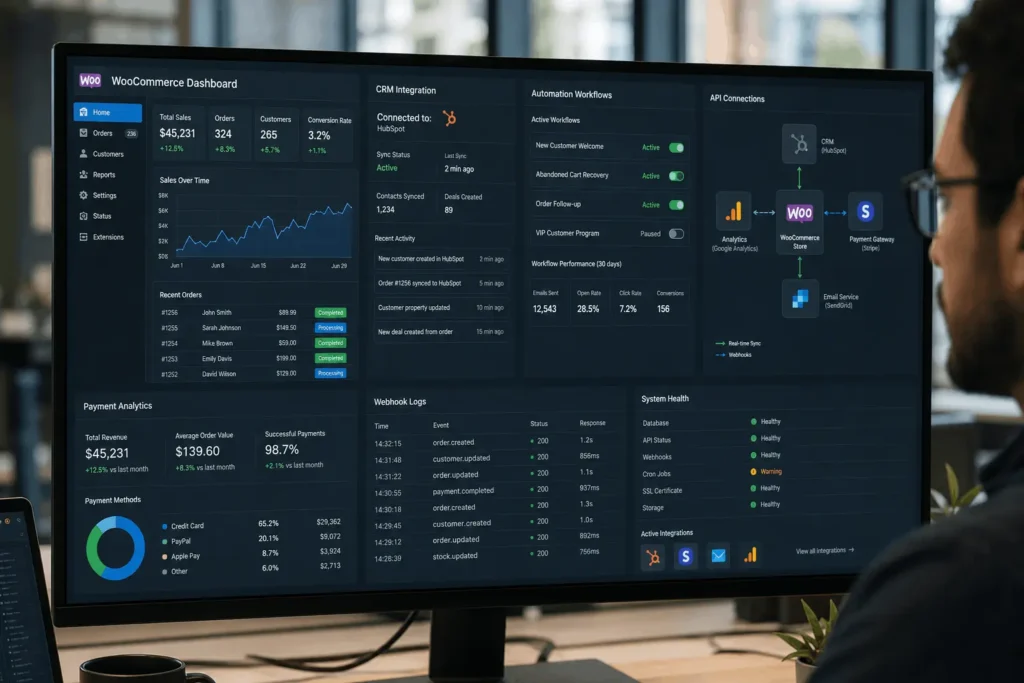
When a website exchanges data with CRMs, ERPs, payment gateways, or booking platforms, stable API integration services help prevent synchronization failures and inconsistent records.
The main issue is reliability. Automation needs validation, retry handling, timeouts, fallback logic, and audit trails. Properly engineered AI automation services help separate useful automation from fragile experiments.
WordPress vs Custom Platforms: What Actually Works?
WordPress works well when content operations dominate, SEO matters, and non-technical teams manage pages. A custom platform becomes more appropriate when workflows are deeply transactional, permissions are complex, tenant isolation matters, or real-time synchronization is central to the product.
The transition often happens gradually. A company starts with pages, forms, and blog content, then adds dashboards, subscriptions, onboarding, user management, and automation. At that point, architectural separation may be better than forcing every workflow into WordPress.
Regional Scaling and Multi-Location Website Design
Businesses operating across regions have additional website requirements. Multilingual content, regional compliance, location management, local SEO, timezone-aware processes, and analytics governance can affect both design and architecture.
Once the website foundation is stable, broader digital marketing services can support traffic acquisition and campaign measurement across markets.
A multi-location website may need localized landing pages, structured location data, centralized analytics, scalable CMS permissions, and consistent conversion tracking. The right setup depends on localization complexity, regional ownership, and how much functionality locations share.
What Founders and CTOs Often Miss
The visible website is usually only 20% of the system.
The hidden operational layers matter more:
- deployment pipelines
- backup strategies
- logging
- uptime monitoring
- security patching
- API observability
- rollback procedures
A technically credible affordable website design company you can trust discusses these topics early instead of focusing only on aesthetics.
Observability Is Rarely Discussed
Most small business websites have:
- no error tracking
- no uptime monitoring
- no webhook logging
- no API tracing
When failures happen:
- nobody knows why
- issues become reactive
- support costs increase
Even basic monitoring and diagnostic tooling dramatically improves operational reliability.
Security and Maintenance Realities
Website maintenance is not simply plugin updates.
Real maintenance includes:
- dependency audits
- vulnerability patching
- staging validation
- backup verification
- database optimization
- CDN policy reviews
- SSL renewal monitoring
The WordPress ecosystem moves quickly.
A neglected plugin can introduce:
- SQL injection risks
- privilege escalation
- payment vulnerabilities
- SEO spam injections
The WordPress project itself maintains extensive security guidance. WordPress Security Documentation
How Filicode Approaches Maintainable Website Systems
Filicode typically becomes involved when businesses need website design combined with technical problem-solving. Common situations include WooCommerce performance issues, API synchronization failures, plugin instability, SEO degradation, scaling bottlenecks, and inefficient infrastructure decisions.
The approach depends on the actual problem. Some businesses need a simpler WordPress structure. Others need custom plugins, stronger caching, API integrations, automation, or separation between marketing content and application logic.
The practical goal is to stabilize architecture, improve performance, reduce unnecessary dependencies, make integrations easier to monitor, and create a website that teams can maintain.
Affordable Website Design vs Cheap Website Design
| Approach | Initial Cost | Scaling Reliability | Maintenance Risk |
|---|---|---|---|
| Template builders | Low | Weak | High |
| Low-cost freelance builds | Low to medium | Inconsistent | Medium to high |
| Managed WordPress architecture | Medium | Strong | Lower |
| Headless systems | Higher | Very strong | Medium |
| Fully custom SaaS platforms | Highest | Excellent | Depends on engineering quality |
Cheap systems are not always bad.
They become problematic when businesses assume they can scale indefinitely without architectural changes.
Frequently Asked Questions
How much does an affordable website design company typically charge?
Pricing varies based on complexity. A maintainable small business WordPress website usually costs significantly more than template-based builds because infrastructure, SEO, caching, security, and integrations are handled properly.
How do I choose an affordable website design company?
Compare more than the initial price. Look at what the quote includes, website ownership, responsive design, SEO fundamentals, performance standards, maintenance responsibilities, support, and long-term costs. A good provider should clearly explain what is included before development begins.
Can WordPress scale for SaaS or enterprise businesses?
Yes, but with limits. WordPress performs well for content management and marketing layers. Deep transactional workflows, tenant isolation, and real-time systems may eventually require custom platform architecture.
How long does a professional website implementation take?
A properly engineered website typically takes between 4 and 12 weeks depending on integrations, SEO migration requirements, automation workflows, and content complexity.
Why do some affordable websites become slow after launch?
Usually because of plugin overload, poor hosting, missing object caching, oversized frontend assets, or unoptimized database queries.
Is headless WordPress worth it?
Only when frontend performance, omnichannel delivery, or scaling complexity justify the added engineering overhead.
How to Choose an Affordable Website Design Company You Can Trust
When comparing providers, look for evidence of both design capability and operational awareness:
- infrastructure understanding
- deployment workflows
- SEO architecture knowledge
- maintenance processes
- integration experience
- performance engineering capability
Visual design alone is not enough.
Conclusion
Most businesses do not rebuild websites because the design feels outdated.
They rebuild because:
- integrations become unstable
- performance collapses
- SEO visibility declines
- maintenance becomes expensive
- operational workflows outgrow the original architecture
That is the real difference between a temporary website and a maintainable production system.
A strong affordable website design company plans for operational growth early:
- scalable infrastructure
- manageable plugin ecosystems
- reliable automation
- maintainable integrations
- measurable performance
Warning signs usually appear before systems fail:
- increasing plugin conflicts
- rising hosting costs
- inconsistent SEO performance
- slow admin operations
- unreliable integrations
- growing support overhead
Once those symptoms appear consistently, it is time to evaluate whether the current website architecture still matches how the business actually operates.
A redesign may improve the surface. A proper technical evaluation fixes the system underneath it.