








Contents
- Quick Summary
- What Website Support Services Actually Cover
- The Production Reality: How Sites Actually Break
- The Pillars of Effective Website Support Services
- Reactive vs. Proactive Support
- WordPress and WooCommerce Support Realities
- What Website Support Services Cost
- How to Budget for Ongoing Website Support Services
- How to Choose a Website Support Service Provider
- Frequently Asked Questions
- What are website support services, exactly?
- How much do website support services cost?
- Is monthly support worth it for a small site?
- How long does it take to take over support for an existing site?
- What’s the risk in switching support providers?
- Can support services also improve performance and SEO?
- When to Treat Support as an Engineering Problem
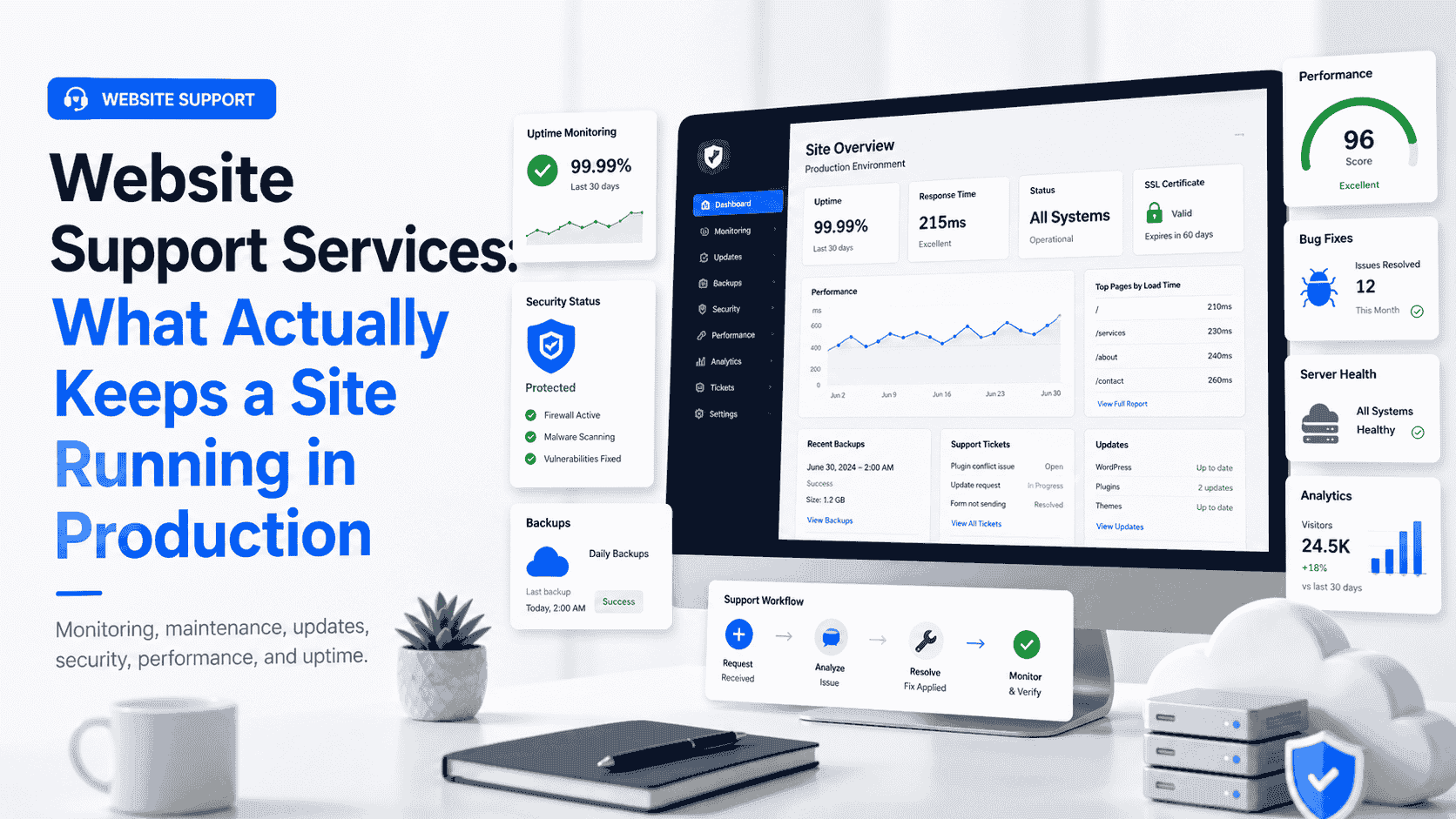
Website support services keep a site secure, fast, available, and reliable as its software and traffic change. Most website problems do not happen all at once they develop gradually. A plugin update silently breaks the checkout flow, an SSL certificate expires over a weekend, a database table locks under load, or a third-party API quietly changes its response format and orders stop syncing. Most teams find out from a customer complaint, not a dashboard which means revenue is already gone by the time anyone looks. Reliable website support services exist to close that gap: to catch problems before users do, and to keep a site working as the code, dependencies, and traffic around it keep shifting.
The market sells this as “maintenance,” which undersells it. Maintenance sounds like dusting furniture. What you are actually paying for is operational continuity the difference between a site that survives a traffic spike, a botched deploy, or a zero-day in a popular plugin, and one that doesn’t.
Quick Summary
- Website support is an operational discipline, not a checklist of monthly updates. The valuable work happens before failures surface, not after.
- The biggest production risks are dependency drift, expired credentials, unmonitored uptime, and untested backups boring failures that take down real revenue.
- Reactive “fix it when it breaks” support is cheaper on paper and far more expensive in practice once you count downtime and emergency rates.
- WordPress and WooCommerce sites have specific failure modes plugin conflicts, cron limitations, object caching, and checkout scaling that generic support plans ignore.
- Cost scales with response time and engineering depth, not with the number of “tasks.” Pay for capability, not activity.
- The right partner is one who can read your stack, not just run updates against it.
What Website Support Services Actually Cover
Strip away the marketing and effective website support services come down to a handful of overlapping responsibilities, each with a clear failure mode if neglected.
Uptime and performance monitoring.
Continuous checks against your endpoints, not just the homepage. A site can return a 200 on the front page while the cart API times out. Good monitoring watches transactions, response times, and error rates, and alerts a human within minutes. (For the underlying concept, website monitoring is worth understanding before you buy a plan that promises it.)
Security patching and hardening.
Core, framework, and dependency updates applied on a tested cadence, plus firewall rules, malware scanning, and access control. The risk here is not exotic it is an unpatched plugin with a known CVE that a bot finds within hours of disclosure.
Backups and recovery.
Daily database and file backups stored off the server, with one detail that separates real support from theater: restore testing. A backup you have never restored is a hypothesis, not a safety net.
Dependency and version management.
Tracking what your site runs on and updating it deliberately. Most catastrophic breakages come from updates applied without staging or from putting them off so long that the eventual jump spans three major versions.
Incident response.
A defined path for when something breaks: who gets paged, how fast they respond, and what the rollback procedure is. This is the line item people skip until the night they need it.
Done well, these do not feel like separate services. They are one feedback loop observe, patch, verify, recover running continuously around a system that is always drifting.
The Production Reality: How Sites Actually Break
Sites fail in predictable ways, and understanding the mechanics is what separates a support partner who prevents incidents from one who just reacts to them.
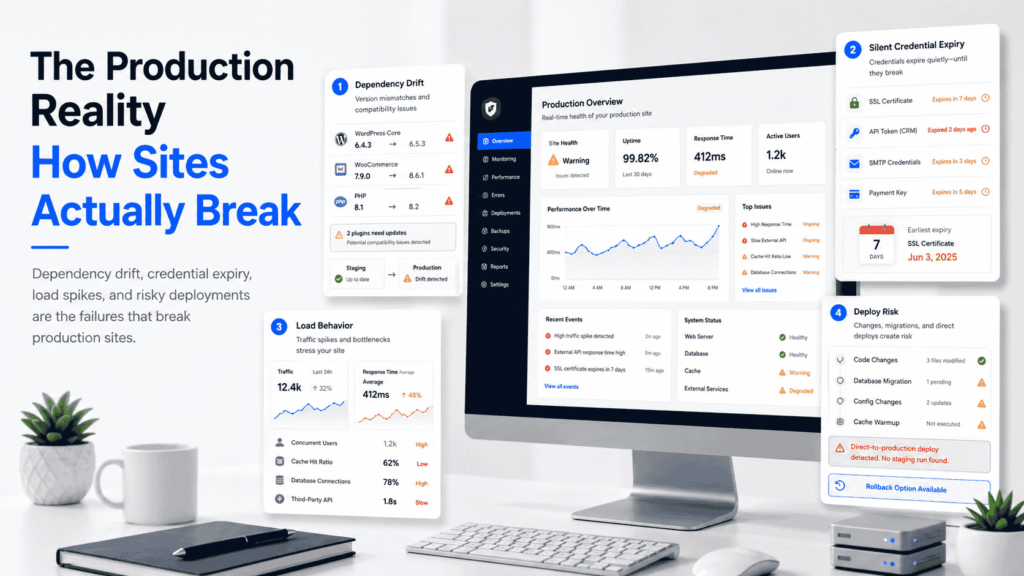
The first is dependency drift. Every plugin, library, and runtime your site depends on is maintained by someone else on their own schedule. Skip updates for six months and you accumulate security debt and compatibility risk at the same time. Apply updates blindly in production and you risk breaking the integrations that depend on the old behavior. The correct workflow staging environment, apply, smoke-test critical paths, then promote is unglamorous and almost never happens on cheap plans.
The second is silent credential expiry. SSL certificates, API tokens, payment gateway keys, and SMTP credentials all expire. None of them announce it loudly. A site can run fine for months and then stop sending order confirmations because a mail API key rotated. Monitoring for expiry dates is trivial engineering that prevents a disproportionate amount of pain.
The third is load behavior. A site that handles 50 concurrent users comfortably can fall over at 500 because of an unindexed query, a missing cache layer, or a single slow third-party call blocking page render. These do not show up in normal testing. They show up during your biggest sales day.
The fourth is the deploy itself. A surprising share of outages are self-inflicted a config change pushed straight to production, a migration that locked a table, a caching layer that wasn’t warmed. Mature website support services treat deployments as a controlled process with rollback paths, not a git push and a prayer.
The Pillars of Effective Website Support Services
If you are evaluating a provider, judge them against the work that actually matters under load rather than the length of their feature list.
- Observability first. They should know your site is broken before you do. If your detection method is “a customer emailed us,” you do not have monitoring, you have luck.
- Tested recovery. Backups, rollback procedures, and a documented disaster path that has been rehearsed, not just configured.
- Deliberate change management. Updates go through staging. Changes are logged. Nothing reaches production without a path back.
- Performance as an ongoing concern. Page speed and Core Web Vitals are not a one-time audit; they degrade as content and plugins accumulate, and they affect both conversions and search visibility.
- Documentation. What runs where, which integrations exist, who owns what. The bus factor on a poorly documented site is one.
The gap between a provider who checks these boxes and one who runs monthly updates and calls it support is the entire value of the category.
Reactive vs. Proactive Support
The cheapest support arrangement is also the most expensive once you account for what downtime actually costs.
| Dimension | Reactive (“break-fix”) | Proactive support |
|---|---|---|
| Failure detection | After users complain | Before users notice |
| Cost structure | Low retainer, high emergency rates | Predictable monthly cost |
| Downtime exposure | High issues fester until reported | Low caught and fixed early |
| Update cadence | Sporadic, often skipped | Scheduled and tested |
| Security posture | Patched after incidents | Patched on disclosure |
| True total cost | Higher (lost revenue + emergencies) | Lower over time |
Reactive support looks affordable because you only pay when something breaks. The hidden cost is the downtime between the failure and the fix, plus premium emergency rates, plus the compounding risk of a site running months behind on security updates. For anything that generates revenue, proactive support is cheaper in any honest accounting.
WordPress and WooCommerce Support Realities
A large share of the sites needing website support services run on WordPress, and WordPress has specific operational characteristics that generic plans tend to mishandle.
Plugin conflicts are the dominant failure mode.
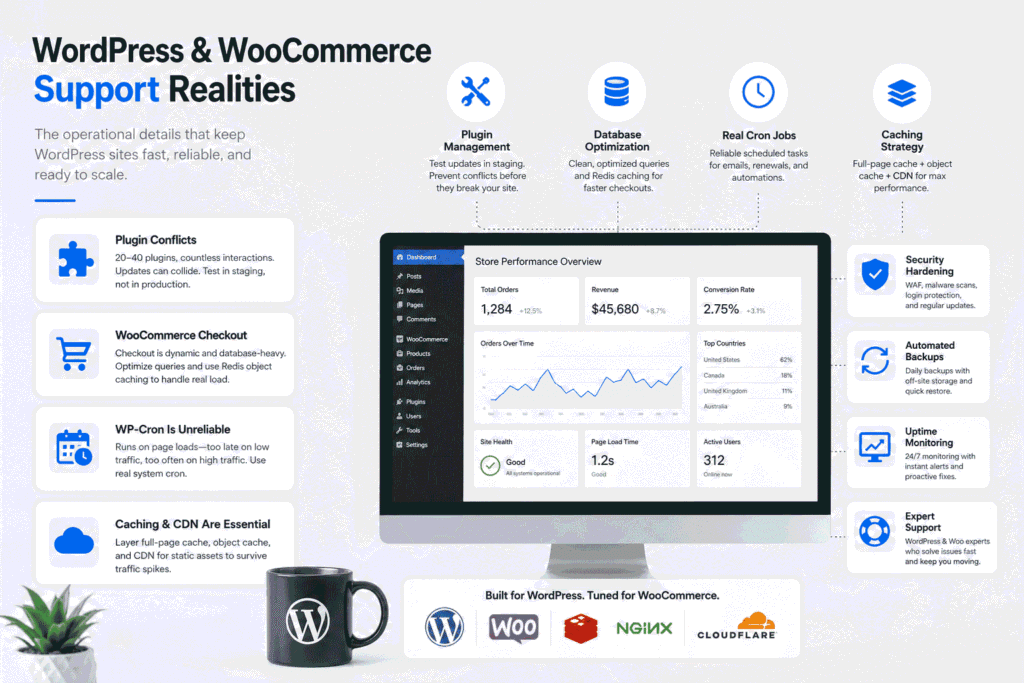
A typical WooCommerce store runs 20 to 40 plugins, each an independent codebase touching the same hooks. Updates can collide. Real support means testing updates against the actual plugin stack in staging, not updating everything at once in production and hoping.
WooCommerce checkout scales differently from the rest of the site.
Cart and checkout are dynamic and cannot be fully page-cached the way blog content can. Under load, the bottleneck is usually the database and uncached autoloads, not the front end. Fixing it means object caching typically Redis plus query optimization, not just a bigger server.
WP-Cron is unreliable for anything that matters.
WordPress fires scheduled tasks on page loads by default, so on a low-traffic site, jobs run late, and on a high-traffic site, they fire too often. Order emails, subscription renewals, and abandoned-cart logic all depend on this. Competent support disables the pseudo-cron and runs a real system cron.
Caching and CDN are not optional at scale.
A correctly layered setup full-page cache, object cache, and a CDN for static assets is the difference between a store that handles a campaign spike and one that doesn’t.
These are not edge cases. They are the day-to-day of supporting commerce on WordPress, and they are exactly the details a generic “we update your plugins monthly” plan never touches.
What Website Support Services Cost
Pricing in this space is genuinely confusing because providers bundle very different work under similar names. Roughly, the market sorts into three tiers, and what changes between them is response time and engineering depth not the number of tasks.
| Tier | What’s included | Best for | Typical monthly range |
|---|---|---|---|
| Basic maintenance | Updates, backups, basic uptime checks, monthly report | Brochure sites, low-traffic blogs | $50 – $200 |
| Managed support | Proactive monitoring, security hardening, performance tuning, priority response | Business sites, small stores | $200 – $800 |
| Engineering-led support | Everything above plus custom development, integration fixes, architecture work, fast SLAs | Revenue-critical sites, complex WooCommerce, SaaS | $1,000+ |
How to Budget for Ongoing Website Support Services
The mistake businesses make is anchoring on price instead of risk. The right question is not “what does support cost?” but “what does an hour of downtime or a security breach cost us?” For a store doing meaningful daily revenue, a single afternoon offline can exceed a year of proactive ongoing website support services. Budget against that exposure, not against the cheapest quote. If a plan’s price only makes sense because it skips staging, monitoring, or tested backups, you are not saving money you are deferring a larger bill.
How to Choose a Website Support Service Provider
Most providers can run updates. Fewer can tell you why a page is slow, how an integration is failing, or what it would take to make your checkout survive a spike. That difference matters most precisely when something goes wrong.
The strongest partner is one who reads your stack as a system rather than a list of tasks who can move between routine maintenance and actual engineering when an incident demands it. This is where a development-led team has an advantage over a pure maintenance shop. At Filicode, support sits alongside custom software development, WordPress and WooCommerce development, API integrations, and AI automation work, which means the same people maintaining a site can also fix the integration that broke it or rebuild the bottleneck that keeps causing incidents.
That matters because many support tickets are not maintenance problems they are architecture problems wearing a maintenance costume. A checkout that slows down every weekend is not fixed by another plugin update; it is fixed by addressing the query or caching layer underneath. A team that only knows how to apply updates will keep treating the symptom. A team that can read and modify the code addresses the cause.
When comparing site support services, focus on monitoring, security, backups, response time, performance expertise, and the provider’s ability to troubleshoot your actual technology stack.
The practical test when evaluating any provider: ask how they handle a failed update at 2 a.m., how they test a backup before they need it, and whether they touch staging before production. The answers tell you immediately whether you are buying real website support services or a monthly invoice.
Frequently Asked Questions
What are website support services, exactly?
Website support services are the ongoing operational work that keeps a site secure, fast, available, and current monitoring, updates, backups, security patching, performance tuning, and incident response. The goal is to prevent failures and recover quickly when they happen, rather than reacting after users are already affected.
How much do website support services cost?
It depends on traffic, complexity, and how fast you need someone to respond. Basic maintenance for a simple site runs roughly $50–$200 a month; proactive managed support sits around $200–$800; and engineering-led support for revenue-critical or complex stores starts around $1,000 and scales with the work involved. Price tracks response time and depth, not task count.
Is monthly support worth it for a small site?
If the site generates leads or revenue, yes. The cost of one extended outage or a security cleanup after a breach almost always exceeds a year of proactive support. For a static personal site with no traffic, basic backups and updates may be enough.
How long does it take to take over support for an existing site?
A proper handover auditing the stack, documenting integrations, setting up monitoring and tested backups usually takes one to two weeks. Rushing this step is how providers inherit problems they don’t understand and then break things later.
What’s the risk in switching support providers?
The main risk is undocumented knowledge credentials, custom code, and integrations the previous team never wrote down. A careful provider mitigates this with a structured audit and a staging environment before making any production changes, so migration doesn’t itself cause an outage.
Can support services also improve performance and SEO?
Indirectly but meaningfully. Faster load times and stable Core Web Vitals affect both conversions and search visibility, and reliable uptime keeps a site indexable. Support that includes performance tuning protects the technical foundation good SEO depends on.
When to Treat Support as an Engineering Problem
Some warning signs indicate a site has outgrown basic maintenance. The same issue keeps recurring after “fixes.” Performance degrades predictably under traffic you can forecast. Integrations break whenever a third party changes something. Every update is a gamble because nothing is staged. Each of these is an architecture signal, not a maintenance gap and patching around them gets more expensive every month you wait.