






Contents
- Quick Summary: Business Website Design Tips for Decision-Makers
- 1. Start With the Real Business Operating Model
- 2. Build a Site Structure That Search Engines and Customers Understand
- Use Clear Service Pages to Avoid Thin Content
- 3. Design for Visual Hierarchy, Not Decoration
- 4. Write Copy That Answers Real Buyer Questions
- 5. Make Mobile-First Design a Production Requirement
- 6. Plan Performance, Caching, and Hosting Before the Site Grows
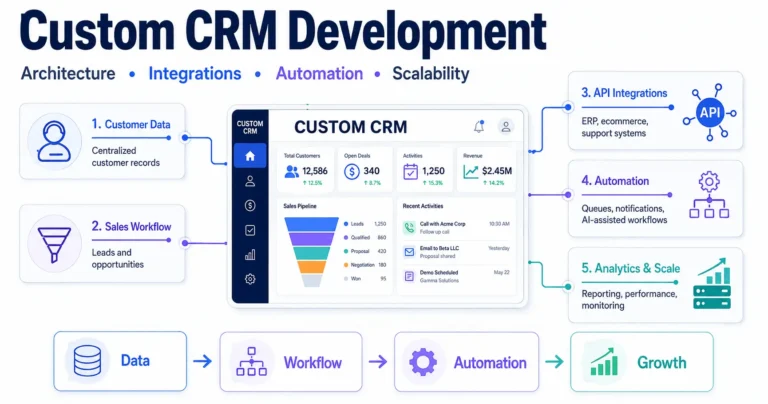
- 7. Connect Forms, CRM, APIs, and Automation Early
- 8. Choose the Right Platform for the Business Model
- 9. Build Trust, Proof, and Conversion Into the Website
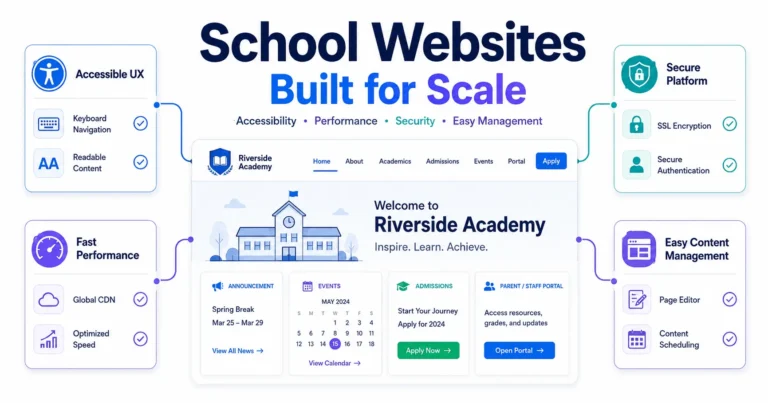
- 10. Treat Security, Maintenance, and Updates as Design Requirements
- 11. Use AI and Automation Carefully, Not Randomly
- Where Filicode Fits Into Scalable Website Projects
- FAQs About Business Website Design Tips
- How can I improve an existing business website design?
- How much should a small business website cost?
- Should a business use WordPress or a website builder?
- What integrations should be planned during website design?
- How long does a professional business website take to build?
- When should a website be redesigned instead of improved?
- What are the most important business website design tips for getting more leads?
- Conclusion: Business Website Design Tips Should Reduce Future Friction
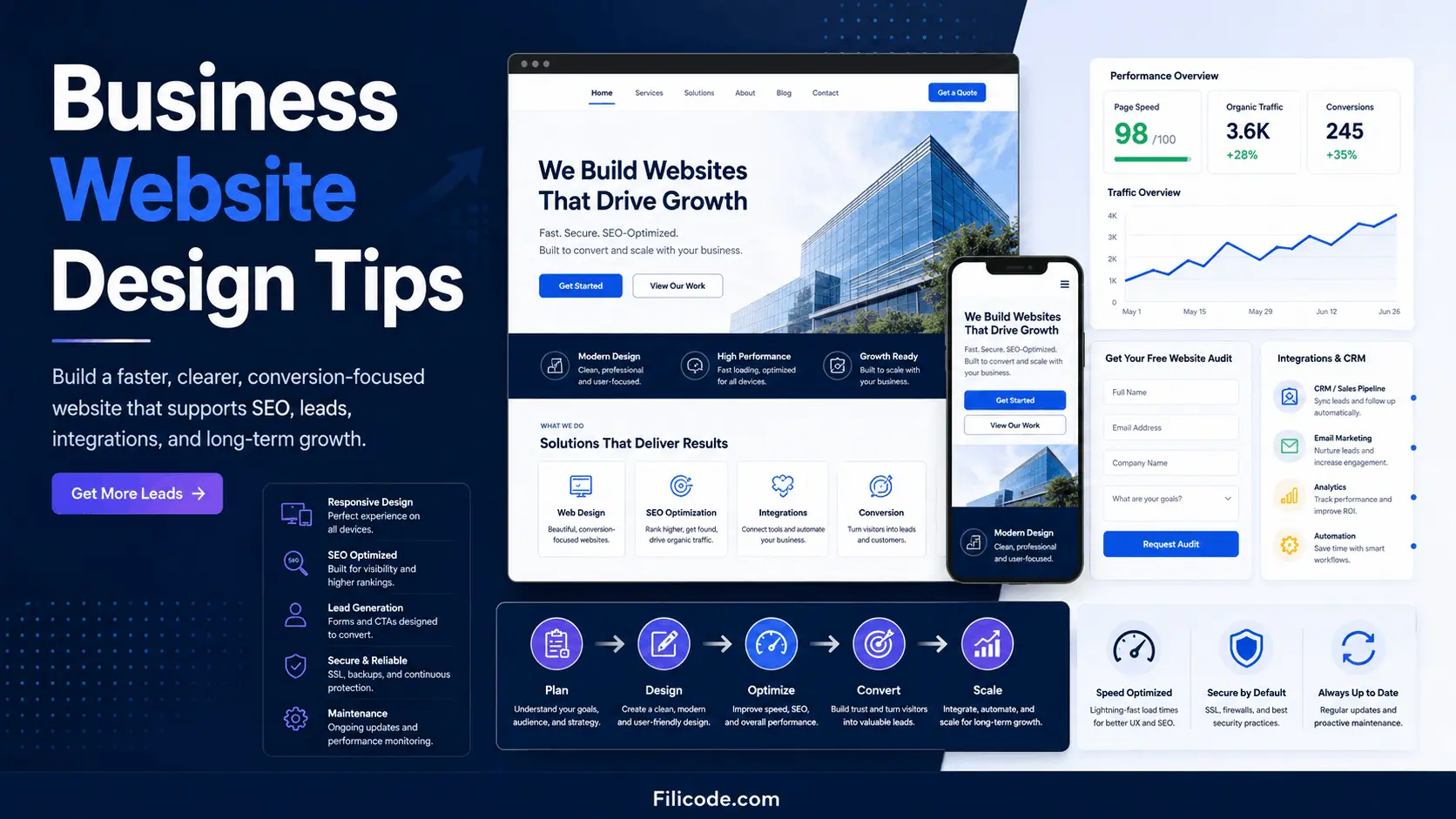
These business website design tips focus on practical changes that can improve search visibility, user experience, trust, and lead generation without requiring a full website rebuild. They are not about making a homepage look nicer. They are about building a website that supports search visibility, lead generation, content updates, integrations, reporting, and future growth without becoming expensive to maintain.
For founders, service businesses, SaaS teams, local companies, wellness brands, craft businesses, and technical operators, the website is often the first layer of the customer journey. If the structure is weak, every later investment in SEO, ads, CRM automation, ecommerce, or AI workflows becomes harder.
Quick Summary: Business Website Design Tips for Decision-Makers
- Design around the customer journey first, not around homepage decoration.
- Use a clear site structure, descriptive navigation, and focused service pages before investing heavily in traffic.
- Prioritize mobile performance, readable content, fast load time, and strong calls to action.
- Plan integrations early, including forms, CRM, booking tools, analytics, payment systems, and automation workflows.
- A cheap website becomes expensive when it cannot scale, cannot be edited, or cannot connect with business systems.
- Good design reduces operational friction for customers, staff, marketing teams, and technical teams.
1. Start With the Real Business Operating Model
The first mistake is treating website design as a visual project only. A business website has workflows. A visitor reads a service page, checks proof, compares pricing signals, fills a form, books a call, downloads a guide, purchases a product, or requests support. Each action should have a defined path.
Before wireframes, define what the website must do:
- Generate qualified leads
- Explain services clearly
- Support local SEO
- Sell products or subscriptions
- Route inquiries to the right team
- Connect with CRM, email, analytics, and reporting tools
This is where strong website design and development planning matters. Design decisions should match business operations, not just brand preferences.
A local service business may need fast contact paths, location pages, Google Business Profile alignment, and customer reviews. A SaaS company may need product education, demo requests, onboarding documentation, and analytics events. A WooCommerce store may need product filtering, checkout reliability, payment gateway testing, and inventory synchronization.
2. Build a Site Structure That Search Engines and Customers Understand
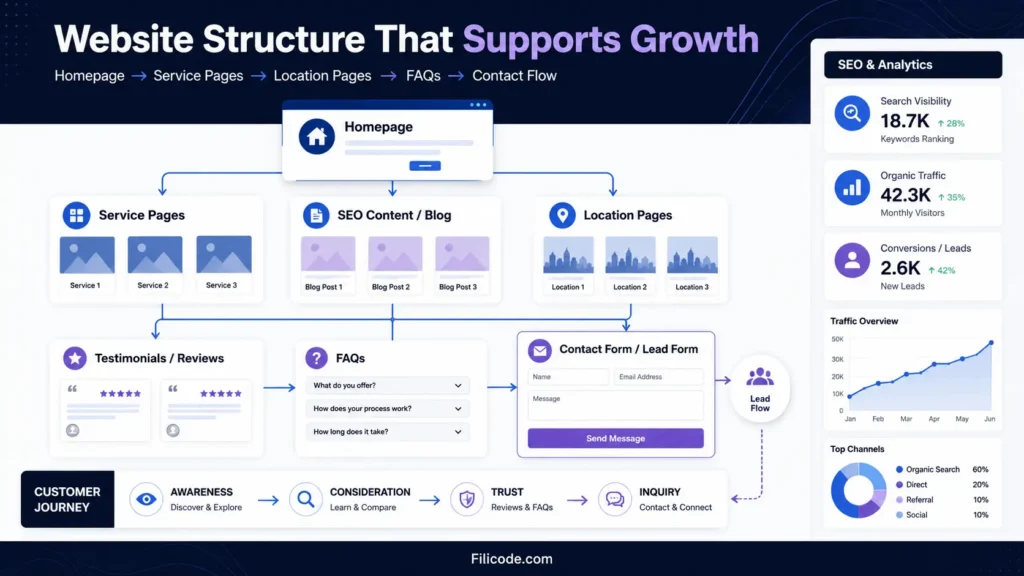
Good website planning starts with structure. The homepage should not carry every message. A scalable website separates content into logical sections: homepage, service pages, industry pages, location pages, case studies, FAQs, blog content, pricing signals, and contact paths.
This supports users and search engines. A clear site map helps Google understand topical relevance. It also helps internal teams update content without breaking the experience.
Use Clear Service Pages to Avoid Thin Content
Each service page should explain the offer, who it is for, common problems, implementation process, proof, FAQs, and next step. Thin service pages often fail because they provide no useful decision-making information.
For example, a company targeting regional search should avoid one generic “web design services” page only. A more strategic approach may include dedicated pages for specific markets, such as New Jersey website design services, with local context, service details, and conversion-focused structure.
| Website Area | Weak Approach | Better Approach |
|---|---|---|
| Homepage | General brand statements | Clear value proposition, core services, proof, and primary CTA |
| Service pages | Short descriptions with no depth | Problem, solution, process, FAQs, examples, and conversion path |
| Navigation | Vague labels like “Solutions” only | Descriptive labels that match user intent |
| Blog content | Random articles | Topic clusters supporting service and decision pages |
| Contact flow | One generic form | Forms routed by project type, budget, urgency, and service need |
3. Design for Visual Hierarchy, Not Decoration
Visual hierarchy controls what users notice first. A strong page uses headings, spacing, contrast, layout, and CTA placement to guide attention. The goal is not to make every section loud. The goal is to make the next useful action obvious.
Use one primary action per section. On a service page, that may be “Request a Website Review.” On a product page, it may be “Add to Cart.” On a SaaS page, it may be “Book a Demo.” Secondary actions can exist, but they should not compete with the main path.
Avoid rotating sliders, crowded hero sections, low-contrast text, decorative icons without meaning, and large image blocks that push important content too far down the page. These patterns look active but often reduce clarity.
Strong business website design tips usually come back to one principle: remove anything that makes the decision harder.
4. Write Copy That Answers Real Buyer Questions
Website copy should reduce uncertainty. Visitors want to know what you do, who you serve, how the process works, what makes you credible, what it costs, what happens after contact, and whether you understand their problem.
Use plain language. Avoid internal jargon. Technical businesses can still sound precise without sounding complicated. A CTO may appreciate architecture detail, but a founder still needs to understand the business outcome.
Good copy includes:
- Clear homepage headline
- Short paragraphs
- Meaningful subheads
- Specific service descriptions
- Customer reviews or proof
- FAQs near decision points
- Practical next steps
For SEO, page titles, meta descriptions, headings, internal links, and image alt text should reflect search intent. For local businesses, connect website content with Google Business Profile categories, local service areas, reviews, and location pages.
5. Make Mobile-First Design a Production Requirement
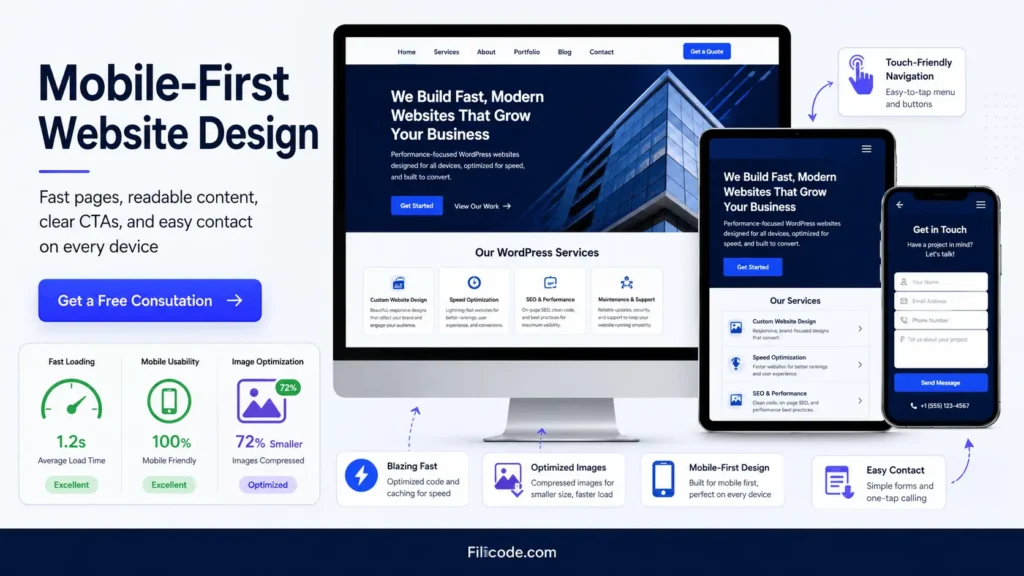
Mobile-first design is not just responsive styling. It affects page speed, content order, tap targets, form usability, image loading, and conversion behavior. Many small business website design tips fail because they treat mobile as a final adjustment after desktop approval.
Most users will not tolerate slow pages, tiny buttons, oversized popups, or forms that are difficult to complete on a phone. A mobile page should load quickly, explain the offer fast, and make contact easy.
Check these items before launch:
- Readable font sizes
- Touch-friendly buttons
- Compressed images
- Short form fields
- Sticky phone or CTA options when appropriate
- Fast loading on real mobile networks
Mobile usability also affects SEO. Search performance depends on crawlability, content quality, structured pages, speed, and user experience. A technically clean website gives your small business SEO strategy a stronger foundation.
6. Plan Performance, Caching, and Hosting Before the Site Grows
Performance problems often appear after the site gains traffic, content, plugins, products, or integrations. A simple WordPress website may perform well at launch, then slow down after adding page builders, tracking scripts, forms, review widgets, chat tools, and ecommerce features.
Performance planning should include CDN usage, image optimization, object caching, database cleanup, plugin review, hosting quality, and script control. For WordPress and WooCommerce, Redis object caching can help reduce repeated database queries. CDN architecture helps deliver static assets faster across regions.
WooCommerce needs special attention. Product filters, cart fragments, checkout scripts, payment gateways, and order tables can create bottlenecks. A store with high traffic should test checkout under load, monitor failed payments, and confirm webhook reliability from payment providers.
Performance is not only technical. Slow pages reduce trust, increase bounce rate, and make paid traffic more expensive.
7. Connect Forms, CRM, APIs, and Automation Early
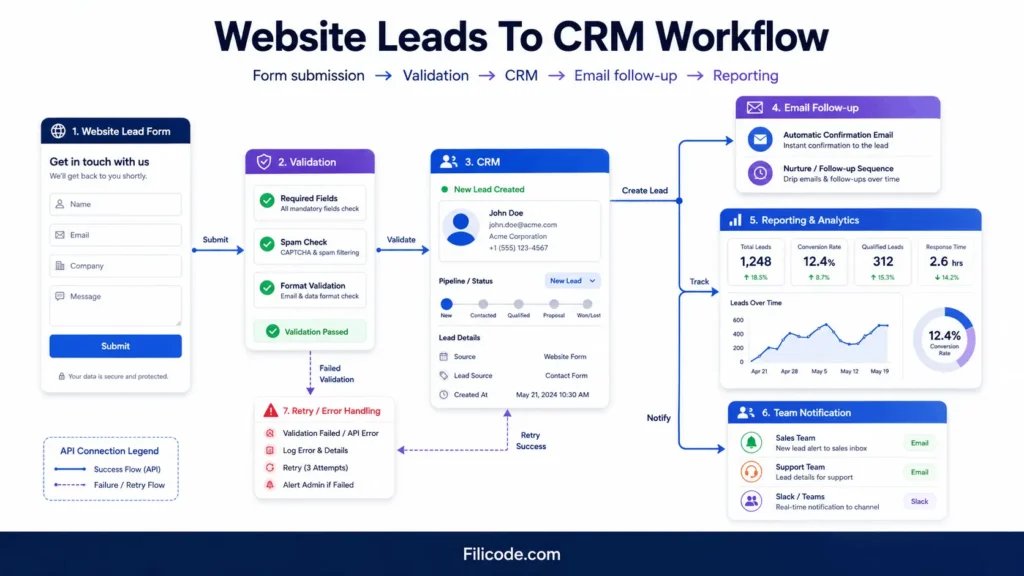
A website should not create more manual work than necessary. If a lead form only sends an email, the team may lose context, forget follow-ups, or manually copy data into a CRM. That becomes a workflow problem.
Better architecture sends form submissions into structured systems. A backend process can validate fields, store the request, notify the right team, push data into a CRM, trigger an email sequence, and log the source for reporting.
For advanced workflows, API integrations, webhooks, queues, and retries matter. If a CRM API fails, the system should not silently lose the lead. It should log the failure, retry when appropriate, and alert the team if the issue continues.
This is where planning the technical workflow before development can prevent future operational gaps.
8. Choose the Right Platform for the Business Model
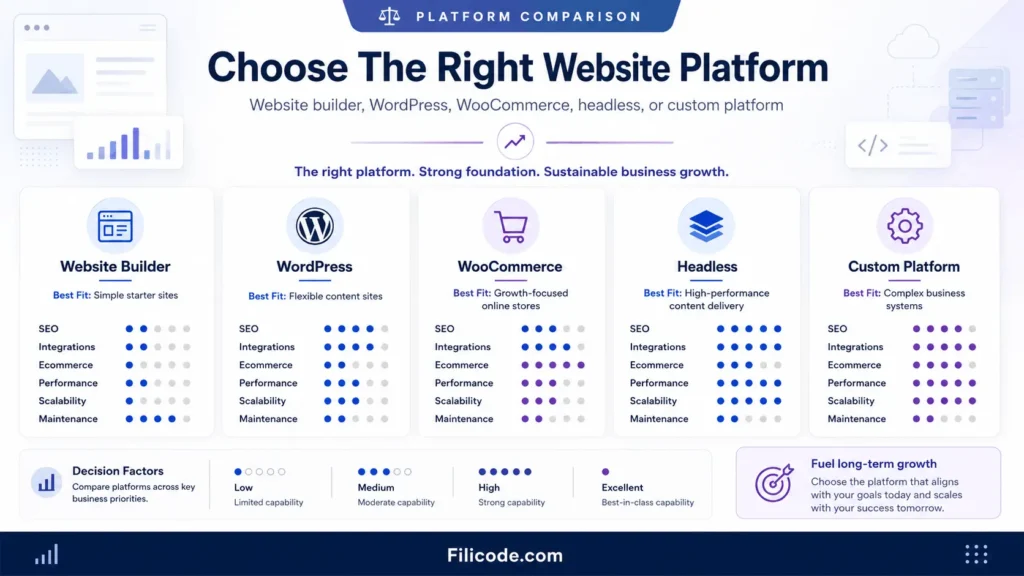
Not every business needs a custom system. Not every business should stay on a template. The right choice depends on content control, ecommerce needs, integrations, traffic, compliance, team workflow, and long-term maintenance.
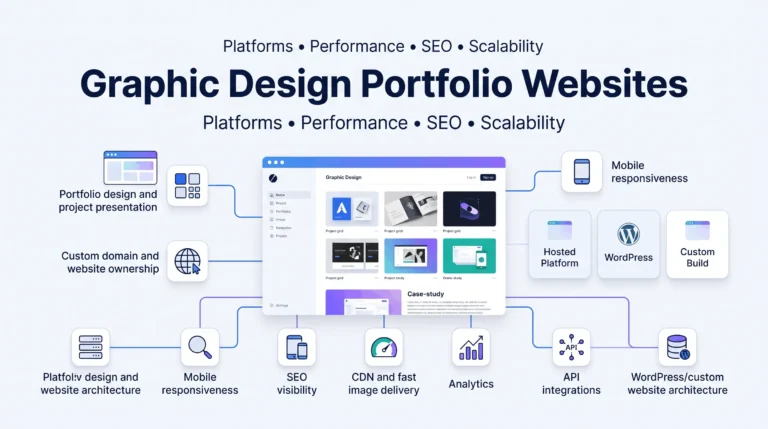
WordPress works well for service businesses, content-heavy sites, local SEO, custom landing pages, and flexible publishing. WooCommerce works when the store needs ownership and customization. Headless WordPress can help when frontend performance and custom application behavior matter, but it increases engineering complexity.
SaaS platforms and website builders are useful for quick launches. The trade-off is usually flexibility, data ownership, integration depth, and technical control.
| Option | Best Fit | Main Risk |
|---|---|---|
| Website builder | Very small sites with simple needs | Limited flexibility and weaker technical control |
| WordPress | Service pages, SEO content, custom layouts, scalable publishing | Plugin conflicts and poor performance if unmanaged |
| WooCommerce | Custom ecommerce with ownership and extensibility | Checkout, database, and plugin bottlenecks at scale |
| Headless WordPress | High-performance frontend with structured content | Higher development and maintenance overhead |
| Custom platform | SaaS, marketplaces, workflows, multi-tenant systems | Requires stronger architecture, testing, and support |
For context, the open-source software model explains why platforms like WordPress can be extended through themes, plugins, APIs, and custom development.
9. Build Trust, Proof, and Conversion Into the Website
Trust signals should be placed where users make decisions. Testimonials, case studies, certifications, team bios, process steps, before-and-after examples, FAQs, and clear contact information reduce hesitation.
Craft business website design tips examples often include product photography, handmade process images, customer reviews, shipping details, and clear policies. Wellness business website design tips usually focus on trust, practitioner credentials, booking ease, service descriptions, location information, and calm visual structure. Professional service websites need proof of expertise, process clarity, and strong service pages.
Avoid fake urgency, generic stock photos, and vague claims. Use real images where possible. Professional photography can improve credibility, especially for local businesses, clinics, studios, consultants, and craft brands.
10. Treat Security, Maintenance, and Updates as Design Requirements
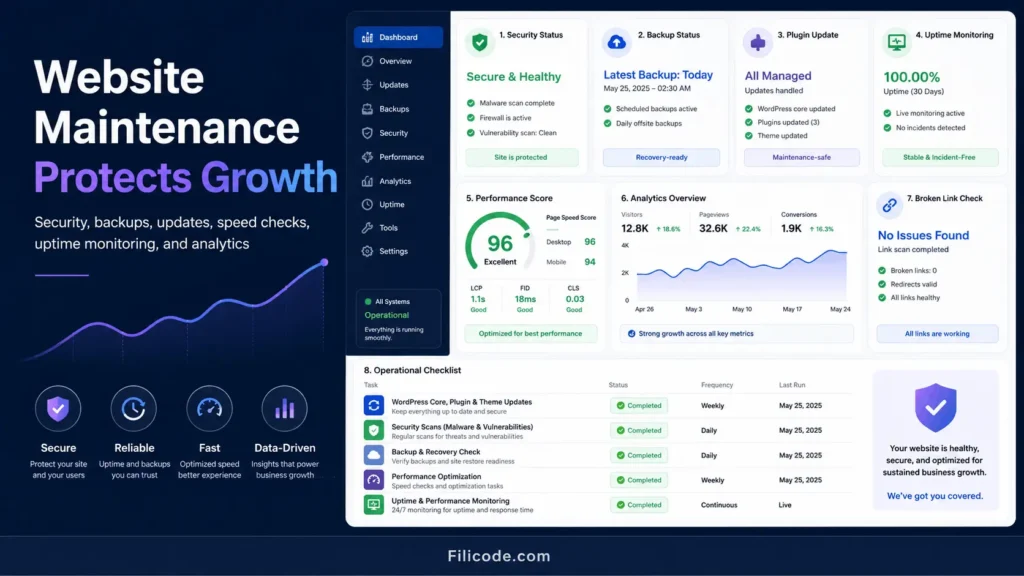
A website that cannot be maintained is not finished. Security hardening, backups, plugin updates, access control, spam protection, uptime monitoring, and analytics checks should be part of the operational plan.
For WordPress, maintenance includes theme updates, plugin compatibility checks, database cleanup, malware scanning, role management, form testing, and performance review. Cron job limitations also matter. Some scheduled tasks may fail on low-traffic sites unless server-side cron is configured properly.
RBAC is important for growing teams. Not every user should have administrator access. Editors, marketers, store managers, developers, and support users need different permissions. Audit logging helps track changes when something breaks.
Maintenance is not glamorous, but it prevents expensive emergencies.
11. Use AI and Automation Carefully, Not Randomly
AI automation can support website operations, but it should not be added without validation. Useful examples include lead qualification, CRM summaries, support routing, content briefs, internal search, product recommendations, and reporting assistance.
Reliable AI workflows need orchestration, guardrails, fallback logic, human review, and monitoring. An AI agent that writes directly to a CRM, sends customer emails, or updates product data should have validation steps. Outputs should be logged and reviewed when risk is high.
For growing companies, UX design decisions, automation workflows, and backend architecture should work together. A form that asks the right questions can make CRM automation and support routing more accurate.
Where Filicode Fits Into Scalable Website Projects
After the basic design decisions are clear, many businesses need deeper technical execution. Filicode works across WordPress development, WooCommerce development, custom software development, API integrations, SaaS development, AI automation, and performance optimization.
The practical value is not only building pages. It is designing maintainable systems around how the business actually operates. That may include custom Gutenberg blocks, plugin architecture, REST API integrations, checkout optimization, CRM workflows, automation layers, admin tooling, or technical SEO foundations.
Businesses usually outgrow off-the-shelf tools when manual work increases, integrations become fragile, reporting becomes unreliable, or the website cannot support new services without redevelopment. At that point, custom architecture can reduce future operational cost.
FAQs About Business Website Design Tips
How can I improve an existing business website design?
Start with structure, speed, mobile usability, service page depth, contact flow, and analytics. The best business website design tips usually focus on removing friction before adding new visual elements.
How much should a small business website cost?
Cost depends on page count, content, design complexity, SEO setup, forms, integrations, ecommerce features, hosting, and maintenance. A low-cost site can work for a simple launch, but it becomes risky if the business needs custom workflows or scalable growth.
Should a business use WordPress or a website builder?
A website builder is fine for very simple needs. WordPress is usually stronger when the business needs SEO content, flexible service pages, custom design, integrations, and long-term content control.
What integrations should be planned during website design?
Common integrations include CRM, email marketing, booking tools, payment gateways, analytics, Google Business Profile, ecommerce systems, helpdesk tools, and automation platforms. Plan them early so the website data structure supports them.
How long does a professional business website take to build?
A focused small business website may take a few weeks. A custom WordPress, WooCommerce, SaaS, or integration-heavy project can take longer because planning, design, development, testing, migration, and launch checks all matter.
When should a website be redesigned instead of improved?
Redesign is worth considering when the structure is confusing, the site is slow, the CMS is hard to manage, the design no longer supports the brand, or integrations and SEO foundations are too weak to repair efficiently.
What are the most important business website design tips for getting more leads?
The most important business website design tips are to make the value proposition clear, simplify navigation, improve mobile speed, strengthen service pages, add visible trust signals, and make calls to action easy to find. Start by fixing friction in the customer journey before adding new design elements.
Conclusion: Business Website Design Tips Should Reduce Future Friction
The strongest business website design tips are not cosmetic. They help the business avoid future friction. A scalable website should be fast, understandable, editable, secure, measurable, and ready for integrations.
Warning signs are easy to spot: slow pages, poor mobile conversions, manual lead handling, broken forms, weak service pages, plugin conflicts, unreliable reporting, checkout issues, and content updates that require too much technical support.
When those problems appear, custom development should be considered carefully. Not every company needs a complex system, but every growing company needs a website foundation that does not fight growth.
If your website needs stronger structure, better SEO foundations, WordPress development, WooCommerce improvements, automation, or scalable integrations, talk with Filicode about the practical next step. Start with the bottleneck, then design the system around it.