




Contents
- Quick Summary:
- BigCommerce Migration Planning Before Any Data Moves
- What Data Should Move During BigCommerce Migration?
- BigCommerce Migration Architecture: Tool, API, or Custom Pipeline?
- BigCommerce Migration for Real Production Workflows
- Platform-Specific Migration Realities
- Shopify to BigCommerce Migration
- WooCommerce to BigCommerce Migration
- Adobe Commerce and Magento to BigCommerce Migration
- Other Legacy Platforms
- SEO Risks During BigCommerce Migration
- Integration and Automation Planning
- BigCommerce Migration ROI Timeline
- Where Filicode Fits in BigCommerce Migration Services
- Common Migration Mistakes That Create Long-Term Cost
- FAQs
- How much does BigCommerce migration cost?
- How long does a BigCommerce migration take?
- Is Shopify to BigCommerce migration risky?
- Can WooCommerce data move to BigCommerce?
- Why use a BigCommerce migration expert?
- What happens after launch?
- Conclusion: When BigCommerce Migration Becomes the Right Move
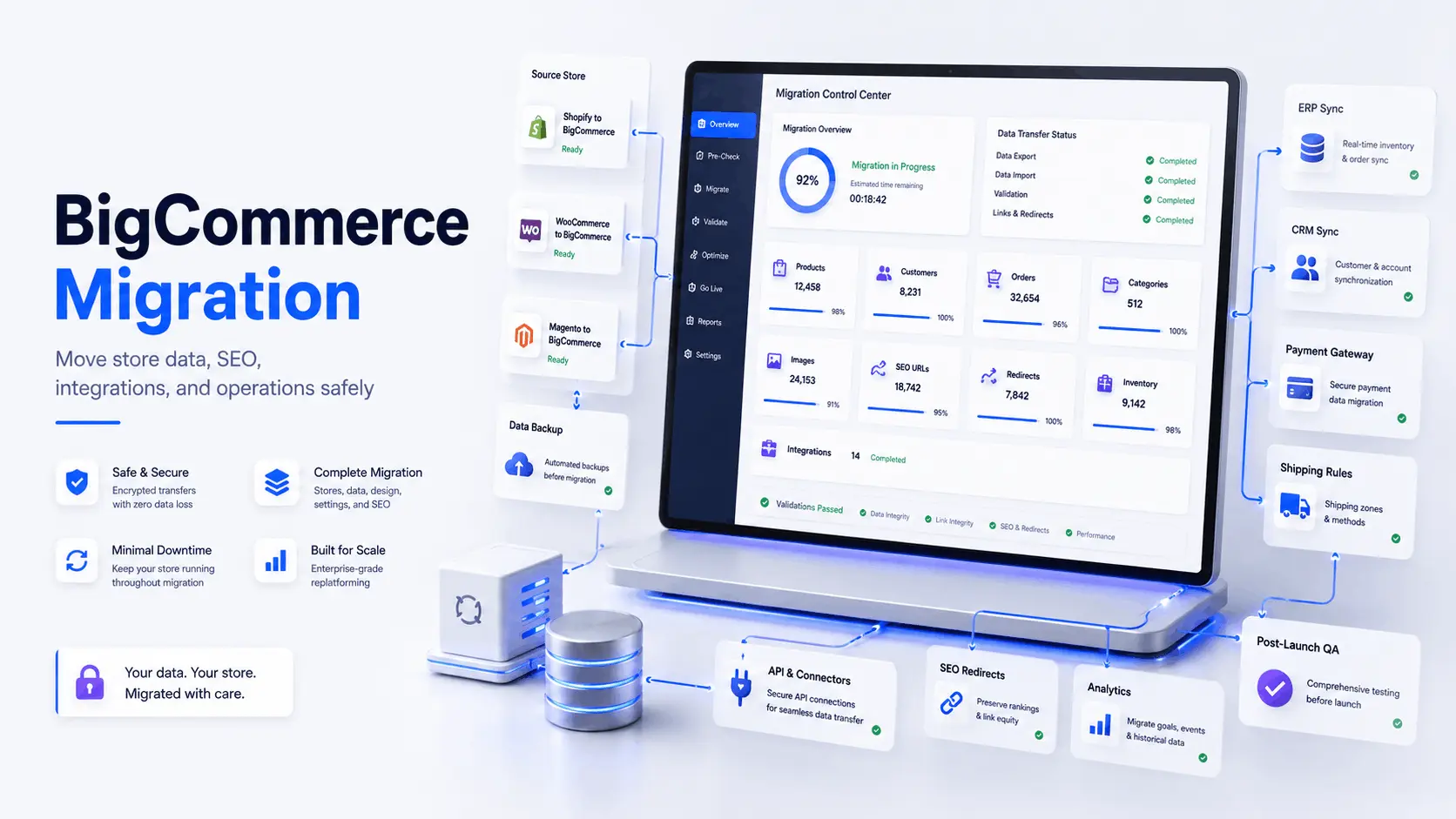
A BigCommerce migration can fail before launch when product data, old URLs, payment rules, inventory sync, customer groups, tax logic, and app dependencies are not properly mapped.
Businesses planning to migrate to BigCommerce should treat the move as a replatforming project, not a simple cart export. You are moving the commercial engine of the business, including checkout behavior, catalog structure, operational reporting, and integrations that keep finance, support, marketing, and fulfillment teams moving. If the project also requires scalable e-commerce development with BigCommerce, a structured BigCommerce development services approach can connect platform setup, theme work, integrations, testing, and post-launch support.
Quick Summary:
- BigCommerce migration works best when data, SEO, workflows, and integrations are mapped before development starts.
- Shopify to BigCommerce migration is usually cleaner than legacy platform moves, but apps, subscriptions, and custom checkout logic still need review.
- WooCommerce to BigCommerce migration often requires deeper product, plugin, and order history analysis.
- Magento to BigCommerce migration can reduce hosting and patching overhead, but complex catalogs and B2B logic need careful architecture.
- Migration ROI depends on lower maintenance cost, faster operations, better performance, and fewer integration failures.
BigCommerce Migration Planning Before Any Data Moves
A BigCommerce replatforming project should begin with an audit, not an import tool.
You need to know what exists in the current store, what should move, what should be retired, and what must be rebuilt differently. Many stores carry years of duplicated SKUs, broken categories, unused coupons, plugin-generated metadata, abandoned customer records, and old CMS pages that no longer support revenue.
A proper bigcommerce migration plan should include:
- catalog structure and product variants
- customer records and order history
- URL mapping and 301 redirects
- payment, tax, and shipping rules
- ERP, CRM, warehouse, and support integrations
- analytics, pixels, feeds, and tracking scripts
- content, blogs, landing pages, and metadata
BigCommerce is a SaaS ecommerce platform, so the architecture changes. You are not managing server patches like a custom-hosted WooCommerce or Magento stack. Instead, your engineering focus shifts toward APIs, apps, webhooks, storefront customization, and integration reliability.
What Data Should Move During BigCommerce Migration?
Not every piece of data deserves to move.
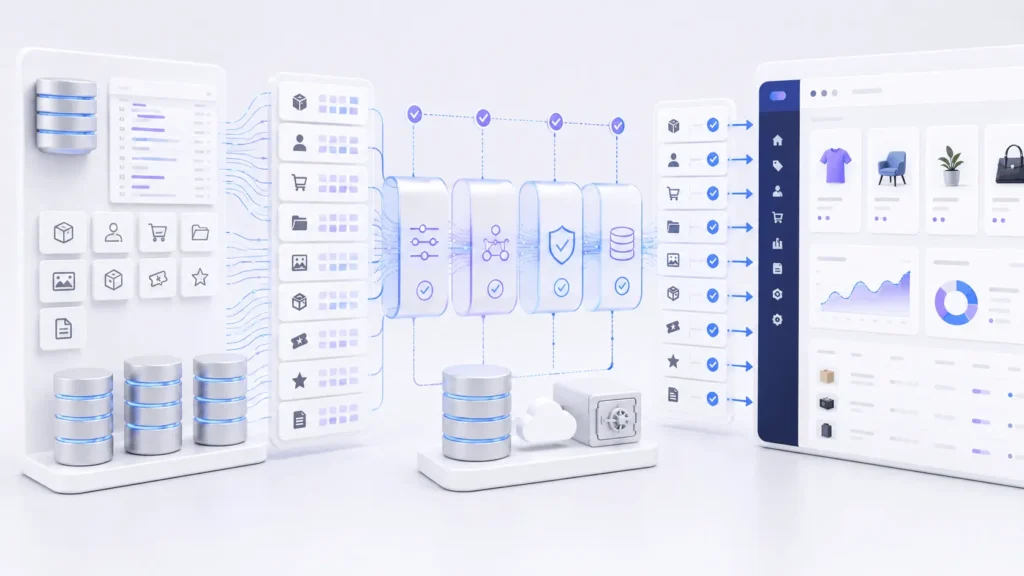
Product data should be cleaned before import. Titles, SKUs, descriptions, options, variants, images, prices, stock rules, dimensions, and SEO metadata need validation. Large catalog migration becomes difficult when different teams have used different naming patterns for years.
Customer data needs stricter handling. Email addresses, billing details, shipping addresses, customer groups, and order references must be protected and validated. Passwords usually cannot be moved directly in a usable form because modern platforms store them securely.
Order history matters for support and reporting. A customer service team may need previous purchases, refunds, invoices, and shipment records. Finance may need reconciliation. Marketing may need customer segmentation.
BigCommerce Migration Architecture: Tool, API, or Custom Pipeline?
A bigcommerce migration tool can be useful for simple stores. It can move products, customers, orders, images, categories, coupons, and reviews with less manual effort.
But tools have limits.
They do not always understand custom plugins, Magento modules, WooCommerce hooks, private app data, legacy tax rules, or complex B2B pricing. A custom pipeline is safer when the store has large catalogs, ERP dependencies, subscription logic, marketplace feeds, or unusual product structures.
| Migration Method | Best Fit | Main Risk | Engineering Control |
|---|---|---|---|
| Automated tool | Small to medium standard stores | Limited custom logic | Low |
| Manual import | Clean catalogs with simple data | Human error | Medium |
| API-based migration | Complex stores with integrations | Requires technical planning | High |
| Custom ETL pipeline | Enterprise catalogs and legacy systems | Higher upfront effort | Very high |
For serious ecommerce operations, the safest approach is often hybrid: automated migration for standard records, custom scripts for edge cases, and manual review for high-value data.
BigCommerce Migration for Real Production Workflows
A live ecommerce store is not just a database.
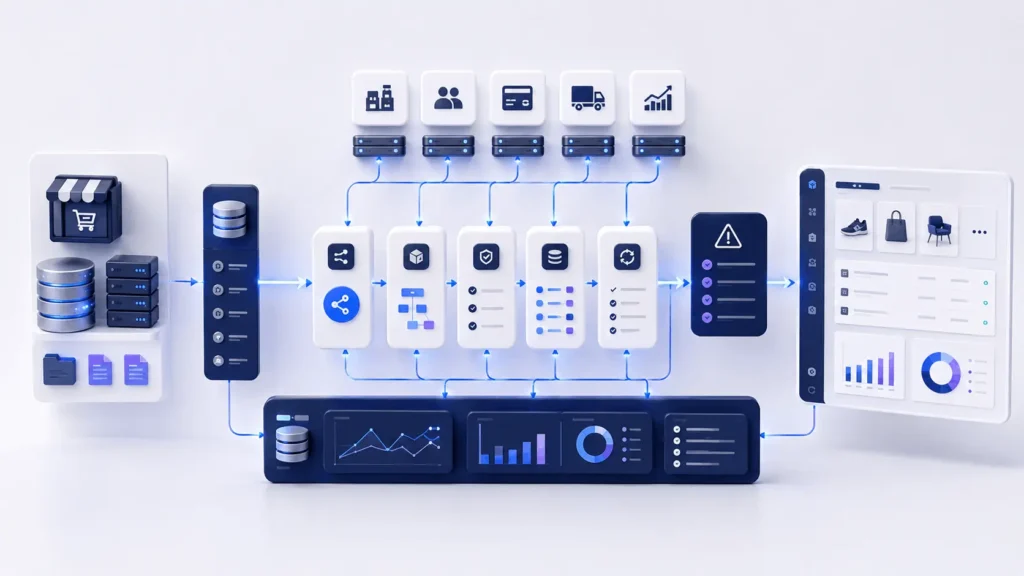
A customer searches a product, filters results, adds an item to cart, applies a discount, selects shipping, pays through a gateway, receives emails, triggers fulfillment, updates inventory, sends data to analytics, and creates records in support or CRM tools.
During bigcommerce migration, each of these workflows must be tested.
Frontend behavior affects conversion. Backend processing affects operations. APIs affect synchronization. Webhooks affect downstream systems. Queues affect reliability when order volume spikes. When the storefront is being redesigned during migration, UI and UX design services can help keep navigation, product discovery, checkout flow, and mobile buying behavior aligned with real customer journeys.
For example, if an ERP integration fails after launch, the storefront may still take orders, but the warehouse may not receive them. That creates support tickets, refunds, and manual work. Migration testing should include failure handling, retries, logs, and alerts, not only “does checkout work?”
Platform-Specific Migration Realities
Shopify to BigCommerce Migration
Shopify to BigCommerce migration is usually structured because Shopify data exports are clean compared with many legacy systems. The harder work is app replacement, theme rebuilding, checkout differences, and URL preservation.
BigCommerce migration from Shopify should review product handles, collections, blog URLs, redirects, subscription apps, customer tags, and marketing automation flows.
WooCommerce to BigCommerce Migration
WooCommerce to BigCommerce migration is often more technical because WooCommerce stores depend heavily on plugins, custom hooks, theme overrides, and WordPress database structure. Before moving, it is worth reviewing the existing WordPress development foundation because many migration problems start with undocumented theme logic, plugin dependencies, or custom checkout behavior.
Checkout bottlenecks, plugin conflicts, slow admin screens, cron job failures, and hosting constraints are common reasons businesses move. The migration must identify which WooCommerce features are native in BigCommerce, which need apps, and which require custom development. In some cases, custom WordPress plugin development work is still needed before migration to export data cleanly or preserve business rules.
Adobe Commerce and Magento to BigCommerce Migration
An Adobe Commerce to BigCommerce replatforming project can reduce infrastructure maintenance, patching requirements, and extension conflicts. The migration still requires careful planning for complex catalogs, customer groups, pricing rules, product attributes, SEO URLs, and ERP integrations.
Magento 2 to BigCommerce migration service planning should pay attention to configurable products, customer groups, advanced pricing, layered navigation, custom attributes, and ERP integrations. Magento to BigCommerce migration services also need strict SEO mapping because Magento stores often have long URL histories.
Other Legacy Platforms
Volusion to BigCommerce migration, Yahoo to BigCommerce migration, Drupal BigCommerce migration, and Magento Go to BigCommerce migration usually involve outdated structures. In these cases, data cleanup is often as important as data transfer.
SEO Risks During BigCommerce Migration
SEO damage usually comes from weak URL planning.
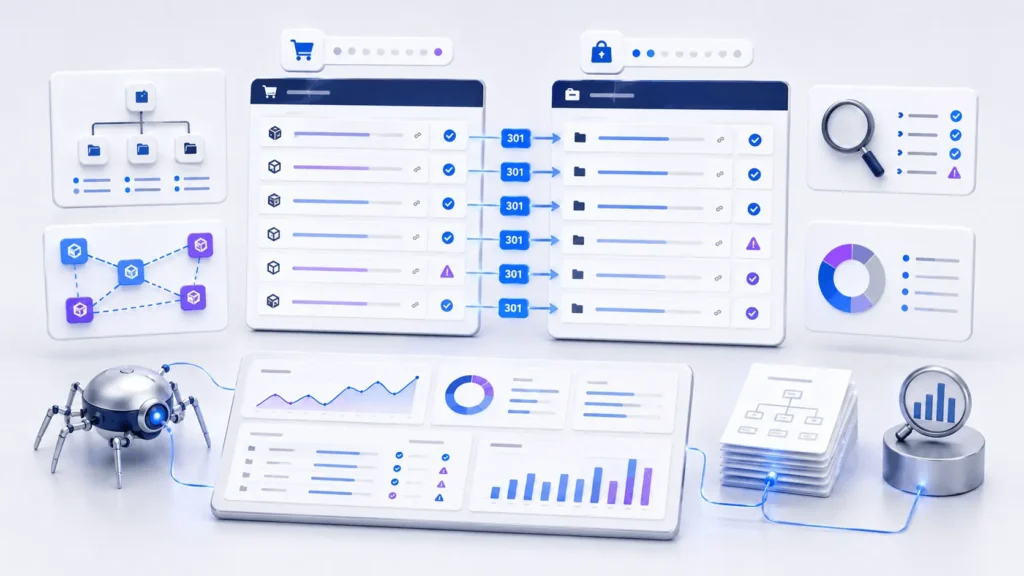
Old URLs should be mapped to new URLs before launch. Product pages, category pages, blog posts, CMS pages, filters, and high-authority landing pages need redirect logic. Do not wait until after traffic drops.
A serious bigcommerce migration SEO checklist should include:
- export all indexable URLs
- map old URLs to new URLs
- preserve meta titles and descriptions where useful
- update internal links
- generate and submit the new sitemap
- monitor crawl errors
- track keyword movement after launch
If the current store has thin pages or messy URL structures, migration is also a chance to improve architecture. But changes should be controlled. Rebuilding every URL at once without redirect discipline is risky. For stores with existing organic traffic, practical SEO support for small businesses can help protect rankings while improving page structure, redirects, metadata, and crawlability.
Integration and Automation Planning
Most growing stores depend on systems outside the storefront.
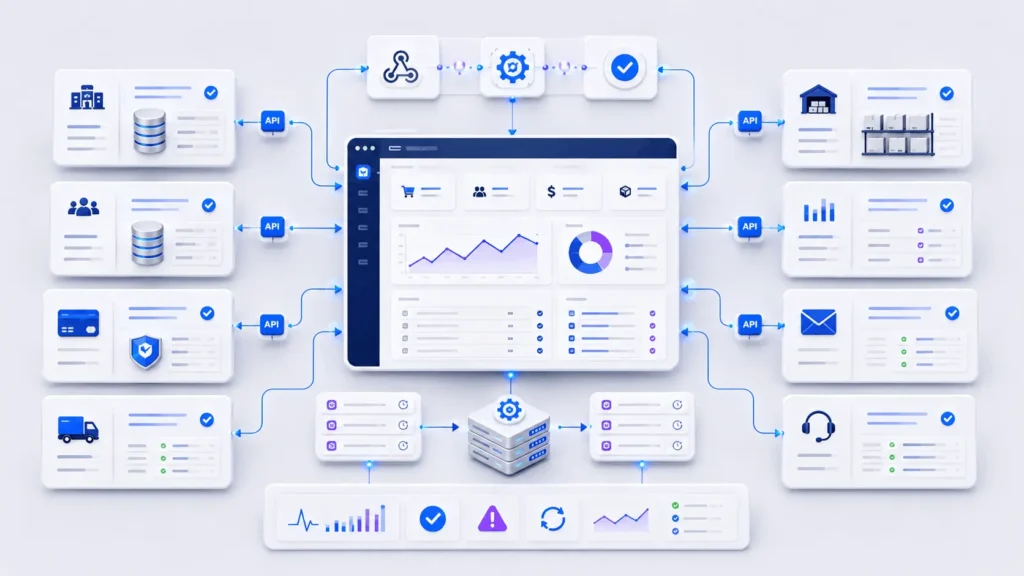
ERP sync, CRM automation, email marketing, accounting, warehouse tools, tax software, shipping platforms, product feeds, review platforms, and support desks all need migration planning.
A reliable BigCommerce integration should use scoped API credentials, secure authentication, structured logs, rate-limit handling, retry logic, and alerting. Webhooks should not directly perform heavy operations. A better pattern is to receive the event, store it, queue the job, process it asynchronously, and retry failures safely. For stores that depend on ERP, CRM, warehouse, or accounting systems, dedicated API integration services can reduce sync failures and make post-migration operations easier to monitor.
AI automation can support migration and post-launch operations, but it should not run without validation. AI agents can classify products, clean descriptions, detect missing attributes, summarize support issues, or enrich CRM records. Human-in-the-loop review is still needed for pricing, compliance, SEO pages, and customer-facing data. For teams handling large catalogs or repetitive operational tasks, AI automation services can support controlled workflows with validation, fallback logic, and monitoring.
BigCommerce Migration ROI Timeline
A bigcommerce migration ROI timeline depends on the reason for moving.
If the current platform has high maintenance cost, frequent downtime, slow checkout, or expensive developer dependency, ROI may appear faster. If the store is stable but needs better scalability, the return may come from operational efficiency and future growth rather than immediate cost savings.
| Business Problem | Migration Benefit | ROI Signal |
|---|---|---|
| Slow checkout | Cleaner hosted commerce stack | Higher conversion rate |
| Plugin conflicts | Reduced maintenance overhead | Fewer support incidents |
| Manual order work | Better automation and integrations | Lower operations cost |
| Weak SEO structure | Cleaner redirects and metadata | Traffic recovery and growth |
| Poor scalability | Stronger platform foundation | More stable peak sales periods |
The mistake is measuring ROI only by launch cost. Better measurement includes developer hours saved, fewer failed syncs, faster catalog updates, lower infrastructure burden, reduced checkout issues, and improved reporting accuracy.
Where Filicode Fits in BigCommerce Migration Services
By this stage, bigcommerce migration becomes less about moving records and more about designing a maintainable commerce system.
Filicode supports businesses that need BigCommerce migration services, API integrations, WordPress and WooCommerce development, custom software development, AI automation, SaaS architecture, and performance optimization around real operational workflows.
This is useful when a business has outgrown off-the-shelf tools. A migration may require custom connectors, admin tooling, reporting dashboards, middleware, webhook processors, product sync automation, or CRM workflows that generic apps do not cover well.
The goal is not unnecessary custom code. The goal is to use native platform features where they fit, apps where they are stable, and custom architecture where the business process needs it.
Common Migration Mistakes That Create Long-Term Cost
Cheap migration often becomes expensive later.
Common mistakes include moving bad product data, ignoring redirects, skipping integration testing, launching without rollback planning, relying on undocumented apps, and assuming all order states behave the same across platforms.
Another mistake is treating BigCommerce like a fully custom monolith. It is SaaS. You work through APIs, apps, storefront customization, webhooks, and external services. That is a strength when designed properly, but a limitation when a team expects unrestricted database-level control.
Maintainable systems respect platform boundaries.
FAQs
How much does BigCommerce migration cost?
Cost depends on catalog size, platform source, integrations, theme requirements, SEO risk, and custom workflows. A simple store may only need a structured migration service. A complex B2B or enterprise store may need API work, custom scripts, QA, and post-launch support.
How long does a BigCommerce migration take?
A basic migration can take a few weeks. Complex bigcommerce migration projects with ERP integration, SEO mapping, custom theme development, and order history validation can take longer. The timeline should include testing, not only data transfer.
Is Shopify to BigCommerce migration risky?
It can be low risk when products, customers, orders, redirects, and apps are mapped properly. The biggest risks are lost SEO URLs, missing app functionality, and checkout behavior changes that were not tested.
Can WooCommerce data move to BigCommerce?
Yes. Products, categories, customers, orders, coupons, images, and content can be moved. WooCommerce plugin data may need custom handling because not all plugins store information in a standard format.
Why use a BigCommerce migration expert?
A BigCommerce migration expert understands data mapping, SEO preservation, API limitations, integration reliability, and launch risk. This matters when revenue depends on clean operations after go-live.
What happens after launch?
Post-launch BigCommerce migration support should monitor orders, redirects, analytics, crawl errors, payment behavior, inventory sync, customer complaints, and integration logs. The first few weeks can reveal issues that test environments do not always expose. After the technical launch is stable, digital marketing services can help rebuild campaigns, improve conversion tracking, and align paid and organic traffic with the new storefront structure.
Conclusion: When BigCommerce Migration Becomes the Right Move
BigCommerce migration is worth considering when the current store is slowing growth instead of supporting it.
Warning signs are easy to spot: checkout problems, plugin conflicts, slow admin work, fragile integrations, poor reporting, frequent developer dependency, messy product data, manual fulfillment steps, SEO limitations, and unreliable peak-season performance.
The practical next step is a technical audit. Map the current store, identify operational risks, estimate migration effort, define the integration architecture, protect SEO URLs, and decide what should be rebuilt instead of copied.
A careful migration gives the business a cleaner foundation. A rushed migration only moves old problems into a new platform.