
Contents
- Quick Summary: WordPress Developer Skills
- Core WordPress Developer Skills Required for Professional Projects
- WordPress Developer Skills for Theme, Plugin, and Gutenberg Work
- WordPress developer skills for custom plugin architecture
- Frontend, Backend, and Full Stack WordPress Developer Skills
- Performance-Focused WordPress Development Skills for Production
- WordPress Developer Skills for APIs, Webhooks, and Automation
- WordPress Security and Maintenance Skills
- What to Look for in a WordPress Developer: Skills Assessment
- Soft Skills That Matter in WordPress Development
- WordPress vs Headless, SaaS, and Custom Systems
- WooCommerce Skills for Stores, Payments, and Checkout Scaling
- AI Automation and WordPress Developer Skills in 2026
- When Off-the-Shelf Plugins Are No Longer Enough
- FAQs About WordPress Developer Skills
- What skills are required for a WordPress developer?
- How much does it cost to hire a skilled WordPress developer?
- How long does WordPress development take?
- How can I test WordPress developer skills before hiring?
- Can WordPress scale for serious business use?
- When should a business move beyond plugins?
- Conclusion: Choosing WordPress Developer Skills That Reduce Future Risk
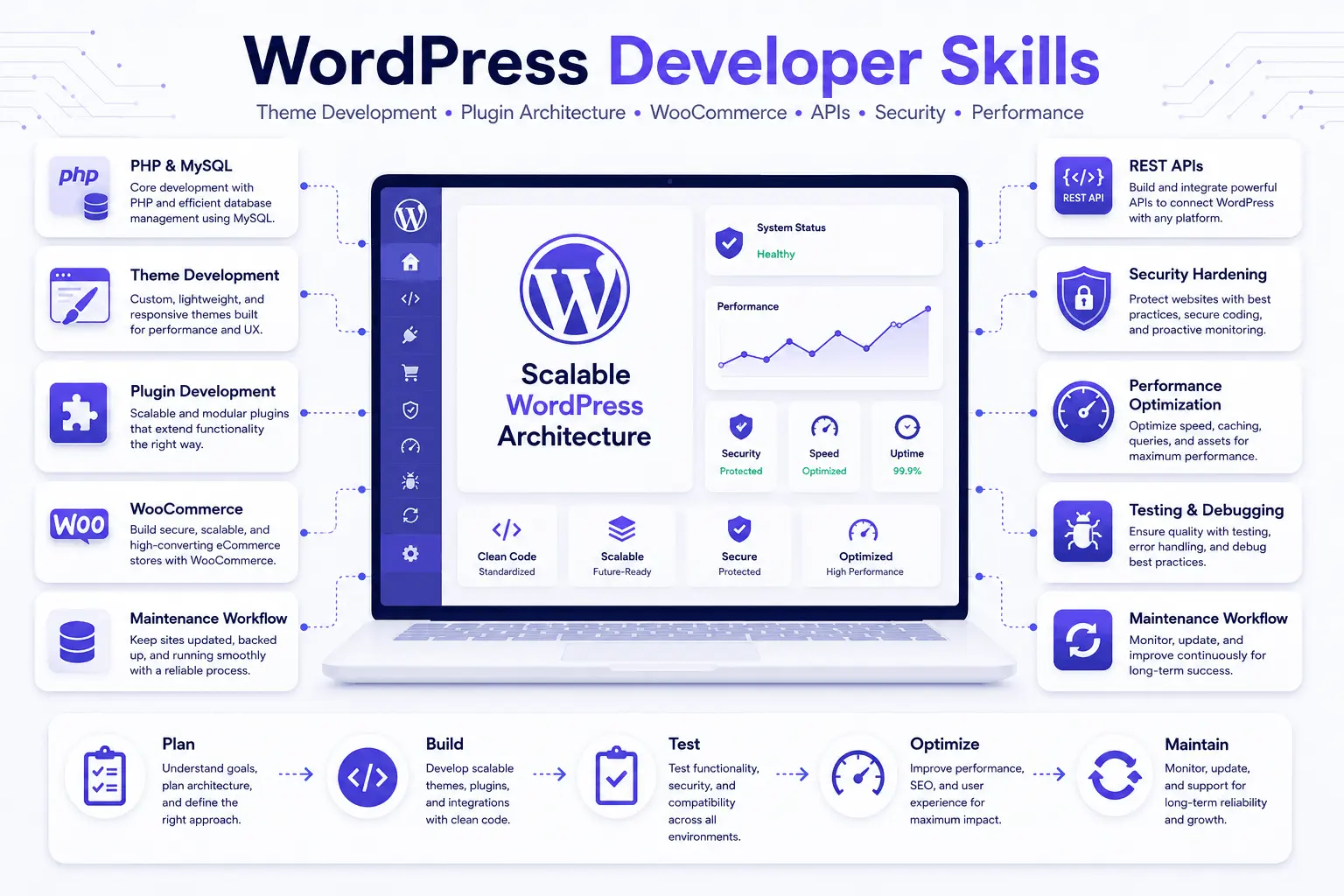
WordPress developer skills go far beyond installing themes and plugins. A professional WordPress developer should understand PHP, HTML and CSS, JavaScript, MySQL, WordPress hooks, theme and plugin development, Gutenberg, REST APIs, security, performance optimization, testing, and deployment.
These skills determine whether a WordPress website remains fast, secure, maintainable, and scalable as traffic, content, WooCommerce features, and third-party integrations grow. In this guide, we break down the 11 essential WordPress developer skills to look for in 2026 and explain how each one affects real production websites.
Quick Summary: WordPress Developer Skills
- Strong WordPress developer skills include PHP, JavaScript, MySQL, hooks, APIs, security, performance, testing, and production troubleshooting.
- A developer who only installs plugins can move fast early, but may create long-term dependency and technical debt.
- Scalable WordPress work requires clean architecture, staging workflows, caching strategy, database awareness, and controlled deployments.
- WooCommerce, memberships, marketplaces, SaaS dashboards, and AI automation workflows need deeper backend and integration experience.
Core WordPress Developer Skills Required for Professional Projects
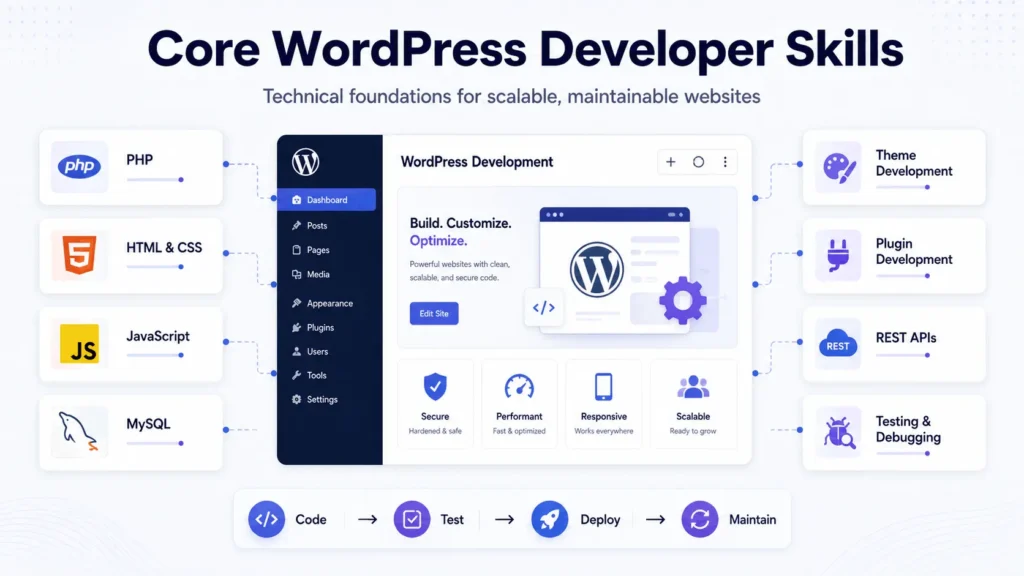
The core WordPress developer skills required for small edits are different from the skills needed for a revenue-generating website, ecommerce store, SaaS portal, or business automation platform. A production developer must understand how WordPress behaves as a content management system, application layer, database-driven platform, and integration hub.
At minimum, a capable developer should understand PHP, HTML, CSS, JavaScript, MySQL, the WordPress admin interface, theme hierarchy, plugin architecture, user roles, hooks, REST API usage, debugging, and deployment workflows. That list looks technical, but the real value is operational. Each skill affects uptime, maintainability, security, and cost.
Teams planning to hire a WordPress developer for business-critical work should check whether the developer can explain trade-offs, not just show finished screenshots.
WordPress Developer Skills for Theme, Plugin, and Gutenberg Work
Theme development is still a core part of WordPress, but modern work goes beyond editing templates. A developer should understand block themes, classic themes, child themes, template parts, reusable blocks, custom post types, custom taxonomies, ACF-style field structures, and Gutenberg customization.
WordPress developer skills for custom plugin architecture
Plugin development requires a different level of discipline. A developer must know actions, filters, shortcodes, settings pages, custom database tables when appropriate, sanitization, escaping, nonce verification, capability checks, and update-safe architecture. The official WordPress hook system is central to how custom behavior should be added without modifying core files.
Custom plugins become necessary when business logic should not live inside a theme. Examples include lead routing, CRM sync, custom pricing rules, WooCommerce checkout logic, subscription workflows, reporting tools, integration bridges, and AI-assisted content workflows.
| Skill Area | Weak Implementation | Production-Ready Implementation |
|---|---|---|
| Theme customization | Hardcoded sections and fragile page layouts | Reusable blocks, editable fields, and clean templates |
| Plugin development | Code placed in theme files without structure | Scoped plugin logic using hooks, validation, and capability checks |
| Gutenberg editing | Content teams depend on developers for small edits | Structured blocks that support safe content updates |
| Performance | Plugin stacking without measurement | Profiling, caching, asset control, and database review |
Frontend, Backend, and Full Stack WordPress Developer Skills
Frontend WordPress work covers responsive design, accessibility, HTML structure, CSS architecture, JavaScript behavior, interactive elements, browser testing, and mobile-friendly layouts. A strong frontend developer does not only match a Figma design. They build interfaces that remain usable after real content, long headings, image variation, forms, menus, videos, and multilingual text are added.
Backend work is where many projects succeed or fail. Backend WordPress developer skills include PHP architecture, database queries, REST API endpoints, authentication logic, custom roles, server configuration, cron jobs, background processing, data validation, and integration reliability.
Full stack WordPress developer skills combine both sides. This matters for WooCommerce stores, membership systems, marketplaces, booking platforms, SaaS dashboards, learning portals, and AI automation tools where frontend interaction triggers backend workflows.
Performance-Focused WordPress Development Skills for Production
Production exposes weak architecture quickly. A website that works with ten products may struggle with ten thousand. A contact form that works during testing may fail when spam traffic increases. A checkout that works in staging may become slow when real payment gateways, shipping APIs, tax rules, coupons, and abandoned cart tools are active.
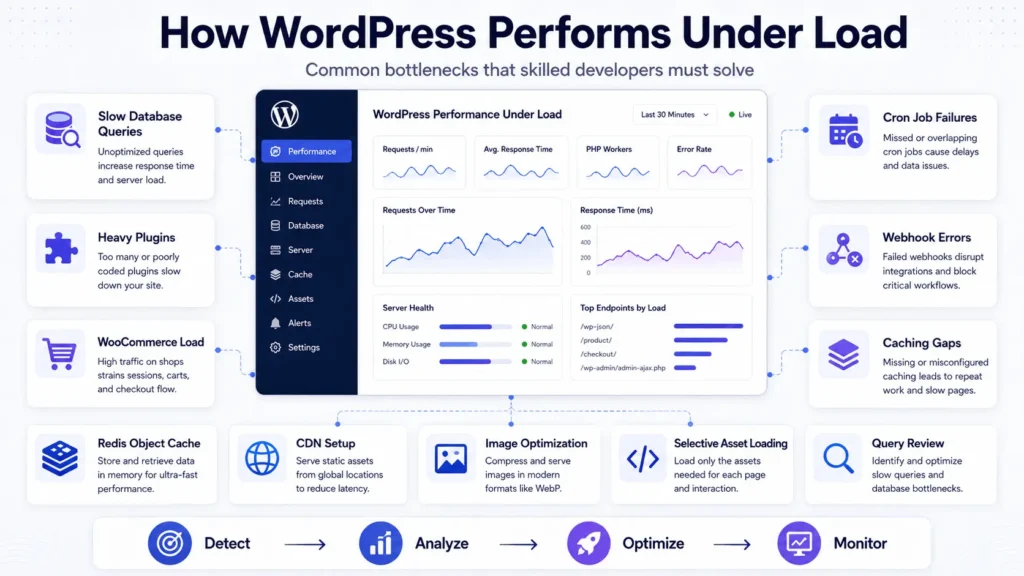
Practical WordPress developer skills include knowing where bottlenecks usually appear:
Performance-focused WordPress development requires developers to identify bottlenecks before adding more plugins or server resources.
- Too many uncached database queries on high-traffic pages
- Heavy plugins loading assets across the entire site
- WooCommerce cart fragments slowing frontend performance
- Unreliable cron jobs for scheduled imports, emails, or sync tasks
- Webhook failures without retry logic or status tracking
For scaling, object caching with Redis, CDN optimization, image compression, selective asset loading, query review, and proper hosting architecture matter. Caching is not a single switch. Page caching, browser caching, object caching, CDN caching, and API response caching solve different problems.
Teams using WordPress for serious growth should treat performance as an engineering workflow, not a final plugin installation.
WordPress Developer Skills for APIs, Webhooks, and Automation
Modern WordPress often sits between many systems: CRM platforms, payment gateways, email tools, ERP systems, analytics platforms, booking tools, AI agents, support desks, and marketing automation platforms. That means WordPress developer skills now include API architecture and integration design.
A reliable integration needs authentication, request validation, retries, logging, rate-limit handling, status tracking, and failure alerts. Without those pieces, business teams only notice problems after customers complain or reports stop matching.
For advanced workflows, API integration services can connect WordPress with CRM systems, SaaS tools, payment workflows, AI automation layers, and operational dashboards without relying on fragile plugin chains.
WordPress Security and Maintenance Skills
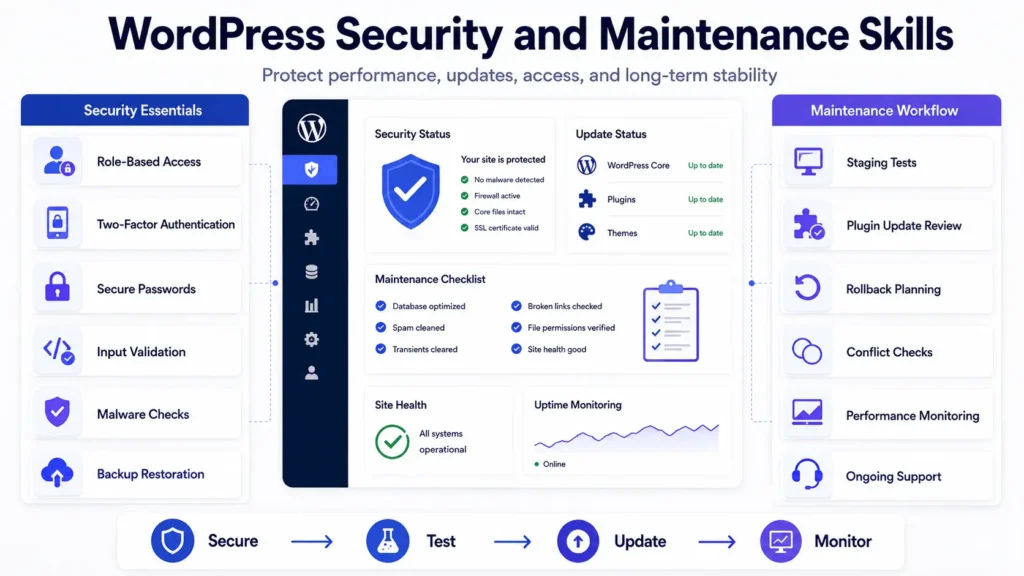
Security is not handled by one plugin. A developer should understand least-privilege access, two-factor authentication, secure passwords, file permissions, input sanitization, output escaping, nonce checks, plugin update risk, backup restoration, malware scanning, and server-level hardening.
Maintenance is also part of architecture. Updates need staging tests, backup checks, rollback planning, and plugin conflict review. A site with no update process eventually becomes risky. A site with blind auto-updates can break without warning.
Businesses that already have a live site often need structured website support and maintenance more than another redesign.
What to Look for in a WordPress Developer: Skills Assessment
When deciding what to look for in a WordPress developer, a skills assessment should test real judgment, not memorized answers. Many candidates can explain hooks, themes, and plugins in theory. Fewer can debug a slow checkout, clean a broken integration, or explain why a plugin-based shortcut will create future risk.
A useful WordPress developer skills test can include a small practical task, code review, plugin conflict scenario, API integration question, performance debugging exercise, and communication review.
| Assessment Area | What to Test | What Good Looks Like |
|---|---|---|
| Technical debugging | Slow page, broken layout, or plugin conflict | Uses logs, profiling, staging, and root-cause analysis |
| Custom development | Small plugin or custom post type task | Clean code, validation, hooks, and update-safe structure |
| API thinking | CRM or payment webhook workflow | Handles authentication, retries, failures, and monitoring |
| Communication | Explain risk to a non-technical stakeholder | Clear language, trade-offs, timeline impact, and next steps |
| Maintenance planning | Plugin update and rollback process | Uses staging, backups, QA checklist, and documentation |
For a WordPress developer skills resume, look for evidence of production responsibility: custom plugins, WooCommerce optimization, integrations, migrations, security fixes, performance work, and long-term maintenance. Portfolio screenshots alone are not enough.
Soft Skills That Matter in WordPress Development
Soft skills are not separate from technical outcomes. Poor communication causes scope creep, missed dependencies, unclear handoffs, and expensive rework. Strong WordPress developer skills include the ability to ask precise questions before writing code.
A good developer clarifies business goals, user roles, data flow, content ownership, SEO requirements, integration dependencies, hosting limits, and maintenance expectations. That prevents the common problem where a site is delivered visually complete but operationally incomplete.
WordPress vs Headless, SaaS, and Custom Systems
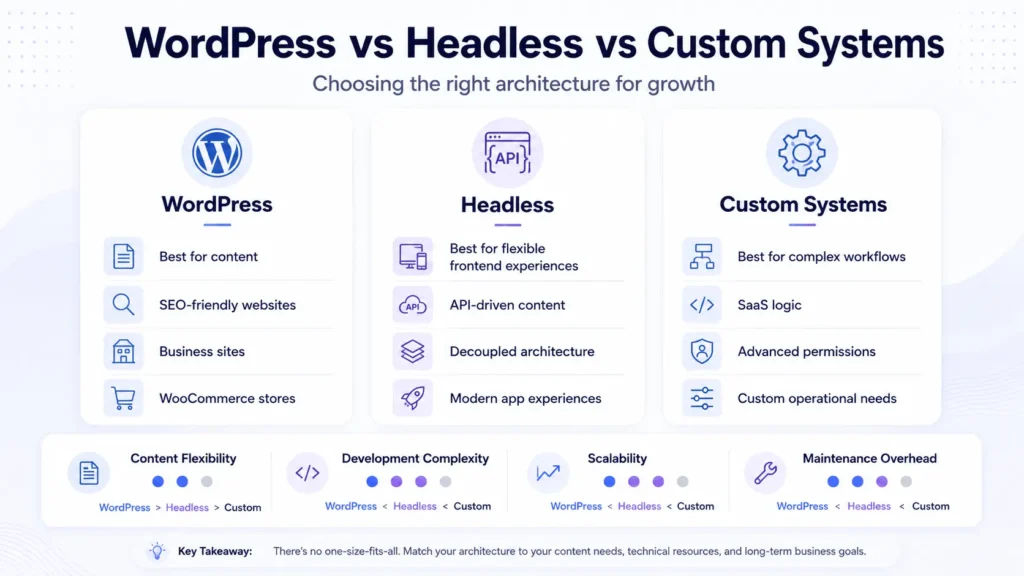
WordPress is strong when content management, SEO publishing, landing pages, ecommerce, and editorial workflows matter. It becomes less ideal when the application needs heavy real-time collaboration, complex multi-tenant isolation, advanced permission models, high-frequency data processing, or deep product logic.
Headless WordPress can work when content teams need WordPress admin control but frontend teams want React, Next.js, or a custom application layer. The trade-off is complexity. Preview workflows, caching, authentication, deployment, and content modeling require more planning.
For SaaS systems, WordPress can support marketing, documentation, blogs, help centers, and lightweight portals. But subscription logic, tenant isolation, billing, audit logs, admin tooling, and real-time synchronization may require a custom application architecture.
This is where experienced teams avoid forcing WordPress into every problem. Sometimes the right answer is custom WordPress development. Sometimes it is WooCommerce customization. Sometimes it is a separate SaaS backend connected through APIs.
Filicode approaches WordPress development services, custom WordPress development, WooCommerce work, AI automation, and system architecture from that operational view: choose the simplest architecture that can safely support the next stage of growth.
WooCommerce Skills for Stores, Payments, and Checkout Scaling
WooCommerce adds another layer of complexity because revenue depends on checkout reliability. A developer working on WooCommerce should understand product data, cart sessions, payment gateways, order statuses, refunds, tax logic, shipping rules, inventory sync, subscription workflows, and webhook reliability.
Checkout scaling is rarely solved by adding more plugins. It requires understanding database load, cart behavior, payment gateway response times, abandoned cart scripts, third-party tracking, caching exclusions, and server resources.
For stores with custom pricing, B2B accounts, subscriptions, bundles, marketplaces, or ERP syncs, WooCommerce developer support should include backend workflow planning, not only storefront design.
AI Automation and WordPress Developer Skills in 2026
WordPress developer skills 2026 increasingly include automation awareness. Many teams now want AI-assisted content workflows, lead qualification, support automation, CRM updates, internal reporting, and chatbot-style interfaces connected to WordPress.
The risk is assuming AI automation is only prompt writing. Reliable automation needs orchestration layers, validation rules, fallback systems, human-in-the-loop review, logs, monitoring, and clear data boundaries.
For example, an AI workflow that drafts support responses should not send answers directly without confidence checks, policy rules, and escalation paths. A content automation system should track source data, editorial approvals, SEO fields, internal links, and publishing status. A CRM automation should avoid duplicate records and preserve audit history.
A WordPress developer does not need to be a machine learning engineer, but they should understand how automation touches forms, APIs, permissions, databases, admin workflows, and user trust.
When Off-the-Shelf Plugins Are No Longer Enough
Plugins are useful. They reduce cost, accelerate delivery, and solve standard problems. The mistake is treating every business workflow as a plugin search.
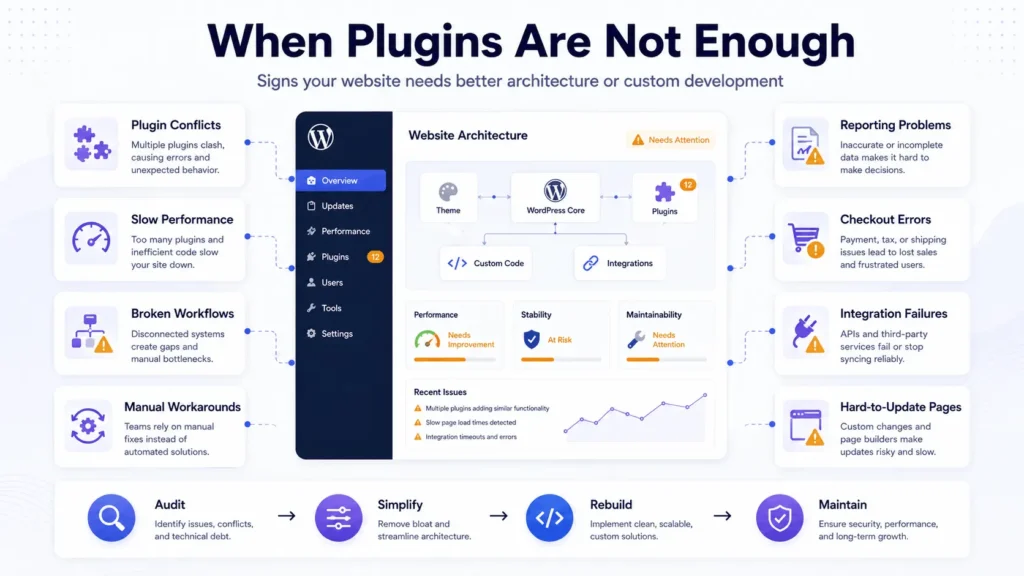
Custom development becomes worth considering when plugin combinations create conflicts, admin workflows become confusing, performance drops, reporting is unreliable, or business logic does not match plugin assumptions.
Common warning signs include:
- Staff members avoid updating pages because the layout is fragile
- Checkout errors happen after plugin updates
- CRM data does not match website submissions
- Manual workarounds are used every week
- No one knows which plugin controls a critical feature
- Developers are afraid to update the site
At that stage, better WordPress developer skills reduce operational cost by removing complexity, documenting workflows, and replacing fragile shortcuts with maintainable systems.
FAQs About WordPress Developer Skills
What skills are required for a WordPress developer?
The main WordPress developer skills required for professional projects include PHP, HTML, CSS, JavaScript, MySQL, theme development, plugin development, hooks, REST APIs, debugging, security, performance optimization, testing, and clear technical communication.
How much does it cost to hire a skilled WordPress developer?
Cost depends on scope, complexity, region, and support needs. Small fixes may be affordable, but custom plugins, WooCommerce workflows, API integrations, migrations, and performance optimization require deeper planning and usually cost more than basic theme edits.
How long does WordPress development take?
A small landing page may take days. A custom business website may take several weeks. WooCommerce, membership systems, integrations, or automation workflows can take longer because they require testing, staging, data handling, and deployment planning.
How can I test WordPress developer skills before hiring?
Use a practical task, code review, debugging scenario, API workflow question, and communication test. A good WordPress developer skills assessment should show how the developer handles real constraints, not only syntax knowledge.
Can WordPress scale for serious business use?
Yes, WordPress can scale when architecture is planned properly. Hosting, caching, CDN setup, database optimization, plugin control, code quality, monitoring, and maintenance workflows all affect scalability.
When should a business move beyond plugins?
Move beyond plugins when workflows become fragile, integrations fail often, checkout slows down, reporting is unreliable, or the admin team depends on manual workarounds. Custom development can reduce risk when plugin stacking creates operational overhead.
Conclusion: Choosing WordPress Developer Skills That Reduce Future Risk
The right WordPress developer skills are visible in the way a site behaves after launch. Pages stay editable. Checkout remains stable. Integrations report failures instead of hiding them. Updates are tested before they reach production. Content teams can work without breaking layouts. Developers can understand the code months later.
Warning signs usually appear as small operational problems: slow admin screens, plugin conflicts, broken forms, manual exports, unreliable API syncs, unclear permissions, or fear around updates. These are signals that the website has moved beyond basic implementation.
When those problems start affecting leads, sales, reporting, or internal workflow, custom development should be considered. That may mean a custom plugin, WooCommerce optimization, API integration, AI automation workflow, performance audit, or a cleaner content architecture.
Filicode helps businesses review existing WordPress systems, identify bottlenecks, and plan maintainable development paths across WordPress, WooCommerce, APIs, automation, and long-term support. If your site is becoming harder to manage than it should be, you can discuss your project and decide the next step with a technical review instead of another quick patch.