







Contents
- Quick Summary:
- Why Small Business Website Design Fails in Production
- Small Business Website Design Architecture: What Should Be Planned First
- Core Planning Areas for Small Business Website Design
- Small Business Web Development: WordPress, SaaS Builders, or Custom Systems
- Small Business Website Design and Management Services
- Frontend, Backend, and Workflow Behavior
- Performance, SEO, and Conversion Should Be Designed Together
- Small Business Website Design Packages and Cost Reality
- Scalable Web Development: When No-Code Is Enough for Small Businesses
- Integrations, Automation, and AI Workflows
- User Experience and Trust Signals
- How FiliCode Approaches Small Business Website Design
- Small Business Website Design Tips That Actually Matter
- FAQs
- How to design a small business website?
- How to design a website for a small business?
- How to improve my small business website design?
- How much to design a small business website?
- How long to design a small business website?
- How to design website for small business growth?
- Conclusion
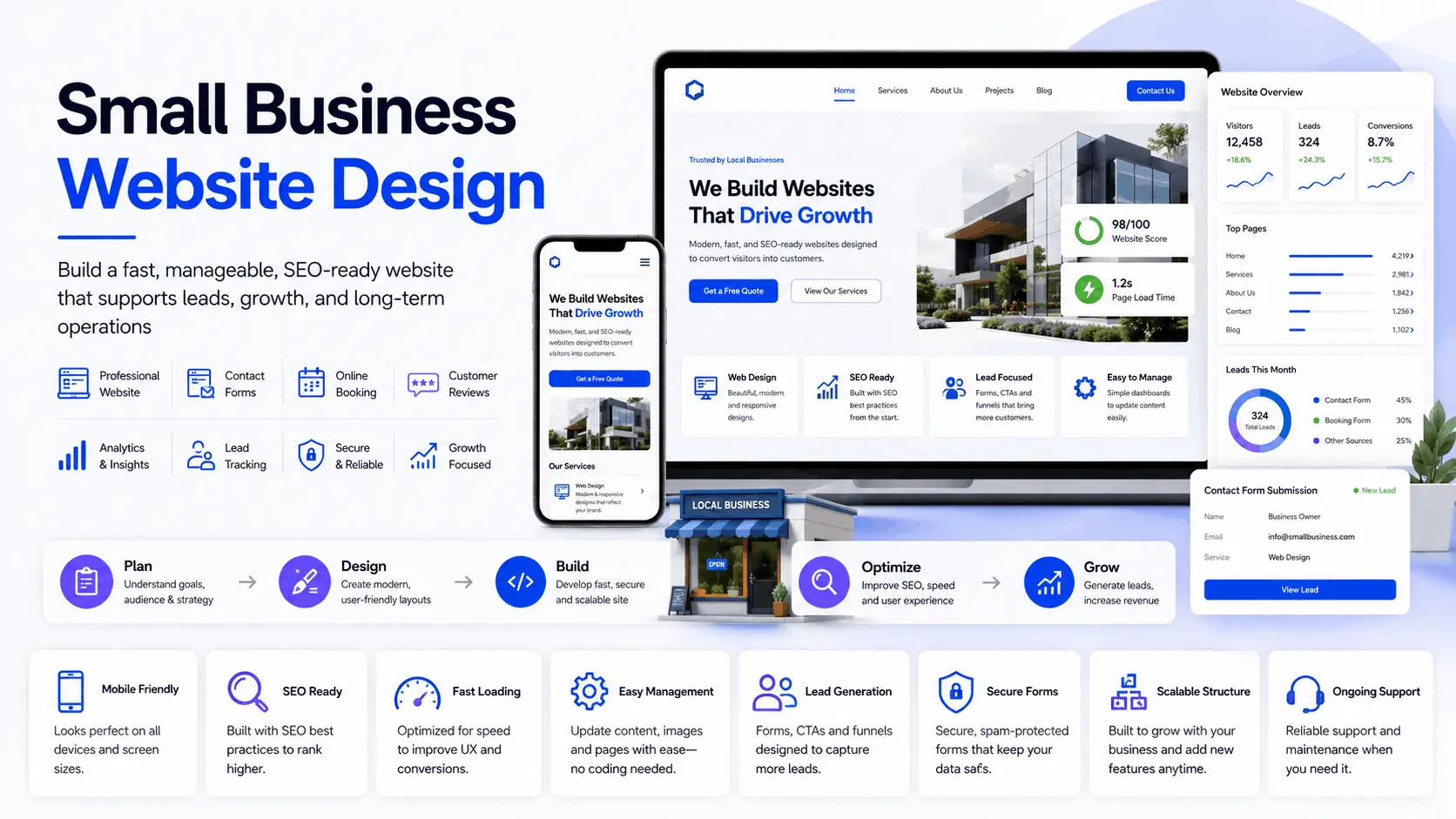
Small business website design becomes expensive when every small change needs a developer, plugin updates risk breaking forms, leads disappear into email inboxes, and no one knows which page brings customers. The right design and web development approach turns the site into a scalable, maintainable business system instead of just a visual project.
For a small business, the website usually has to do many jobs at once. It must explain services clearly, load fast on mobile, support SEO, collect leads, connect with tools, protect customer data, and stay manageable after launch. A clean design matters, but the real value comes from structure, content control, performance, and maintainability.
Quick Summary:
- Good small business website design starts with the customer journey, not colors or templates.
- Cheap websites often become expensive when content editing, SEO, hosting, forms, security, and integrations are ignored.
- WordPress works well for many small businesses when the theme, plugins, caching, and admin workflow are planned correctly.
- Scalability does not always mean microservices. For most small businesses, it means clean architecture, reliable hosting, sensible plugins, and controlled technical debt.
- Management matters as much as launch. Backups, updates, analytics, forms, spam protection, and monitoring should be part of the plan.
Why Small Business Website Design Fails in Production
Many small business websites look acceptable on launch day but fail during normal use. The owner wants to change service content but cannot find the right block. The contact form works, but submissions do not reach the CRM. Images are too heavy. The homepage ranks for nothing. The mobile layout hides the call button. A plugin update breaks the booking calendar.
This is why small business website design should not be treated as a one-page design exercise. It is closer to a small platform build. The site needs frontend clarity, backend control, database stability, caching, security, and a workflow that non-technical teams can actually use.
For location-focused businesses, the structure also affects local search. A Pennsylvania service business, for example, may need city pages, service pages, trust sections, FAQs, review signals, and conversion paths that support both search visibility and customer decision-making. FiliCode covers this type of approach in its website design Pennsylvania service page.
Small Business Website Design Architecture: What Should Be Planned First
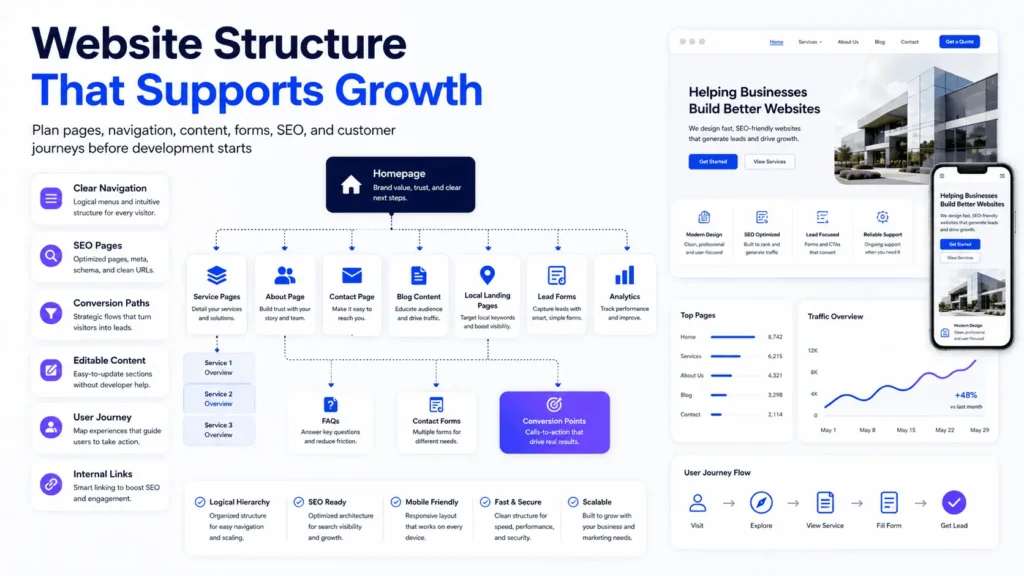
The architecture should answer a simple question: what must the website support after launch?
A brochure website may only need pages, forms, analytics, and editable content. A growing service company may need appointment booking, CRM sync, quote requests, live chat, location pages, gated resources, email automation, and role-based admin access. An ecommerce business may need WooCommerce, payment gateways, product filtering, inventory logic, tax settings, shipping rules, abandoned cart emails, and reporting.
Core Planning Areas for Small Business Website Design
Before design mockups, define the operational model:
- Who edits pages, services, pricing, testimonials, and blog posts?
- Where do leads go after a form submission?
- Which pages should rank in Google?
- Which integrations are required now and which can wait?
- How will updates, backups, security, and performance be maintained?
This planning is where many small business website design services differ. One provider may only deliver static pages. Another may build a manageable WordPress system with reusable Gutenberg blocks, structured service pages, SEO fields, analytics, and clear admin workflows.
Small Business Web Development: WordPress, SaaS Builders, or Custom Systems
There is no perfect platform. The right choice depends on control, budget, integrations, content needs, and future complexity.
| Option | Works Well For | Common Limitations |
|---|---|---|
| SaaS website builders | Simple websites, fast launch, low technical responsibility | Limited flexibility, platform lock-in, weaker custom workflows |
| WordPress | Service businesses, SEO content, blogs, landing pages, WooCommerce, flexible editing | Needs plugin control, security maintenance, caching, update management |
| Headless WordPress | Performance-heavy sites, custom frontend experiences, complex publishing needs | Higher cost, more development overhead, more moving parts |
| Custom platform | SaaS products, marketplaces, complex workflows, multi-tenant systems | Longer build time, higher maintenance responsibility |
For many companies, WordPress remains a practical middle ground. It gives strong content control, plugin extensibility, SEO flexibility, and enough customization for serious business websites. The risk comes from poor implementation: heavy page builders, too many plugins, weak hosting, no staging process, and unclear ownership after launch.
A well-built WordPress site should use clean templates, controlled plugins, reusable blocks, optimized media, secure forms, and a caching strategy. For broader planning, FiliCode’s website design and development services explain how design, development, testing, and launch fit together.
Small Business Website Design and Management Services
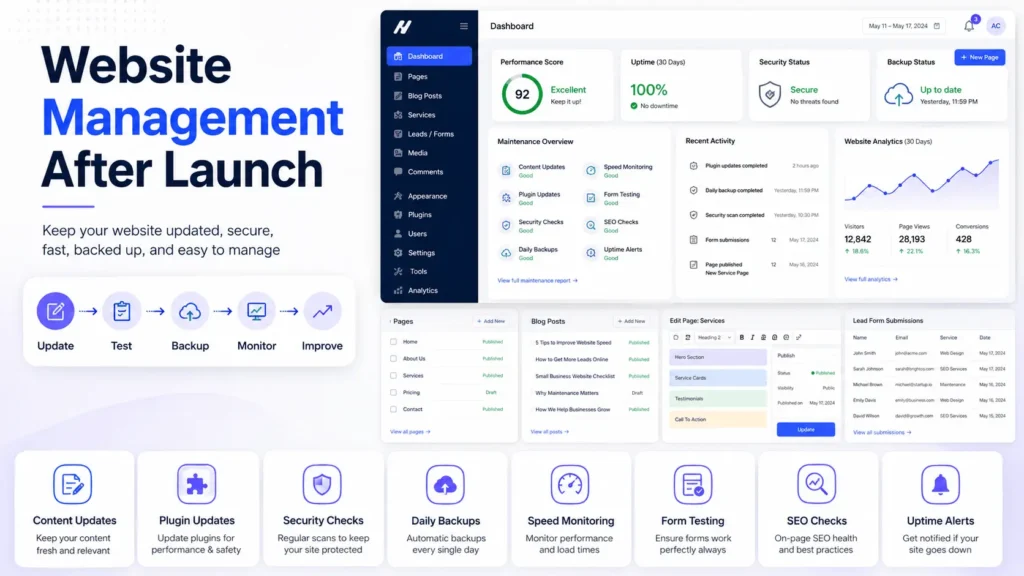
Launch is only the first checkpoint. A business website starts producing value when it is managed properly. That includes content updates, technical maintenance, security checks, backups, uptime monitoring, analytics review, and SEO improvements.
Small business website design and management services should cover practical issues that owners often discover too late:
- Form testing and lead routing
- Plugin and theme updates
- Page speed checks
- Spam and bot protection
- Broken link monitoring
- Backup verification
- SEO metadata and indexing checks
This is especially important for WordPress. Plugins can conflict. Cron jobs may fail on low-quality hosting. WooCommerce checkout can slow down when order volume grows. Contact forms can silently stop sending emails because of DNS or SMTP issues. These are not design problems on the surface, but they directly affect revenue.
Frontend, Backend, and Workflow Behavior
Good small business website design should describe how the system behaves when a visitor takes action.
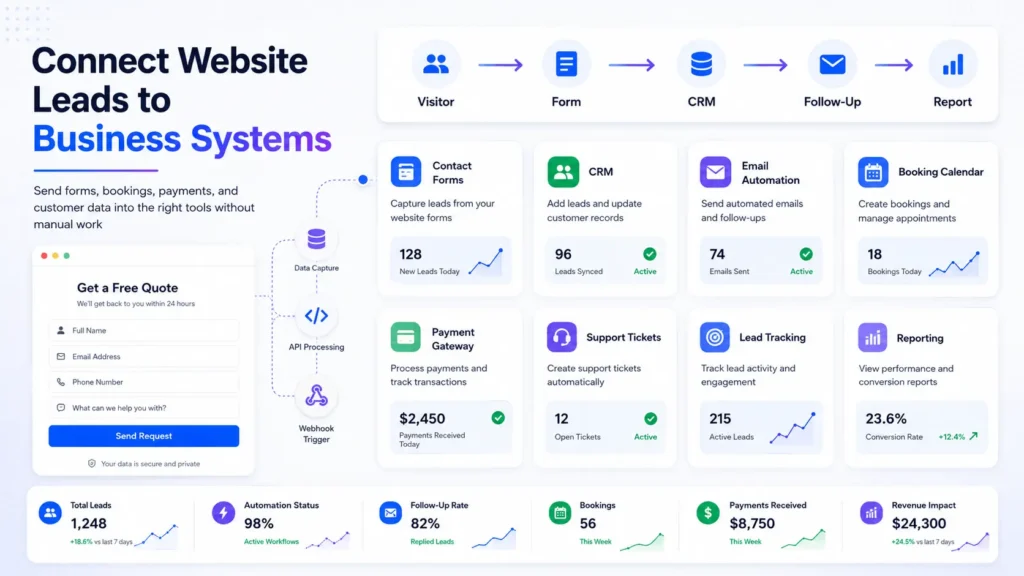
On the frontend, the visitor lands on a service page, reads a clear promise, checks trust signals, scans pricing or process details, and clicks a CTA. On the backend, the form validates the data, blocks spam, stores the submission, sends notification emails, passes the lead to a CRM, and triggers a follow-up workflow.
If an API fails, the system should not lose the lead. At minimum, the submission should be stored in the database and retried or reviewed manually. For higher-value workflows, webhooks, queues, retries, logging, and alerting become useful. A small business may not need enterprise infrastructure, but it does need failure-aware thinking.
For ecommerce, the workflow is more sensitive. WooCommerce has to handle cart sessions, taxes, shipping, payment gateway responses, order status changes, invoices, refunds, and customer emails. Payment webhooks must be reliable. A failed webhook can create mismatched transaction states, where the customer paid but the order is not marked correctly.
Performance, SEO, and Conversion Should Be Designed Together
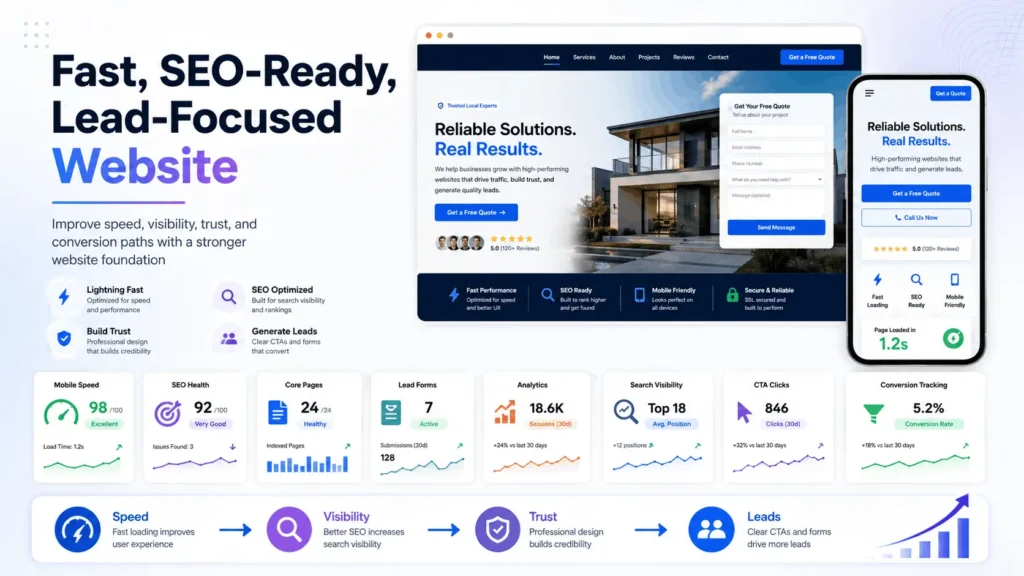
Performance is not only a developer concern. Slow pages reduce engagement, hurt mobile usability, and make paid traffic less efficient. Search engines also evaluate page experience signals, while users judge trust within seconds.
Practical performance work includes image compression, CDN delivery, code minification, caching, database cleanup, lazy loading, font control, and fewer third-party scripts. The content management system model also matters because the way content is stored, rendered, and edited affects long-term maintainability.
SEO should be part of small business website design from the beginning. Service pages need clear headings, internal links, structured content, metadata, schema where relevant, and fast mobile layouts. Blog content should support commercial pages instead of existing as disconnected posts.
For businesses trying to improve organic visibility, FiliCode’s SEO services for small business can support keyword planning, technical SEO, local SEO, and content structure around real buyer journeys.
Small Business Website Design Packages and Cost Reality
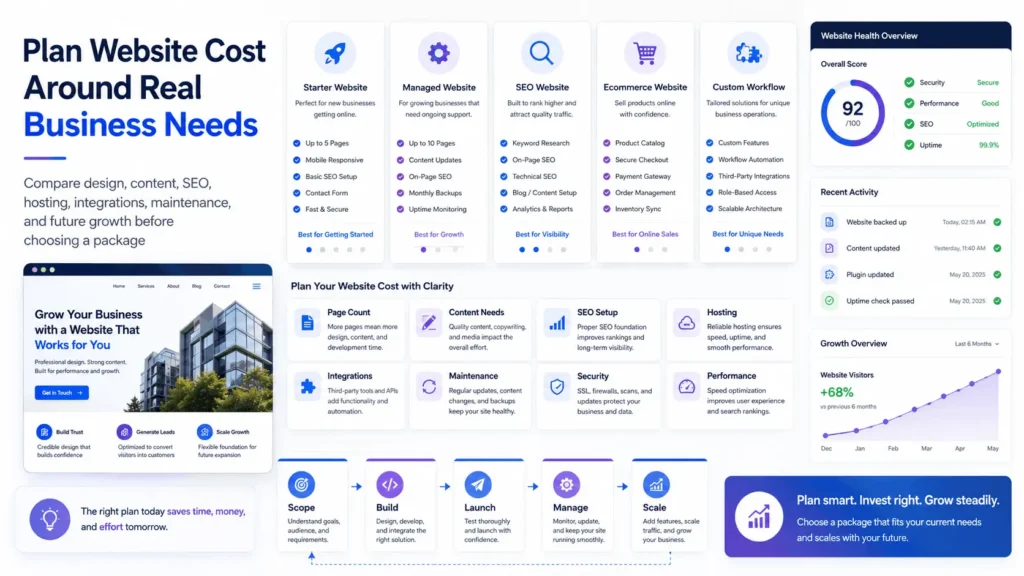
Small business website design packages can be useful when the scope is clear. The problem is that many packages hide the real cost drivers: copywriting, custom pages, SEO setup, hosting, integrations, ecommerce configuration, booking systems, migrations, analytics, and post-launch support.
| Cost Area | Low-Cost Build Risk | Maintainable Build Approach |
|---|---|---|
| Design | Generic template with weak service clarity | Custom layout based on audience, offer, and conversion paths |
| Content | Thin copy with no search intent coverage | Structured service pages, FAQs, trust signals, and local relevance |
| Development | Heavy page builder and plugin overload | Controlled WordPress architecture, reusable blocks, tested plugins |
| Performance | No caching, oversized images, slow scripts | CDN, compression, caching, database cleanup, speed testing |
| Management | No maintenance process after launch | Updates, backups, monitoring, reporting, and support workflow |
The real small business website design cost depends on how much the site must do. A simple five-page site costs less than a WordPress website with custom Gutenberg blocks, SEO pages, booking workflows, CRM integration, and WooCommerce checkout. Affordable does not mean incomplete. It means the first version is scoped correctly and built without unnecessary complexity.
For companies comparing budget options, FiliCode’s affordable website design service is a relevant next step when the goal is a professional site without overbuilding the first version.
Scalable Web Development: When No-Code Is Enough for Small Businesses
No-code tools are useful for validation, landing pages, and early-stage businesses. They reduce setup time and remove hosting responsibility. But they become limiting when the business needs custom workflows, advanced SEO control, complex forms, API integrations, role-based access, ecommerce logic, or long-term content operations.
Engineering matters when the website becomes part of operations. Examples include quote automation, customer portals, subscription billing, booking calendars, marketplace listings, CRM pipelines, inventory sync, or AI-assisted support workflows.
This does not mean every small business needs microservices. Most do not. A clean monolith is often better than a badly planned distributed system. WordPress, WooCommerce, and a few reliable integrations can serve a business for years when architecture is disciplined.
Integrations, Automation, and AI Workflows
Modern small business website design often includes automated workflows, web development, and integrations not just pages. A lead form may connect to HubSpot, Zoho, Mailchimp, Google Sheets, Slack, or a custom CRM. A booking flow may need calendar availability. A support form may need ticket creation. An ecommerce store may need shipping, invoicing, and accounting sync.
Integrations should be designed with validation and failure handling. APIs can time out. Webhooks can arrive twice. Data formats can change. A reliable system checks inputs, logs events, prevents duplicates, and gives admins a way to review failures.
AI automation can help with lead qualification, support triage, content workflows, and internal operations, but it should not run without controls. Good AI workflows include prompt rules, output validation, human approval for sensitive tasks, fallback responses, and monitoring. The goal is not to replace judgment. The goal is to reduce repetitive work while protecting quality.
User Experience and Trust Signals
Design quality still matters. Visitors judge trust through layout, clarity, speed, typography, spacing, imagery, navigation, and proof. A site with strong backend architecture but confusing messaging will still underperform.
Useful design decisions include clear above-the-fold messaging, visible contact options, readable service sections, strong CTA placement, accessible color contrast, consistent iconography, and simple navigation. For service businesses, testimonials, case studies, process sections, pricing guidance, and FAQs reduce friction.
FiliCode’s UI and UX design services focus on user flows, information hierarchy, interface clarity, and conversion paths instead of decoration alone.
How FiliCode Approaches Small Business Website Design
FiliCode usually looks at the website as part of a wider operating system. That may include WordPress development, WooCommerce development, API integrations, AI automation, SaaS workflows, performance optimization, and long-term maintenance.
This approach is useful when a business has outgrown a basic template but does not need an expensive enterprise platform. The decision is rarely “template or custom everything.” The better question is which parts should stay simple and which parts need engineered control.
For example, a local service business may only need custom page templates, local SEO structure, CRM integration, and managed hosting. A growing ecommerce company may need WooCommerce checkout optimization, object caching, payment gateway reliability, inventory sync, and better reporting. A SaaS startup may need tenant isolation, subscription logic, RBAC, audit logs, and admin tooling.
That is where small business website design becomes a strategic technical decision, not just a visual asset.
Small Business Website Design Tips That Actually Matter
Most tips online focus on colors, templates, or inspiration galleries. Those are useful, but they are not enough.
Start with the pages that affect revenue. Build clear service pages before adding decorative sections. Make contact paths obvious. Keep forms short unless qualification is necessary. Use analytics from day one. Test forms after launch. Compress images before uploading. Avoid plugins that duplicate the same function. Keep admin editing simple.
For local intent searches like “small business website design near me,” the site should also show location relevance, service area clarity, contact details, reviews, and locally useful content. This applies whether the business is targeting Houston, Boston, Denver, New Jersey, Pennsylvania, or multiple regions.
FAQs
How to design a small business website?
Start with the customer journey, core services, conversion goals, content structure, and management needs. Strong small business website design should include fast pages, clear CTAs, mobile-friendly layouts, SEO-ready content, secure forms, analytics, and a simple backend editing workflow.
How to design a website for a small business?
Use a structure that supports trust and action: clear messaging, service details, proof, FAQs, contact options, and fast mobile performance. Then connect the site to the tools the business already uses, such as CRM, email marketing, booking, or payment systems.
How to improve my small business website design?
Review mobile speed, homepage clarity, CTA visibility, form reliability, navigation, service page depth, image size, and analytics tracking. Many improvements come from removing friction rather than adding more design elements.
How much to design a small business website?
The cost depends on page count, custom design, copywriting, WordPress development, SEO setup, integrations, hosting, ecommerce features, and maintenance. A simple site costs less, while a managed website with CRM, booking, WooCommerce, or automation requires more planning and testing.
How long to design a small business website?
A focused brochure website can often be completed faster than a custom WordPress or WooCommerce build. Timelines increase when the project includes content writing, custom layouts, migrations, integrations, payment systems, or approval cycles across multiple stakeholders.
How to design website for small business growth?
Design around scalability. Use reusable sections, clean content types, strong hosting, caching, SEO structure, conversion tracking, and maintainable plugins. Growth becomes harder when the first version is built only for appearance.
Conclusion
Small business website design should be judged by how well the site works after launch. Can the team update content without breaking layouts? Are leads captured reliably? Does the site load quickly? Are service pages structured for search? Are backups, updates, hosting, and security handled? Can the website connect with the systems the business uses every day?
Warning signs are easy to spot: slow pages, broken forms, plugin conflicts, duplicate content, unclear admin workflows, weak mobile experience, missing analytics, unreliable emails, and manual lead handling that should have been automated.
Custom development should be considered when templates, plugins, or no-code tools start creating operational friction. That may mean custom WordPress development, WooCommerce optimization, API integrations, AI-assisted workflows, or a more scalable platform architecture.
If your website is starting to feel like a bottleneck instead of a business asset, FiliCode can review the structure, performance, integrations, and maintenance model. You can discuss your project with a technical team that understands both implementation and long-term operations.