





Contents
- Quick Summary
- 1. Start the Technical SEO Checklist With Crawlability
- What to Check
- 2. Technical SEO Checklist for Indexing Quality
- 3. Audit Site Architecture and Internal Linking
- Architecture Checks
- 4. Fix Page Speed and Core Web Vitals
- Speed Fixes That Usually Matter
- 5. Review URL Structure, Redirects, and Canonicals
- 6. JavaScript SEO Checklist: Rendering and Crawlability
- 7. Validate Structured Data and Entity Signals
- 8. Check Mobile Usability, Accessibility, and Page Experience
- 9. Monitor Tracking, Analytics, and Search Console Data
- 10. Add Monitoring and Maintenance Workflows
- 11. When Technical SEO Becomes an Architecture Problem
- FAQs
- What is technical SEO checklist?
- What is technical SEO checklist example?
- Technical SEO audit checklist: what to include?
- How to perform a technical SEO audit checklist?
- How often should a technical SEO checklist be reviewed?
- Do WordPress websites need a technical SEO checklist?
- Conclusion
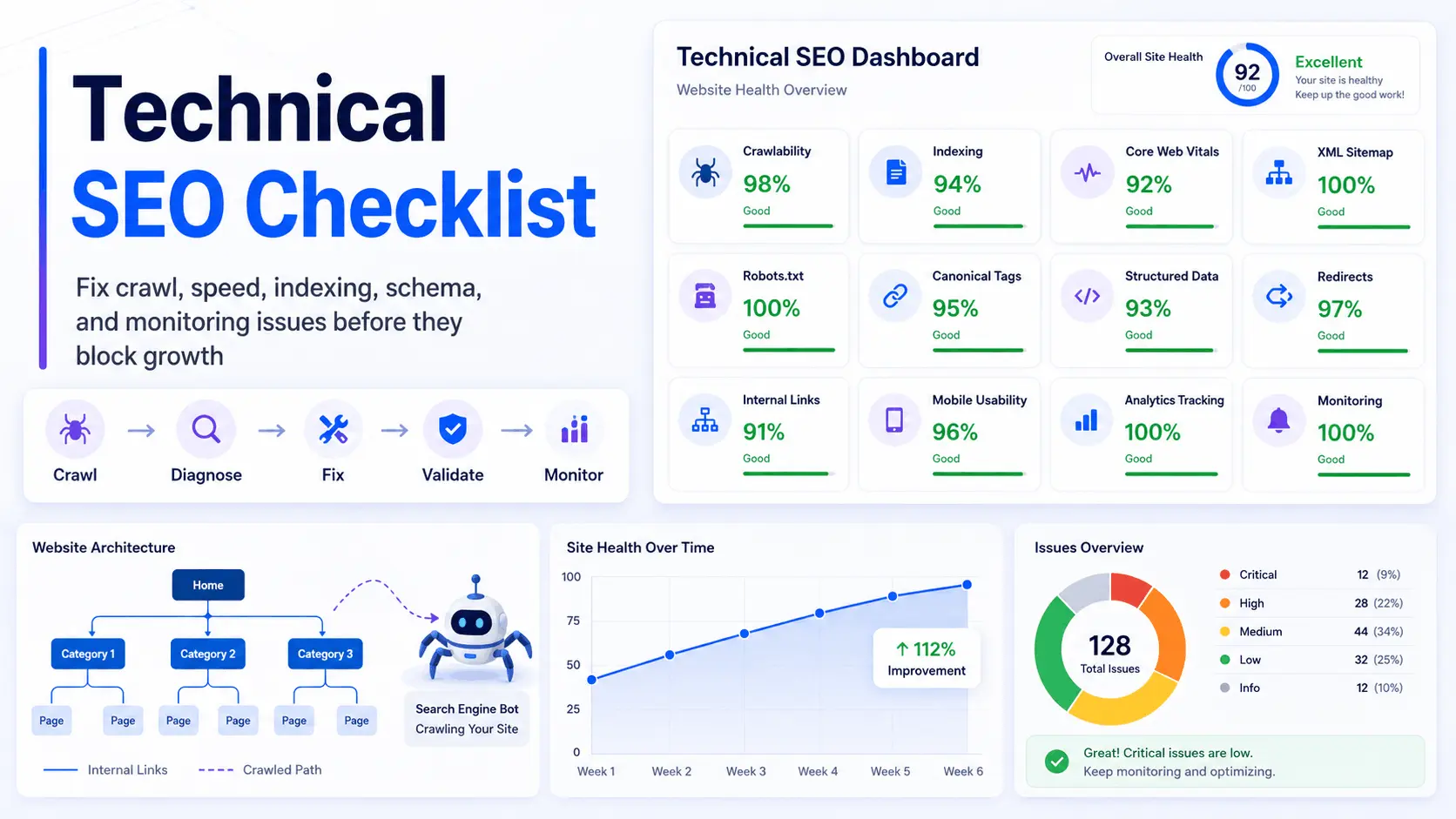
A technical SEO checklist helps you find crawlability, indexing, rendering, speed, and architecture issues before they limit search growth. Even strong content can underperform when search engines cannot crawl the right URLs, render important sections, or trust canonical signals. Use this checklist to prioritize the technical fixes that matter most.
For WordPress, WooCommerce, SaaS, marketplace, and service websites, technical SEO problems usually come from production decisions. Too many plugins slow templates. Redirects are added without cleanup. Faceted URLs create crawl waste. JavaScript hides content from bots. Analytics events break after updates. Over time, the site looks normal to users but becomes harder for search engines to understand.
This technical SEO checklist focuses on real implementation priorities: what to audit, what to fix first, what can wait, and how to keep technical problems from returning after every content update, plugin change, migration, or redesign.
Quick Summary
- Use a technical SEO audit before changing templates, URLs, plugins, or content structure.
- Prioritize crawlable, indexable, high-value pages instead of trying to index every URL.
- Core Web Vitals problems often come from theme structure, hosting, JavaScript, images, and plugin overhead.
- Robots.txt, XML sitemaps, canonical tags, redirects, and internal links must send the same signal.
- Technical SEO should be monitored continuously, not reviewed only after rankings drop.
1. Start the Technical SEO Checklist With Crawlability
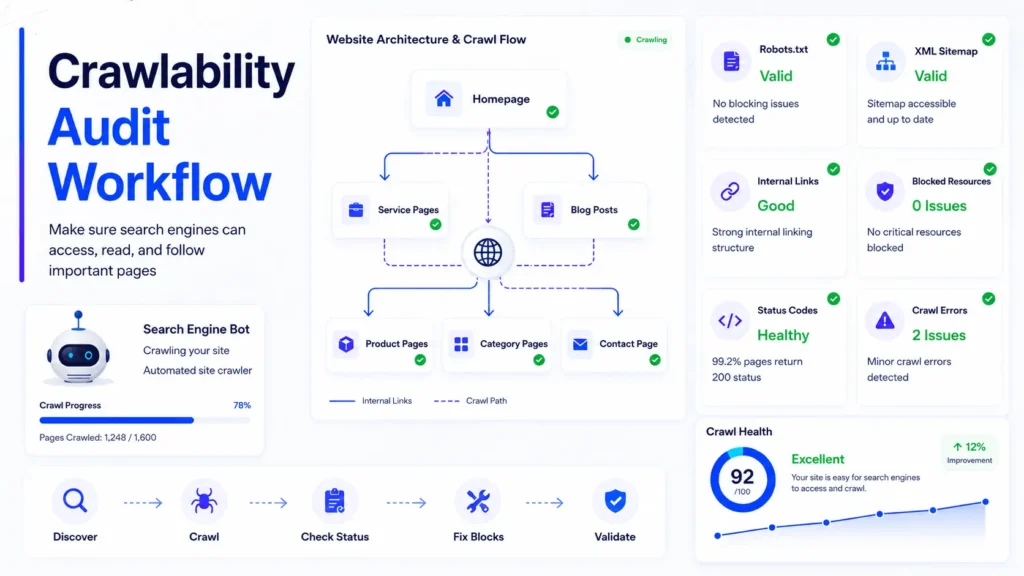
A useful technical SEO checklist starts with a simple question: can search engines reach the pages that matter? If Googlebot cannot access important resources, internal links, category pages, product pages, or service pages, other SEO work becomes secondary.
Review robots.txt rules, blocked CSS and JavaScript files, server status codes, internal links, sitemap URLs, and crawl errors in Google Search Console. A blocked page is easy to miss because it may still look fine in the browser.
For WordPress websites, check whether SEO plugins, security plugins, staging settings, or theme-level noindex rules are blocking important sections. A common production mistake is launching a redesigned site while old “discourage search engines” or staging restrictions remain active.
What to Check
- Robots.txt allows important resources and templates.
- Important pages return 200 status codes.
- Noindex tags are used intentionally.
- Navigation links are crawlable without depending only on JavaScript.
- XML sitemap URLs are clean, current, and indexable.
2. Technical SEO Checklist for Indexing Quality
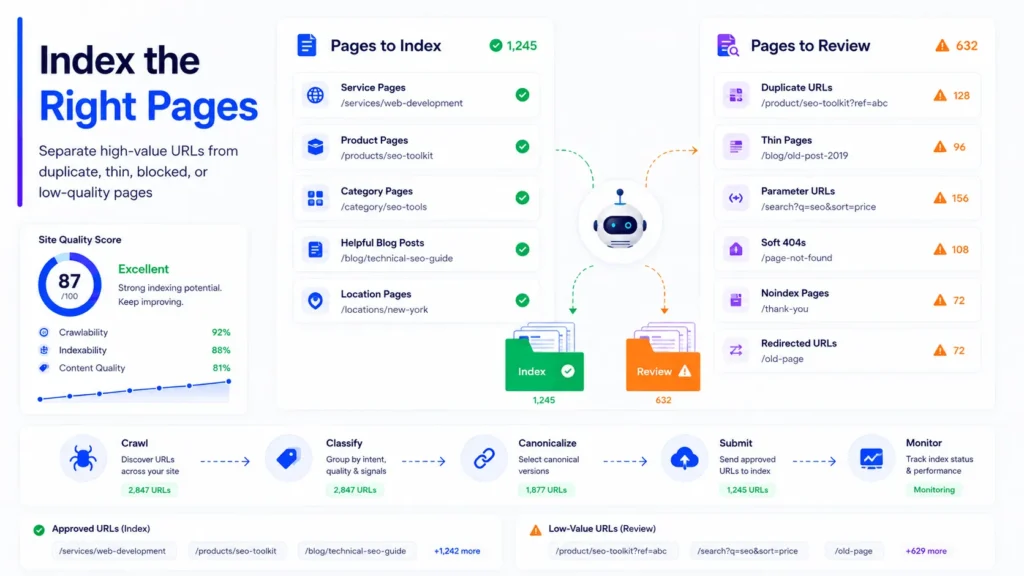
Indexing is not about sending every page to Google. It is about helping search engines choose the pages worth storing, ranking, and revisiting. A strong technical SEO checklist separates high-value pages from duplicate, thin, filtered, expired, or low-quality URLs.
Check Google Search Console reports for “Discovered currently not indexed,” “Crawled currently not indexed,” duplicate without user-selected canonical, soft 404s, and alternate pages with canonical tags. These issues usually point to quality, duplication, crawl waste, or unclear URL signals.
For ecommerce and WooCommerce sites, filtered category pages, search result URLs, tracking parameters, product variations, and out-of-stock products can create thousands of weak URLs. Without clear rules, Google may spend crawl resources on URLs that should not compete with commercial pages.
| Indexing Issue | Common Cause | Practical Fix |
|---|---|---|
| Discovered currently not indexed | Low crawl priority, weak internal links, or quality concerns | Improve content value, internal linking, sitemap accuracy, and page performance |
| Duplicate without canonical | Parameters, categories, tags, or copied templates | Add correct canonical tags and reduce duplicate URL paths |
| Soft 404 | Thin pages, expired pages, or empty templates | Improve content, redirect, noindex, or remove the page |
| Crawled currently not indexed | Google crawled the page but did not see enough value | Strengthen content, architecture, internal links, and search intent alignment |
3. Audit Site Architecture and Internal Linking
Technical SEO depends heavily on architecture. If important pages are buried too deep, orphaned, duplicated, or disconnected from related topics, search engines receive weak signals. A technical SEO checklist should review how users and crawlers move through the site.
Strong architecture usually has clear page hierarchy, crawlable navigation, breadcrumb navigation, logical categories, and internal links that pass relevance between related pages. Service websites should connect service pages, supporting blogs, location pages, and conversion pages in a natural structure.
For example, a broader SEO audit checklist can support technical, on-page, and local SEO decisions before deeper fixes are planned.
Architecture Checks
- Important pages should be reachable within a few clicks.
- Breadcrumbs should match the real content hierarchy.
- Internal links should connect related topics, not random pages.
- Orphan pages should be linked, merged, or removed.
- Pagination, archives, tags, and filters should not create crawl waste.
4. Fix Page Speed and Core Web Vitals
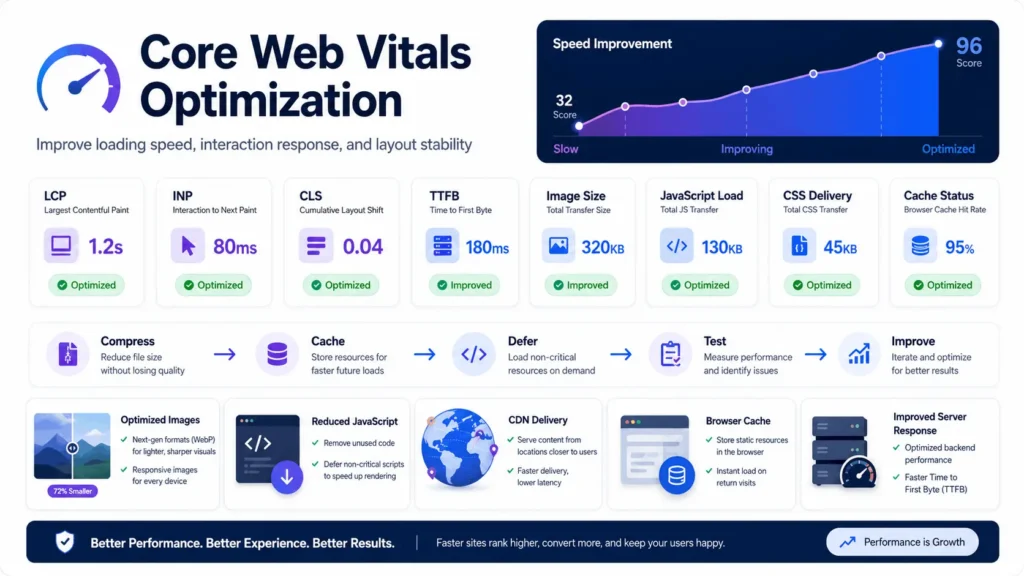
Speed problems are rarely fixed by one plugin. A practical technical SEO audit reviews hosting, server response time, theme weight, database queries, image delivery, JavaScript execution, CSS delivery, caching, CDN setup, and third-party scripts.
Core Web Vitals focus on real user experience signals such as Largest Contentful Paint, Interaction to Next Paint, and Cumulative Layout Shift. These metrics are affected by template structure, fonts, sliders, tracking scripts, ads, animations, and image loading behavior.
WordPress websites often slow down because every plugin adds scripts, styles, database queries, or admin overhead. WooCommerce adds more complexity through cart fragments, checkout scripts, product filters, order tables, payment gateways, and dynamic pricing logic.
Speed Fixes That Usually Matter
- Use modern image formats such as WebP or AVIF where supported.
- Compress large images without damaging visual quality.
- Defer non-critical JavaScript and reduce unused CSS.
- Use page caching, object caching, and CDN delivery where appropriate.
- Reduce unnecessary plugins and heavy page-builder elements.
- Improve server response time before only focusing on frontend scores.
If a site is built on WordPress and has ongoing performance problems, reviewing the development foundation may help. FiliCode’s WordPress development services focus on maintainable architecture, performance, and long-term site stability.
5. Review URL Structure, Redirects, and Canonicals
URLs should be readable, stable, and consistent. A technical SEO checklist should identify unnecessary parameters, mixed URL patterns, duplicate category paths, uppercase variations, trailing slash conflicts, and old URLs that still receive traffic.
Redirects also need discipline. A single 301 redirect is normal after a migration or slug change. Long redirect chains, loops, mixed HTTP and HTTPS paths, or redirects pointing to irrelevant pages can waste crawl budget and weaken user experience.
Canonical tags should point to the preferred version of a page. They should not contradict sitemaps, internal links, redirects, or robots rules. When canonical signals conflict, search engines decide for themselves, and that decision may not match the business goal.
| Signal | Good Implementation | Risky Implementation |
|---|---|---|
| Canonical tag | Points to the main indexable version of the page | Points to a redirected, blocked, or unrelated URL |
| Redirect | Old URL redirects directly to the closest relevant new URL | Multiple redirects, loops, or homepage redirects for everything |
| XML sitemap | Contains only clean, indexable, canonical URLs | Includes noindex, duplicate, redirected, or broken URLs |
| Internal links | Use preferred URLs consistently | Link to old, parameterized, or redirected versions |
6. JavaScript SEO Checklist: Rendering and Crawlability
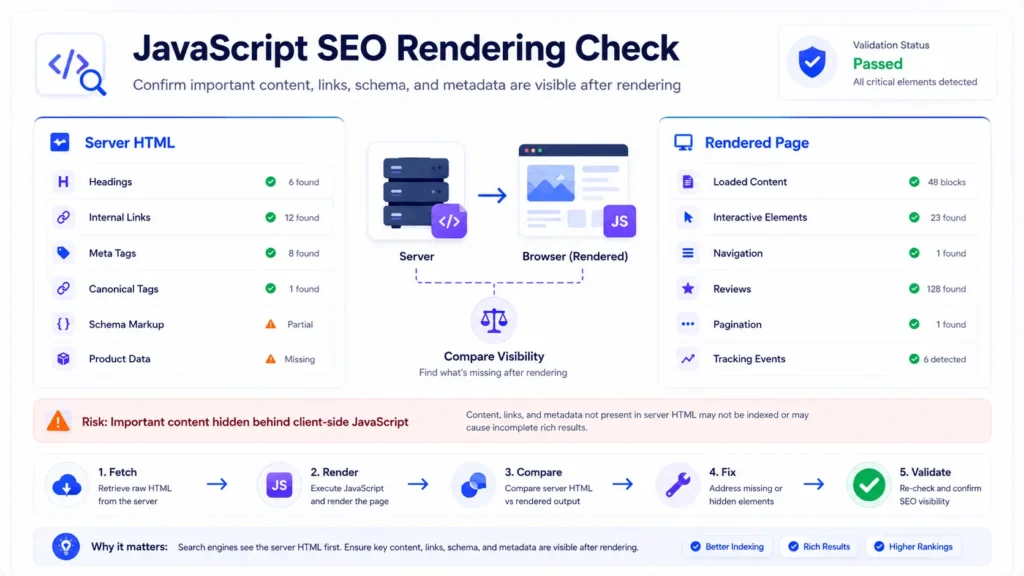
Modern websites often rely on JavaScript for navigation, product filters, content loading, pricing, search, forms, dashboards, and personalization. That creates a technical SEO risk when important content exists only after client-side rendering.
A strong technical SEO checklist should test whether important headings, body content, links, schema, product details, reviews, and pagination are available in the rendered HTML. Google can render JavaScript, but rendering has cost and delay. For large websites, that delay can affect crawl efficiency.
Backbone.js, React, Vue, headless WordPress, and other JavaScript-driven applications need extra care. Important content, links, metadata, and canonical signals should remain accessible when pages depend on client-side rendering. Server-side rendering, static generation, clean routing, and crawlable links should be considered where appropriate.
Check that important content and links appear in rendered HTML, client-side routes use crawlable URLs, canonical tags remain stable, and key metadata does not depend on user interaction. For Backbone.js, React, Vue, and similar applications, test important templates with Google Search Console’s URL Inspection tools.
For teams building API-connected platforms, API integration services can help connect systems without hiding critical content, breaking tracking, or creating unstable frontend behavior.
7. Validate Structured Data and Entity Signals
Structured data helps search engines understand page meaning, business details, products, reviews, FAQs, breadcrumbs, articles, services, and organization information. It does not replace visible content. It supports it.
Your technical review should validate JSON-LD, check rich result eligibility, and confirm that schema matches the visible page content. Schema drift happens when templates change but structured data remains outdated.
For service businesses, LocalBusiness, Organization, Breadcrumb, FAQ, and Article schema may be relevant. For WooCommerce, Product, Offer, Review, AggregateRating, and Breadcrumb schema need accuracy. Wrong pricing, fake reviews, missing availability, or mismatched product data can create trust problems.
For technical definitions and search engine concepts, you can reference an authoritative overview of search engine optimization practices when building internal documentation for non-technical teams.
8. Check Mobile Usability, Accessibility, and Page Experience
Mobile-first indexing means the mobile version is not secondary. It is the version search engines primarily evaluate. A technical SEO checklist should test responsive layouts, navigation, forms, tap targets, sticky elements, popups, checkout flows, and content visibility on real devices.
Accessibility also affects usability. Clear headings, alt text, readable contrast, semantic HTML, keyboard navigation, and screen reader-friendly structure improve both user experience and technical quality. Accessibility work often exposes messy frontend code that also affects SEO.
If a website redesign is planned, technical SEO should be included before visual approval. A polished design can still create ranking problems if the layout removes content, changes headings incorrectly, hides links, or slows the site. FiliCode’s website design and development support helps align design decisions with performance, SEO, and conversion needs.
For Texas service businesses, the same technical foundation also supports local search performance. City pages, service pages, mobile layouts, internal links, schema, speed, and tracking need to work together before a local SEO campaign can produce reliable leads. FiliCode’s Texas SEO company support helps connect technical SEO improvements with practical local visibility and lead-generation goals.
9. Monitor Tracking, Analytics, and Search Console Data
Technical SEO is difficult to manage without reliable data. A technical SEO checklist should confirm that Google Search Console, analytics, conversion events, form tracking, ecommerce tracking, call tracking, and tag manager rules are working correctly.
Broken tracking creates bad decisions. Teams may think SEO traffic is down when the issue is analytics configuration. Or they may increase content production while technical pages are not being indexed.
For SaaS and ecommerce sites, tracking should separate visits, signups, demo requests, checkout starts, purchases, refunds, cancellations, and subscription events. This allows SEO decisions to connect with business outcomes instead of only impressions and clicks.
10. Add Monitoring and Maintenance Workflows
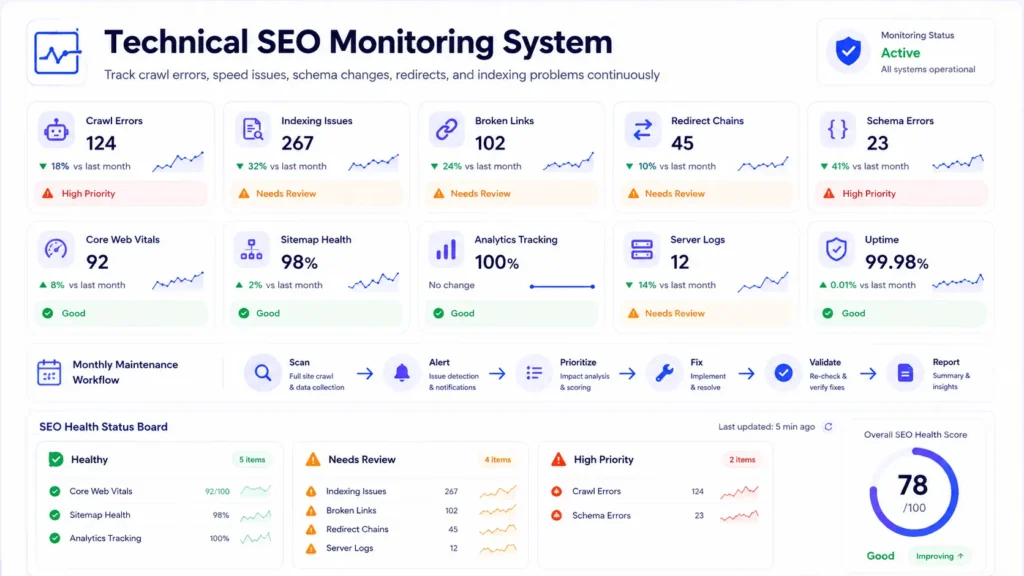
A technical SEO checklist should not be used once and forgotten. Sites change constantly. Developers deploy updates. Plugins change database behavior. Editors add images. Marketing teams create landing pages. Payment gateways update scripts. Hosting settings change.
Monitoring should include crawl errors, uptime, broken links, Core Web Vitals, sitemap health, index coverage, schema validation, redirect issues, server logs, and important conversion paths.
For WordPress and WooCommerce websites, maintenance should also include plugin conflict checks, database cleanup, cron job review, security hardening, backup validation, object cache review, and performance testing after major updates.
Businesses that want ongoing search growth usually need more than one audit. FiliCode’s SEO services for small business can support technical reviews, content planning, local visibility, and long-term monitoring.
11. When Technical SEO Becomes an Architecture Problem
Some technical SEO problems cannot be fixed with a checklist alone. If the CMS, theme, plugin stack, hosting, API structure, or database design is limiting the site, deeper architecture work may be required.
Common warning signs include slow admin screens, checkout delays, duplicate URLs generated by filters, plugin conflicts after every update, unstable API imports, broken sync between systems, and pages that repeatedly fall out of the index.
At this stage, the decision is not only SEO. It becomes a platform decision. Should the site remain monolithic WordPress? Should WooCommerce be optimized before considering headless? Should data sync move to queues? Should APIs be rebuilt with validation and retry logic? Should custom plugins replace fragile plugin combinations?
Filicode works across custom software development, WordPress development, WooCommerce development, AI automation, API integrations, SaaS development, and performance optimization. The goal is not to add complexity. The goal is to reduce operational drag when off-the-shelf tools no longer support the business properly.
If your website also depends on location visibility, reviews, and service-area search, this local SEO strategy guide can support the technical foundation with stronger local search planning.
FAQs
What is technical SEO checklist?
A technical SEO checklist is a structured list of technical checks used to make sure a website can be crawled, rendered, indexed, understood, and measured by search engines. It usually covers crawlability, indexing, speed, mobile usability, structured data, redirects, canonicals, sitemaps, internal links, and monitoring.
What is technical SEO checklist example?
An example would include checking robots.txt, submitting a clean XML sitemap, fixing broken links, validating canonical tags, improving Core Web Vitals, compressing images, removing redirect chains, testing mobile usability, validating schema markup, and reviewing Google Search Console indexing reports.
Technical SEO audit checklist: what to include?
A technical SEO audit checklist should include crawl errors, index coverage, sitemap health, robots.txt rules, HTTPS status, canonical tags, duplicate content, URL structure, page speed, Core Web Vitals, JavaScript rendering, structured data, internal links, broken links, mobile usability, analytics tracking, and server log review when possible.
How to perform a technical SEO audit checklist?
Start by crawling the website with a technical SEO tool, then compare crawl results with Google Search Console data, analytics, sitemap URLs, indexed pages, and real page templates. Fix issues based on business impact. Indexing, crawlability, redirects, canonicals, speed, and tracking should usually come before small cosmetic changes.
How often should a technical SEO checklist be reviewed?
For small websites, a quarterly review is usually enough unless there is a redesign, migration, or plugin-heavy update. For ecommerce, SaaS, marketplace, and high-growth websites, technical checks should run monthly because templates, filters, APIs, and tracking systems change more often.
Do WordPress websites need a technical SEO checklist?
Yes. WordPress makes publishing easier, but it can also create technical issues through plugins, themes, categories, tags, archives, media URLs, redirects, caching layers, and database overhead. A technical SEO checklist helps keep the site clean as content and features grow.
Conclusion
A technical SEO checklist works best when it is treated as an operating system for search performance, not a one-time task. Crawlability, indexing, speed, structured data, internal links, redirects, tracking, and monitoring all need to point in the same direction.
The warning signs are usually clear: important pages are not indexed, rankings move unpredictably, speed scores drop after updates, redirects become messy, plugins conflict, analytics data looks unreliable, or the website becomes harder to maintain every month.
When those issues appear repeatedly, the problem may be deeper than SEO settings. It may require better architecture, cleaner WordPress development, WooCommerce optimization, API improvements, automation, or a more maintainable platform structure.
If your website is reaching that stage, you can discuss your project with FiliCode and review the technical bottlenecks before they become larger growth problems.