








Contents
- Quick SEO Audit Checklist Summary
- 1. Check Crawlability and Indexability
- Investigate Crawled but Not Indexed Pages
- 2. Validate the XML Sitemap and Robots Rules
- Common Sitemap Problems
- 3. Fix Status Codes, Redirects, and Canonical Tags
- 4. Review Site Architecture and Internal Links
- Internal Linking for an SEO Audit Checklist
- 5. Audit Titles, Descriptions, Headings, and URLs
- Title and Meta Description Review
- 6. Evaluate Content Quality and Search Intent
- Check for Keyword Cannibalization
- 7. Measure Performance and Core Web Vitals
- Review Backend and CMS Performance
- 8. Validate Structured Data and Trust Signals
- Review Author and Publisher Information
- 9. Audit Ecommerce and WooCommerce SEO
- Control Faceted Navigation and URL Parameters
- 10. Review Local SEO Signals
- Audit Local Landing Page Quality
- 11. Prioritize Fixes and Validate Implementation
- Free SEO Audit Checklist Template Structure
- Prioritize by Impact and Effort
- Example SEO Audit Issue
- WordPress, WooCommerce, SaaS, and Custom Platform Considerations
- WordPress Audit Considerations
- SaaS and Platform Audit Considerations
- How Filicode Supports SEO Implementation
- SEO Audit Checklist FAQs
- What should an SEO audit checklist include?
- How do I perform an SEO audit?
- Why is my page crawled but not indexed?
- How do I audit a WordPress website?
- Is an SEO audit checklist PDF enough?
- How often should a website run an SEO audit?
- Conclusion
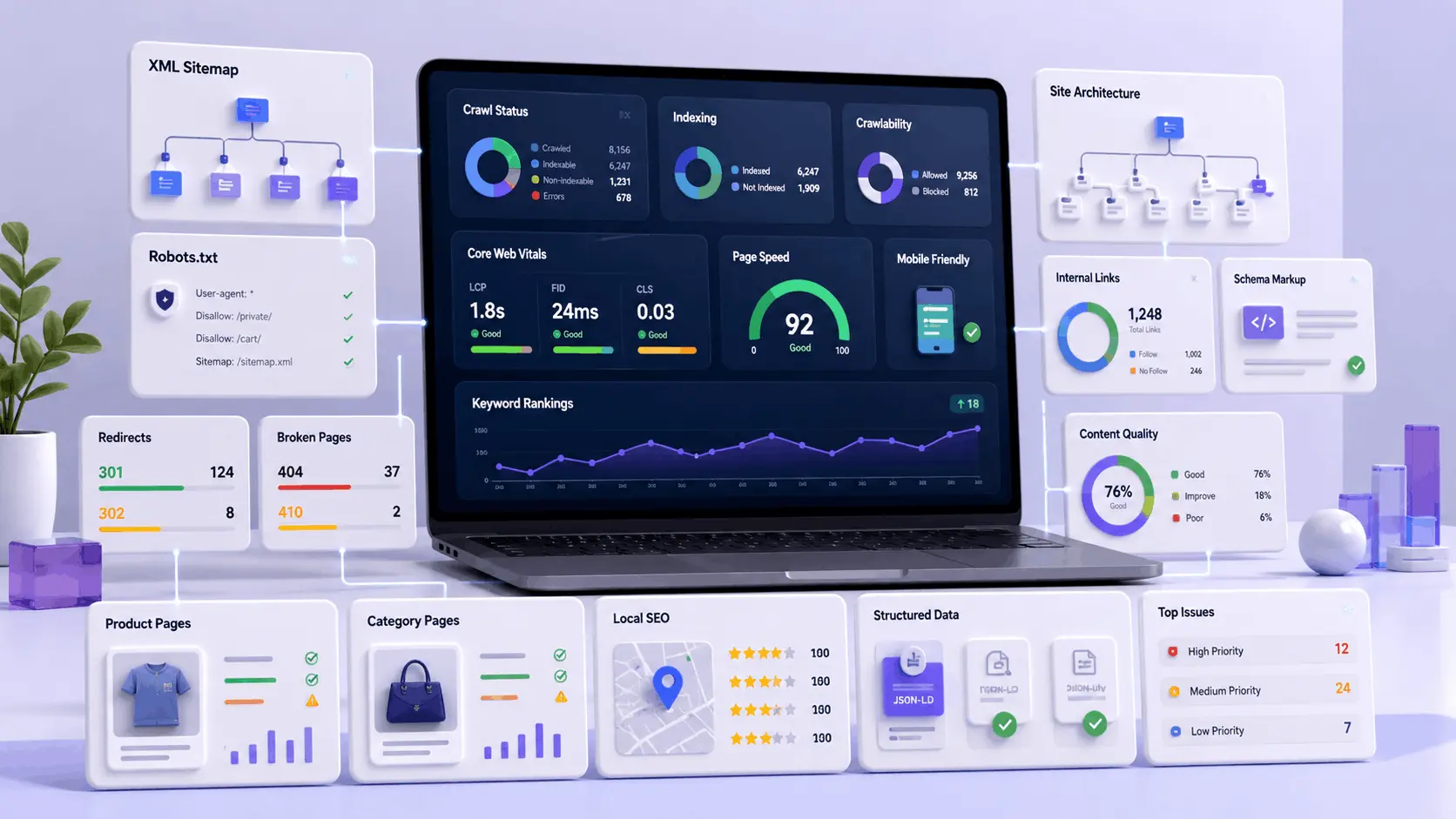
An SEO audit checklist helps you identify the technical, content, performance, ecommerce, and local search problems that prevent a website from ranking and generating qualified leads.
Most SEO problems are not caused by one missing keyword. They usually come from multiple issues working together, including duplicate URLs, weak internal linking, blocked pages, slow templates, broken redirects, poor structured data, outdated content, and ecommerce filters that create unnecessary crawl paths.
This 11-point SEO audit checklist provides a practical process for finding those problems, assessing their business impact, assigning responsibility, and validating each fix after implementation.
The checklist is designed for WordPress, WooCommerce, SaaS, local service, ecommerce, marketplace, and B2B websites where search visibility depends on reliable technical systems and useful content.
Quick SEO Audit Checklist Summary
- Check crawlability and indexability.
- Validate the XML sitemap and robots rules.
- Fix status codes, redirects, and canonical tags.
- Review site architecture and internal links.
- Audit titles, descriptions, headings, and URLs.
- Evaluate content quality and search intent.
- Measure performance and Core Web Vitals.
- Validate structured data and trust signals.
- Audit ecommerce and WooCommerce SEO.
- Review local SEO signals.
- Prioritize fixes and validate implementation.
A useful audit should finish with a prioritized implementation plan. It should not produce a long spreadsheet of issues that nobody owns or acts on.
1. Check Crawlability and Indexability
The first step in an SEO audit checklist is confirming that search engines can access, render, understand, and index the pages that matter.
Use the Google Search Console URL Inspection tool to compare Google’s indexed information with a live test of the current page. Review the rendered HTML, canonical URL, crawl status, indexing permissions, and loaded resources.
A page can look correct to visitors but still remain outside the search index because of a noindex directive, blocked resources, incorrect canonical tag, weak internal discovery, or low-value duplication.
Review the following crawlability and indexability elements:
- robots meta directives
- X-Robots-Tag HTTP headers
- canonical tags
- Google Search Console URL Inspection results
- indexed and excluded URL patterns
- blocked CSS and JavaScript files
- orphaned pages
- crawl depth
- mobile rendering
- duplicate and near-duplicate pages
Important pages should normally be indexable, self-canonical, accessible through internal links, included in the XML sitemap, and served with a successful HTTP response.
Investigate Crawled but Not Indexed Pages
When Google reports that a URL was crawled but is not currently indexed, check more than the technical directives.
Compare the page with other content on your website and review:
- whether another page covers the same search intent
- whether the page provides original examples or evidence
- whether important internal pages link to it
- whether the main topic is clear from the title and headings
- whether the page contains unfinished editorial content
- whether the content is substantially useful compared with competing pages
Request indexing only after making meaningful improvements. Repeatedly submitting an unchanged page does not resolve weak content differentiation or internal linking problems.
2. Validate the XML Sitemap and Robots Rules
Your XML sitemap should help search engines discover the canonical pages you want indexed. It should not contain redirects, duplicate URLs, noindex pages, parameter variations, or server errors.
Check that the sitemap:
- returns a successful HTTP 200 response
- contains valid XML
- includes the preferred HTTPS and hostname version
- contains only canonical and indexable URLs
- uses accurate modification dates
- does not include 3xx, 4xx, or 5xx URLs
- is accessible without login, firewall, or CDN challenges
- has been submitted successfully in Google Search Console
Review the robots.txt file separately. Robots.txt controls crawling, but it does not reliably remove URLs from the search index.
Avoid blocking CSS, JavaScript, images, or other resources required to render the main content. Search engines need access to important assets to evaluate the page correctly.
Common Sitemap Problems
| Problem | Potential Impact | Recommended Action |
|---|---|---|
| Sitemap returns an error | Discovery may become unreliable | Check server, cache, CDN, and plugin output |
| Noindex URLs are included | Conflicting indexing signals | Remove them from the sitemap |
| Redirecting URLs are included | Wasted crawl requests | Replace them with final destination URLs |
| Incorrect last modified dates | Unnecessary or delayed recrawling | Update dates only when content changes |
| Multiple SEO plugins create sitemaps | Duplicate or conflicting files | Use one sitemap system |
3. Fix Status Codes, Redirects, and Canonical Tags
Every website SEO audit checklist should include a complete review of HTTP status codes, redirects, and canonical signals.
Check for:
- important pages returning 404 errors
- soft 404 pages returning HTTP 200
- server-side 5xx errors
- redirect chains
- redirect loops
- 302 redirects used for permanent URL changes
- HTTP URLs that do not redirect to HTTPS
- www and non-www duplication
- canonical tags pointing to irrelevant pages
- canonical targets that redirect or return errors
Redirect problems are common after redesigns, migrations, slug changes, product removals, and plugin replacements. In WordPress, they may come from overlapping redirect plugins, server-level rules, SEO plugin settings, or custom rewrite logic.
| Issue | Business Risk | Fix Priority |
|---|---|---|
| Important page returns 404 | Lost rankings, backlinks, and leads | High |
| Canonical points to the wrong page | Preferred page may not be indexed | High |
| Redirect loop | Users and crawlers cannot reach the page | High |
| Redirect chain | Slower crawling and weaker user experience | Medium |
| Old low-value URL remains indexed | Index clutter and crawl waste | Medium |
4. Review Site Architecture and Internal Links
Site architecture helps users and search engines understand how your content is organized. Important commercial and informational pages should not be buried several levels deep or depend on JavaScript interactions for discovery.
Audit the following:
- navigation structure
- category and service page hierarchy
- breadcrumb navigation
- click depth from the homepage
- orphaned pages
- broken internal links
- links hidden behind JavaScript
- contextual links between related articles
- links from informational content to relevant service pages
- excessive footer or sidebar links
Internal links should help the reader continue their research. Avoid inserting unrelated commercial or location-based links only to target anchor-text keywords.
Internal Linking for an SEO Audit Checklist
A main SEO audit checklist can act as a broad resource that links to more specialized guides.
For example, this page can summarize crawlability, rendering, Core Web Vitals, and canonical checks while directing readers who need deeper implementation guidance to a dedicated technical SEO checklist.
This structure helps each page serve a different search intent rather than forcing multiple articles to compete for the same topic.
5. Audit Titles, Descriptions, Headings, and URLs
An on-page SEO audit should confirm that each page communicates one clear topic to users and search engines.
Review:
- unique title tags
- clear primary keyword alignment
- accurate and persuasive meta descriptions
- one descriptive H1 heading
- logical H2 and H3 hierarchy
- short and readable URLs
- duplicated boilerplate
- search-result snippet readability
- image alt text where the image provides useful information
A page title should accurately describe what the visitor will receive. If the title promises an 11-point checklist, the article should clearly present 11 numbered steps rather than hiding the checklist inside unrelated sections.
Title and Meta Description Review
Ask the following questions:
- Does the title include the main topic naturally?
- Does it match what the page actually delivers?
- Is it different from titles on similar pages?
- Does the description explain the outcome of reading the page?
- Would the snippet make sense without additional context?
Click-through improvement usually comes from clearer relevance and expectations, not exaggerated claims or unnecessary capitalization.
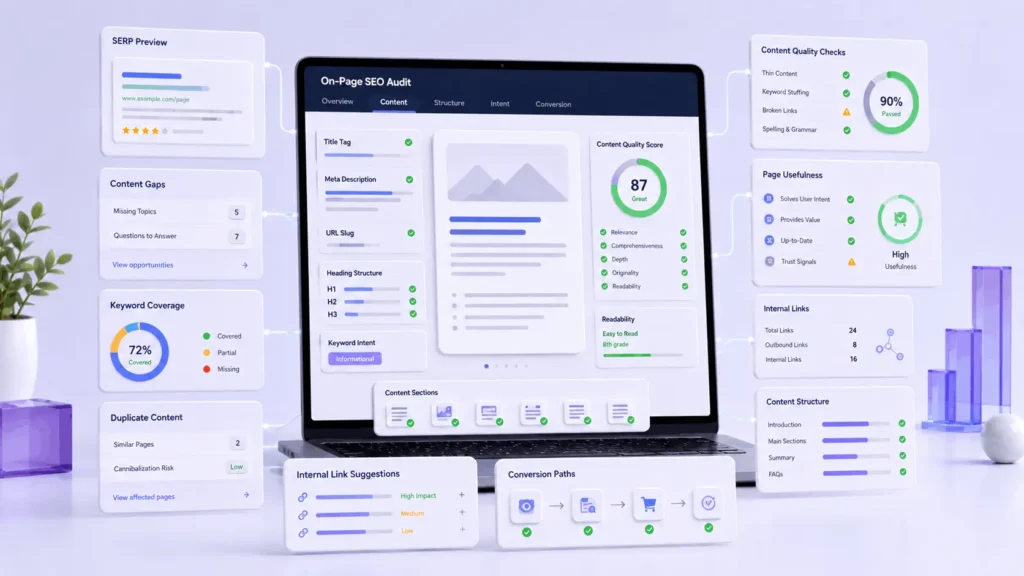
6. Evaluate Content Quality and Search Intent
A good SEO audit checklist should identify pages that are technically indexable but are not useful, distinctive, or relevant enough to compete.
Review each important page for:
- clear alignment with search intent
- original examples and practical guidance
- accurate and current information
- first-hand experience or expert input
- useful comparisons and decision criteria
- logical structure and readable formatting
- content overlap with other pages
- repeated or generic paragraphs
- unfinished notes or publishing instructions
- a clear next step for the reader
For technical, SaaS, ecommerce, and B2B topics, short generic summaries are rarely enough. Decision-makers often need implementation steps, risks, ownership, expected effort, dependencies, and validation methods.
Check for Keyword Cannibalization
Keyword cannibalization happens when multiple pages target the same or nearly identical search intent without a clear difference in purpose.
To investigate possible overlap:
- compare titles, H1 headings, and main sections
- review which queries each page receives impressions for
- identify repeated examples and checklist items
- decide whether to differentiate, merge, redirect, or consolidate the pages
- update internal links to support the preferred page
A complete SEO audit guide, a technical SEO checklist, and a small-business SEO checklist can all exist on the same website when each one serves a clearly different audience and task.
7. Measure Performance and Core Web Vitals
Website performance affects user experience, conversion paths, crawl efficiency, and the reliability of dynamic features.
A performance review should go beyond compressing images. Check:
- Largest Contentful Paint
- Interaction to Next Paint
- Cumulative Layout Shift
- Time to First Byte
- render-blocking CSS
- unused JavaScript
- third-party scripts
- font loading
- cache headers
- CDN configuration
- image dimensions and formats
- lazy-loading behavior
- mobile performance
Test important templates individually. The homepage may perform well while product, category, service, blog, search, cart, or checkout templates remain slow.

Review Backend and CMS Performance
WordPress performance problems frequently come from plugin overhead, slow database queries, large autoloaded options, uncached dynamic fragments, inefficient themes, and oversized media libraries.
A scalable website may also depend on:
- CDN edge caching
- PHP or Node processing
- database reads and writes
- Redis or another object cache
- scheduled jobs
- external API calls
- webhook listeners
- queue workers
- logging and monitoring systems
If a scheduled import locks database tables or an API request delays page rendering, search visibility and conversions can suffer even when the visible content is well optimized.
8. Validate Structured Data and Trust Signals
Structured data helps search engines understand the type and relationships of information on a page. It should accurately represent visible content and should not be added only to pursue enhanced search results.
Review relevant schema types such as:
- Article
- BreadcrumbList
- Organization
- LocalBusiness
- Product
- Offer
- Review
- FAQPage where appropriate
- SoftwareApplication for relevant software products
Check for missing required properties, duplicated schema output, incorrect prices, outdated availability, invalid author references, and schema generated by multiple plugins.
Review Author and Publisher Information
Informational content should clearly identify who created or reviewed it.
Useful trust signals include:
- a real author name
- a relevant professional role
- a short biography
- links to an author profile
- an accurate publication date
- a visible last updated date
- references for important factual claims
- clear company and contact information
For automatically generated or AI-assisted content, use editorial review, fact checking, version control, and approval workflows before publication.
9. Audit Ecommerce and WooCommerce SEO
An ecommerce SEO audit checklist needs to account for product, category, filter, search, pagination, inventory, and checkout behavior.
Review product and category pages for:
- unique product descriptions
- useful category page content
- product and offer structured data
- breadcrumb structured data
- canonical URLs
- duplicate product variants
- out-of-stock handling
- discontinued product redirects
- review visibility
- product image optimization
- links from categories to products
- pagination behavior
- checkout and cart performance
WooCommerce websites often experience conflicts between SEO, filtering, caching, payment, inventory, review, product feed, and page-builder plugins. Audit the generated output instead of relying only on plugin settings.

Control Faceted Navigation and URL Parameters
Product filters can generate thousands of URL combinations.
For example:
/shoes/?color=black&size=10&sort=price
When filters include brand, size, color, price, rating, material, stock status, and sorting, crawl paths can grow rapidly.
| Approach | When It May Work | Main Risk |
|---|---|---|
| Index selected filters | The combination has meaningful search demand | Requires strict URL and content control |
| Noindex low-value filters | Filters help users but do not need search visibility | Internal links may still create crawl waste |
| Canonicalize to the category | Variations do not provide unique value | Google may still crawl many parameter URLs |
| Create static landing pages | Important combinations deserve optimized pages | Requires content and ongoing maintenance |
| Restrict crawling carefully | Parameters create severe crawl traps | Signals may be hidden if implemented incorrectly |
10. Review Local SEO Signals
A local SEO audit checklist is important for service businesses, agencies, clinics, contractors, attorneys, consultants, and regional B2B companies.
Audit:
- Google Business Profile information
- business name, address, and phone consistency
- opening hours
- primary and secondary business categories
- service-area information
- location and city landing pages
- local structured data
- customer reviews and owner responses
- local citations and backlinks
- map visibility
- links between service and location pages
- duplicate or doorway-style local pages
Local SEO is not only about adding city names to headings. A location page should prove that the business genuinely serves the area and provide useful information about services, availability, customer needs, contact methods, and local experience.
Audit Local Landing Page Quality
Check whether each location page has:
- a distinct purpose
- unique service information
- accurate business details
- relevant testimonials or examples
- clear contact and conversion paths
- links to related services
- content beyond a repeated city-name template
Repeated pages that only replace the city name can dilute quality and create unnecessary indexation problems.
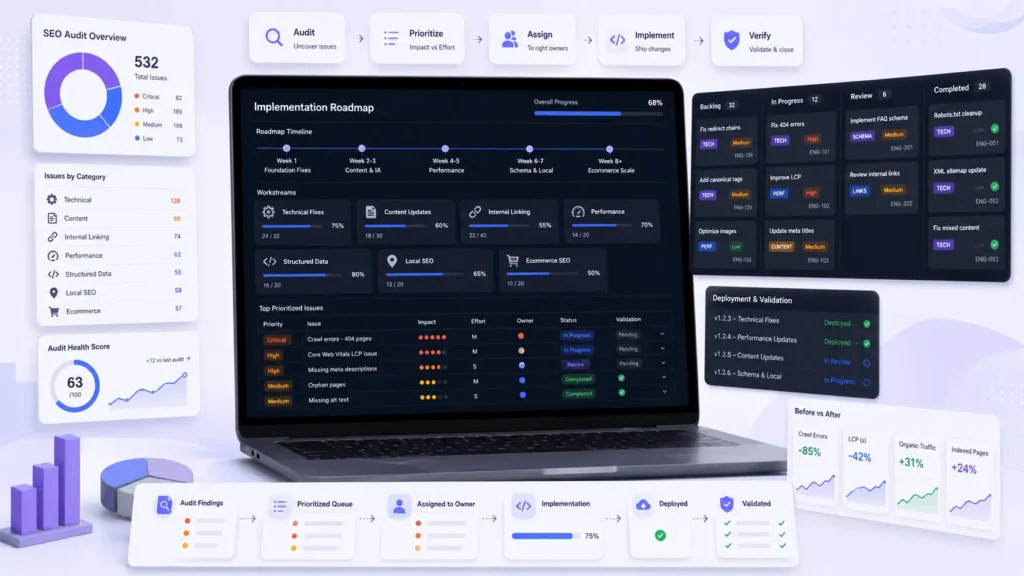
11. Prioritize Fixes and Validate Implementation
The final step in an SEO audit checklist is turning findings into work that can be assigned, implemented, and verified.
Do not prioritize issues only by how many URLs they affect. One template problem affecting hundreds of pages may require a single development fix, while one broken revenue page may deserve immediate attention.
Free SEO Audit Checklist Template Structure
A practical SEO audit spreadsheet should include the following columns:
- affected URL
- issue category
- issue description
- affected template
- severity
- traffic impact
- conversion impact
- recommended fix
- implementation effort
- technical or content owner
- validation method
- target date
- current status
Prioritize by Impact and Effort
- High impact, low effort: fix first.
- High impact, high effort: scope and schedule into a development sprint.
- Low impact, low effort: group into batch updates.
- Low impact, high effort: postpone unless strategically necessary.
Example SEO Audit Issue
| Field | Example |
|---|---|
| Issue | Important article is crawled but not indexed |
| Cause to investigate | Content overlap and weak incoming internal links |
| Business impact | The page cannot generate organic impressions or leads |
| Recommended fix | Differentiate the article, add original resources, and strengthen internal links |
| Owner | SEO strategist, content editor, and developer |
| Validation | Live URL test, rendered HTML review, sitemap check, and later index-status review |
Each completed task should have a clear verification process. A canonical update should be checked in the rendered HTML. A redirect should be tested from the original URL to the final destination. A sitemap update should be resubmitted. A performance fix should be tested on the affected template, not only on the homepage.
WordPress, WooCommerce, SaaS, and Custom Platform Considerations
The same SEO audit checklist can be applied across different platforms, but the technical causes of each issue may vary.
WordPress Audit Considerations
- theme templates
- SEO plugin settings
- custom post types
- taxonomy archives
- Gutenberg block output
- schema conflicts
- page-builder performance
- plugin conflicts
- database overhead
- staging-site indexation
- malware or injected pages
SaaS and Platform Audit Considerations
- public and private routes
- authentication barriers
- tenant-specific indexing rules
- server-side and client-side rendering
- API documentation structure
- integration and feature pages
- programmatic landing pages
- status and changelog pages
- automated publishing controls
- content review and audit logs
When SEO problems are connected to layout, CMS behavior, performance, integrations, or conversion paths, the solution may involve broader website design and development work rather than isolated metadata changes.
How Filicode Supports SEO Implementation
Some SEO audits reveal content gaps that an editor can resolve. Others reveal architecture, performance, database, rendering, plugin, or integration problems that require technical implementation.
Filicode supports businesses with WordPress development, WooCommerce optimization, custom software systems, SaaS architecture, API integrations, structured data, performance improvements, AI automation workflows, and digital marketing systems that connect search visibility with lead generation.
The goal is not to patch one title tag or indexing issue. It is to reduce the technical and operational problems that repeatedly create poor crawlability, weak performance, unreliable conversions, and unnecessary maintenance.
If your audit reveals recurring indexing, ranking, or lead-quality problems, a structured SEO services approach for small businesses can turn the findings into prioritized technical and content improvements.
SEO Audit Checklist FAQs
What should an SEO audit checklist include?
An SEO audit checklist should include crawlability, indexability, XML sitemaps, robots directives, status codes, redirects, canonical tags, site architecture, internal links, on-page elements, content quality, performance, structured data, ecommerce issues, local SEO, prioritization, and validation.
How do I perform an SEO audit?
Crawl the website, compare the results with Google Search Console, review indexation and technical signals, evaluate content and internal links, test performance and structured data, prioritize issues by business impact, and validate every fix after implementation.
Why is my page crawled but not indexed?
A crawled page may remain unindexed because it overlaps with other content, provides limited original value, has weak internal links, sends unclear canonical signals, or does not appear important enough compared with similar pages.
How do I audit a WordPress website?
Use a crawler, Google Search Console, performance testing tools, and manual template checks. Review SEO plugin settings, themes, custom post types, taxonomies, schema output, redirects, caching, database overhead, and plugin conflicts.
Is an SEO audit checklist PDF enough?
A PDF is useful for reference, but a spreadsheet is usually better for implementation because it can track affected URLs, owners, priorities, effort, target dates, validation methods, and status.
How often should a website run an SEO audit?
Run a light technical and content review regularly and a deeper audit after major migrations, redesigns, CMS changes, plugin updates, traffic drops, indexing problems, or changes to important templates.
Conclusion
A strong SEO audit checklist is not a cosmetic review. It is a structured process for evaluating whether a website can be crawled, indexed, understood, trusted, and converted into measurable business value.
Start with crawlability and indexation. Then review sitemaps, robots rules, redirects, canonical tags, site architecture, on-page elements, content quality, performance, structured data, ecommerce behavior, and local search signals.
Finish the audit by assigning each issue to an owner, prioritizing it by impact and effort, and documenting how the fix will be validated.
The value of an SEO audit does not come from the number of issues listed. It comes from identifying the changes that improve search visibility, user experience, maintainability, conversions, and long-term website growth.