








Contents
- Quick Summary for Decision-Makers
- Contractor Website Redesign Checklist: Start With Leads and Business Goals
- Audit Your Contractor Website Before You Redesign
- Content and SEO Audit
- Technical Audit
- Plan Architecture Before UI Design
- Website Redesign Checklist for WordPress and WooCommerce
- WordPress Redesign Planning
- WooCommerce and Checkout Scaling
- Map Real Production Workflows
- Design Contractor UX Around Calls, Quotes, and Trust
- Choose the Right Platform Trade-Off
- Add AI Automation Only Where It Has Controls
- Contractor Website Pre-Launch QA and Migration Controls
- Launch Day and Post-Launch Monitoring
- When Filicode Becomes the Right Fit
- FAQs About Contractor Website Redesign Projects
- How much does a website redesign cost?
- How long does a redesign usually take?
- Can a redesign hurt SEO rankings?
- Should we redesign or rebuild from scratch?
- Do we need custom development for a redesign?
- What should contractors protect during a website redesign?
- Conclusion: Use the Contractor Website Redesign Checklist as an Operating Plan
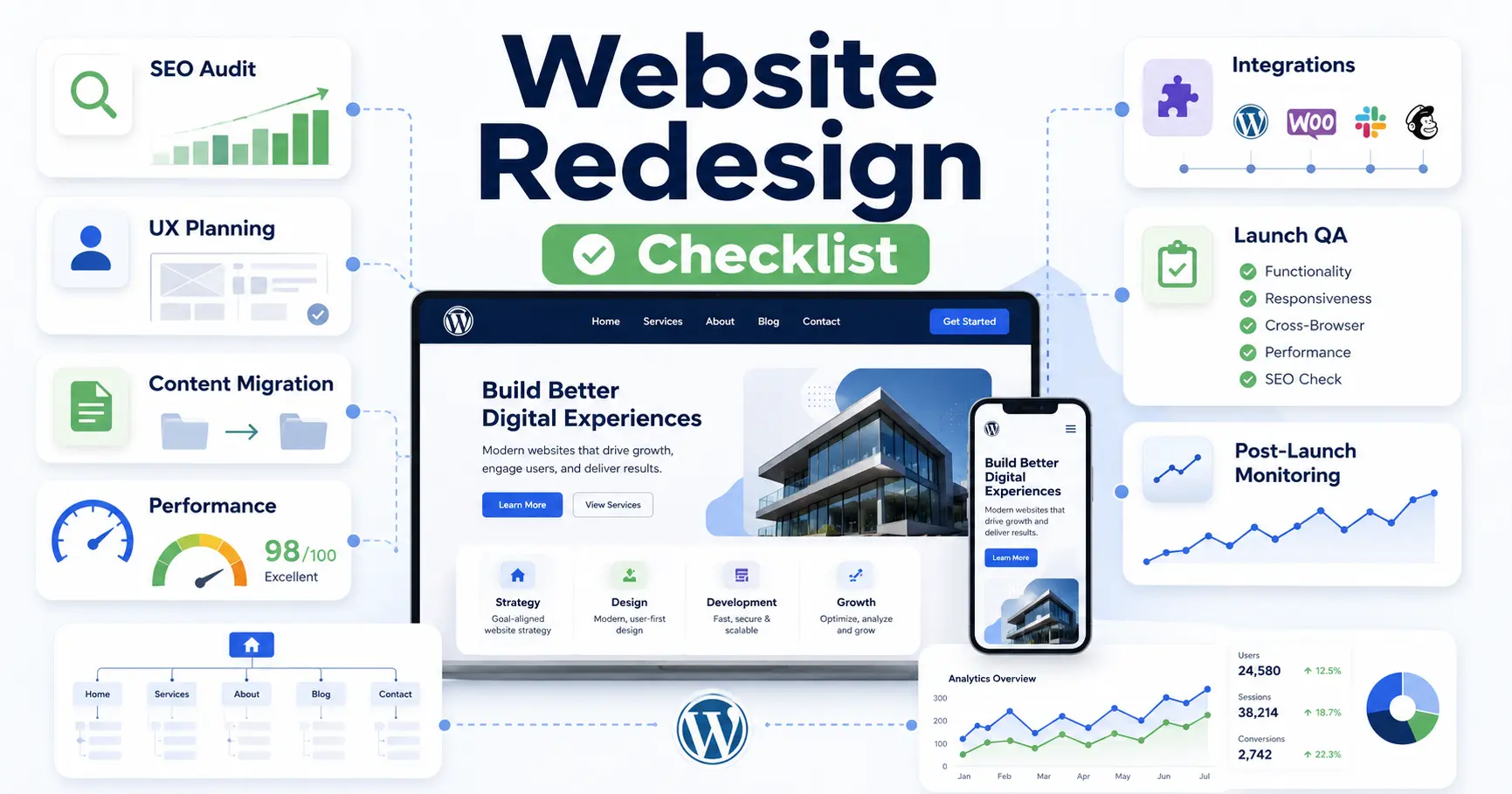
Use this contractor website redesign checklist to plan, build, launch, and monitor a redesign without losing rankings, leads, or essential functionality. It covers practical checks across strategy, content, SEO, UX, development, redirects, analytics, pre-launch QA, launch day, and post-launch monitoring.
The checklist is designed for contractors, home-service businesses, marketing teams, developers, and agencies managing WordPress, local SEO, service pages, quote forms, project galleries, and lead tracking.
Quick Summary for Decision-Makers
- A redesign should start with business goals, not color palettes.
- SEO migration, URL mapping, redirects, analytics, and performance testing must be planned before design approval.
- WordPress and WooCommerce can scale well, but only with clean architecture, object caching, CDN optimization, and disciplined plugin management.
- Integrations, forms, checkout flows, CRM sync, and automation should be tested like production systems.
- Cheap redesigns often become expensive when content, tracking, security, and rollback planning are ignored.
- A modern website redesign checklist should include AI automation, event tracking, accessibility, and post-launch monitoring.
Contractor Website Redesign Checklist: Start With Leads and Business Goals
A contractor website is part of the sales system. It attracts local prospects, explains services, builds trust, captures quote requests, routes inquiries, syncs leads to a CRM, and shows which services and locations generate demand.
Before design starts, define what the site must support:
- Lead generation and quote requests
- Click-to-call and booking flows
- Service and service-area pages
- CRM and lead-routing automation
- Project galleries and customer reviews
- Local SEO, call tracking, and reporting
- Security, backups, monitoring, and maintenance
This is where many contractor redesigns fail. Teams approve layouts before they understand quote forms, call tracking, CRM integrations, service-page structure, redirects, and production constraints. If the website supports revenue, the redesign needs architecture planning.
For service companies comparing agency options, this is also where a stronger technical partner matters. If you are researching web design companies in Charlotte, look beyond visuals and ask how they handle SEO migration, performance, integrations, deployment, and post-launch support.
Audit Your Contractor Website Before You Redesign
A useful contractor website redesign checklist begins with evidence. Do not rebuild what you have not audited.
Content and SEO Audit
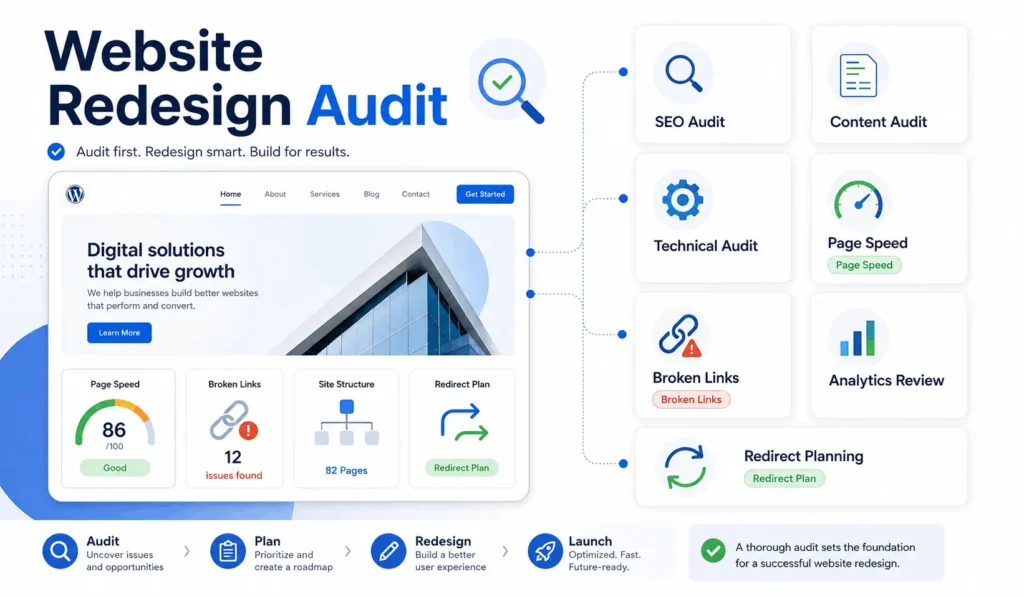
Review every indexable URL, page title, meta description, heading structure, internal link, ranking keyword, backlink target, and organic traffic pattern. A redesign can improve rankings, but it can also destroy them if URL mapping and redirects are handled casually.
Build a content inventory that marks pages as keep, improve, merge, redirect, or remove. This is especially critical for an SEO website redesign checklist, because search engines already have signals attached to your current pages.
Include:
- Top-ranking service pages
- Service-area and location pages
- Pages with backlinks or leads
- Project galleries and case studies
- Reviews, licenses, and trust signals
- Broken internal links
- Local and service schema opportunities
Use this audit to protect visibility during migration. For deeper technical planning, Filicode’s technical and on-page SEO audit checklist is a useful next step.
Technical Audit
Check hosting, CMS version, plugin stack, theme structure, database size, caching, Core Web Vitals, server response time, CDN usage, security headers, broken scripts, call tracking, form notifications, and third-party tracking codes.
Older redesign checklists focused heavily on layout, mobile responsiveness, and basic SEO. Those still matter, but a modern website redesign checklist must also consider privacy controls, observability, AI workflows, structured data, accessibility, automation reliability, and infrastructure cost.
Plan Architecture Before UI Design
Design without architecture creates expensive rework. Before wireframes are finalized, define how the website should behave under real traffic and operational load.
| Decision Area | Basic Redesign Approach | Scalable Redesign Approach |
|---|---|---|
| CMS | Install a theme and adjust pages | Define content models, reusable blocks, custom fields, and editorial workflows |
| Performance | Add a cache plugin after launch | Plan object caching, CDN, image optimization, script control, and hosting capacity |
| Integrations | Connect forms to email | Map CRM, automation, webhooks, validation, retry logic, and failure alerts |
| SEO | Rewrite meta titles | Preserve rankings with URL mapping, redirects, internal links, schema, and index monitoring |
| Maintenance | Update plugins when something breaks | Use staging, version control, backups, security hardening, and release notes |
For WordPress, architecture means deciding whether to use standard WordPress, custom Gutenberg blocks, WooCommerce, multisite, headless WordPress, or a custom platform. For ecommerce, the decision may involve WooCommerce, Shopify, Magento, or Adobe Commerce. If the business needs complex catalog rules, multi-vendor workflows, or advanced inventory models, understanding ecommerce platform architecture helps avoid choosing tools that cannot support future operations.
Website Redesign Checklist for WordPress and WooCommerce
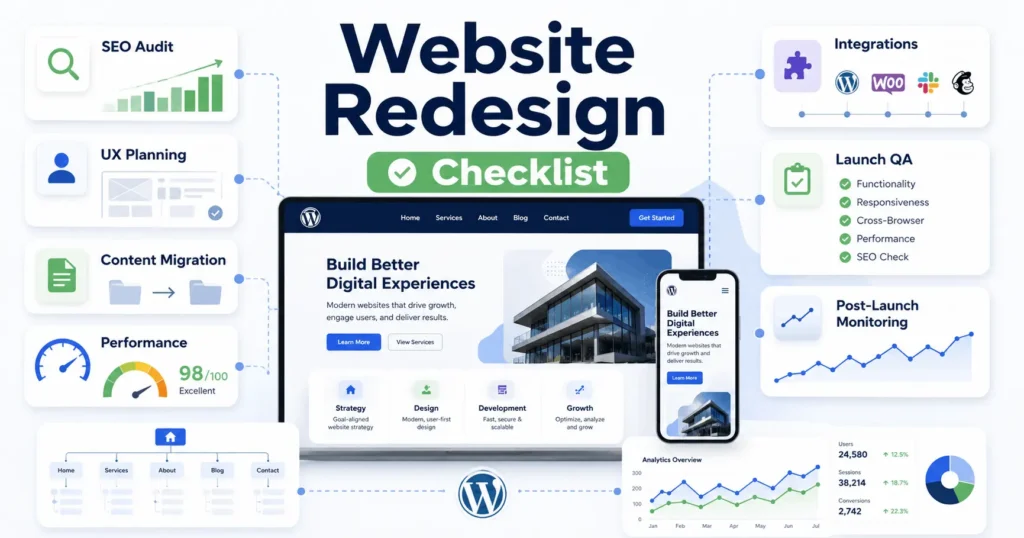
A WordPress redesign can be lean and maintainable, or it can become a slow stack of plugins fighting each other. The difference is engineering discipline.
WordPress Redesign Planning
Your website redesign checklist should include theme structure, custom post types, Gutenberg customization, reusable block patterns, custom hooks, plugin dependency review, user roles, backups, and deployment flow.
Do not treat plugins as a strategy. Plugins are useful, but every plugin adds code, database queries, update risk, and potential conflicts. Use custom development when business logic is central to operations.
Good WordPress redesign planning includes:
- Staging and production environments
- Version control for theme and custom plugin code
- Reusable Gutenberg blocks for service pages
- Clean media library and image compression
- Custom fields where structured content matters
- Security rules, login protection, and permission control
If your team needs a broader operational view, review this website maintenance checklist before launch. Redesign decisions affect maintenance costs for years.
WooCommerce and Checkout Scaling
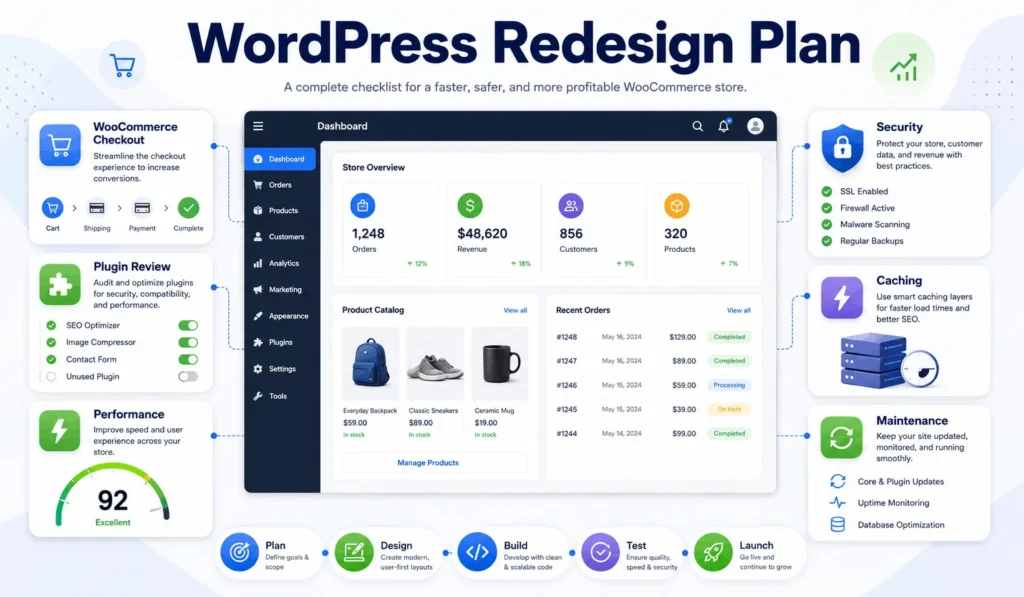
WooCommerce can support serious stores, but checkout, cart fragments, product filters, inventory sync, payment webhooks, and reporting queries can create bottlenecks.
Plan for object caching, Redis, optimized database tables, CDN rules, background jobs, webhook retries, payment state handling, refund workflows, and reconciliation reports. A checkout page is not just a page. It is a transaction system.
For payment systems, define transaction states clearly: pending, authorized, paid, failed, refunded, partially refunded, disputed, and canceled. Payment gateways rely on webhooks, and webhooks fail. Your system must handle retries, duplicate events, delayed confirmations, and reconciliation.
Map Real Production Workflows
A modern website redesign checklist should map the full workflow from frontend interaction to backend processing.
Example lead flow:
- User submits a consultation form
- Frontend validates required fields
- Backend sanitizes and stores the request
- Spam protection runs
- CRM API receives the lead
- Email notification is queued
- Automation assigns the lead by service type
- Analytics records the conversion
- Failure logs are monitored
If the CRM API is down, the lead should not disappear. Store it first, then retry the integration. If email delivery fails, log it. If tracking scripts are blocked, server-side records should still show the inquiry.
The same logic applies to signup flows, booking systems, quote forms, subscriptions, ecommerce orders, and support automation. Production systems need validation, retry logic, logging, and graceful failure handling.
Design Contractor UX Around Calls, Quotes, and Trust
Contractor UX affects call volume, quote quality, trust, sales velocity, and how easily prospects choose a service or location.
A contractor website redesign checklist should prioritize service pages, location SEO, mobile click-to-call buttons, quote forms, project galleries, customer reviews, licenses, insurance details, and clear conversion paths. Every form and phone action should be tracked so the business can measure which services and locations generate qualified leads.
For contractors serving multiple cities, each location page should provide unique service information, local proof, contact details, and a clear call to action. Avoid duplicating text across service areas.
The interface should reduce confusion for users and reduce manual work for teams. That is the real measure of UX quality.
Choose the Right Platform Trade-Off
No platform is perfect. The right choice depends on content volume, transaction complexity, integration depth, team capability, compliance needs, and growth plans.
| Option | Works Well When | Common Risk |
|---|---|---|
| WordPress | Content, SEO, service pages, publishing, flexible marketing workflows | Plugin bloat, slow performance, weak governance |
| Headless WordPress | Frontend performance and custom app experience matter | More engineering overhead and content preview complexity |
| No-code tools | Small teams need speed and simple workflows | Limited customization, scaling constraints, vendor lock-in |
| Custom SaaS platform | Business logic, multi-tenant workflows, permissions, and automation are core | Higher upfront planning and development cost |
| Microservices | Large systems need independent scaling and clear service boundaries | Operational complexity, monitoring burden, distributed failure points |
A monolith is not automatically bad. A well-built monolith can be simpler, cheaper, and easier to maintain than poorly designed microservices. Microservices make sense when teams, scale, or domain complexity justify the added operational cost.
The practical question is not “Which technology sounds modern?” The better question is “Which architecture lets us ship, measure, maintain, and scale without creating avoidable risk?”
Add AI Automation Only Where It Has Controls
AI can improve content operations, support workflows, lead qualification, internal search, CRM updates, and reporting. It can also create unreliable automation if there is no validation layer.
For redesign projects, AI automation should be treated like any other production workflow. Define inputs, outputs, fallback rules, human review points, logging, and quality checks.
Useful examples include:
- AI-assisted lead routing based on inquiry type
- Support summaries pushed to CRM records
- Content briefs generated from SEO data
- Internal knowledge search for sales teams
- Automated reporting with human approval
Do not let AI agents write directly into customer-facing systems without review unless the risk is low and the outputs are constrained. Automation reliability matters more than novelty.
Contractor Website Pre-Launch QA and Migration Controls
The pre-launch phase is where a website redesign checklist becomes operationally useful.
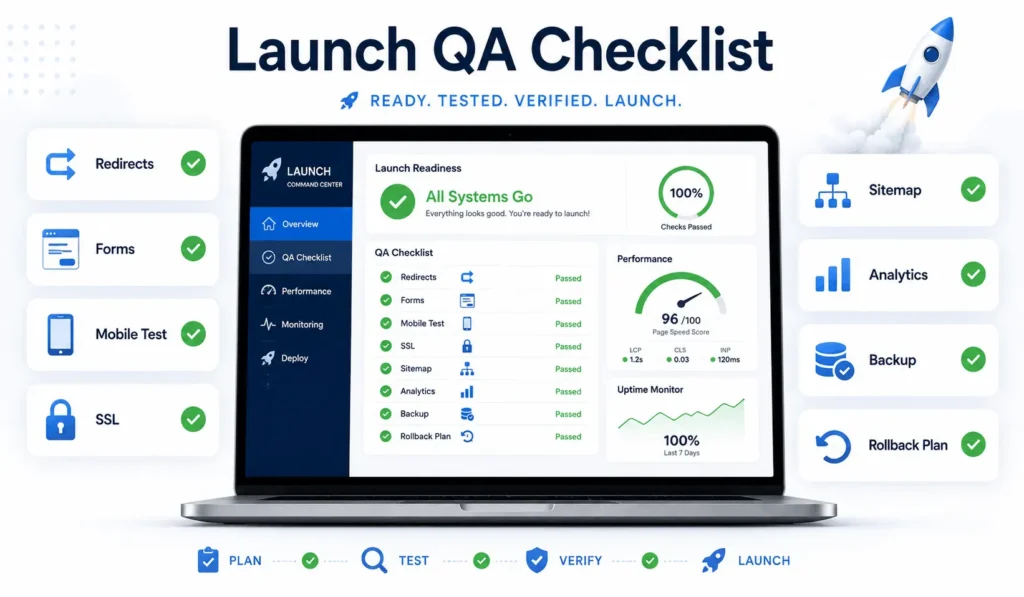
Test critical user flows on mobile, tablet, and desktop. Check quote forms, click-to-call buttons, booking tools, service and location pages, maps, CRM sync, call tracking, email delivery, analytics events, and consent tools.
Pre-launch controls should include:
- Full site backup
- Rollback plan
- Redirect map
- XML sitemap
- Robots.txt review
- SSL certificate
- DNS plan
- 404 scan
- Core Web Vitals testing
- Stakeholder signoff
Use a staging environment that mirrors production as closely as possible. Testing on a clean demo server does not reveal real database size, traffic behavior, plugin conflicts, or third-party failures.
For broader planning around scalable pages and technical growth, this guide on business website design for scalable growth connects design decisions with long-term operations.
Launch Day and Post-Launch Monitoring
Launch is not the end of the project. It is the moment your assumptions meet production traffic.
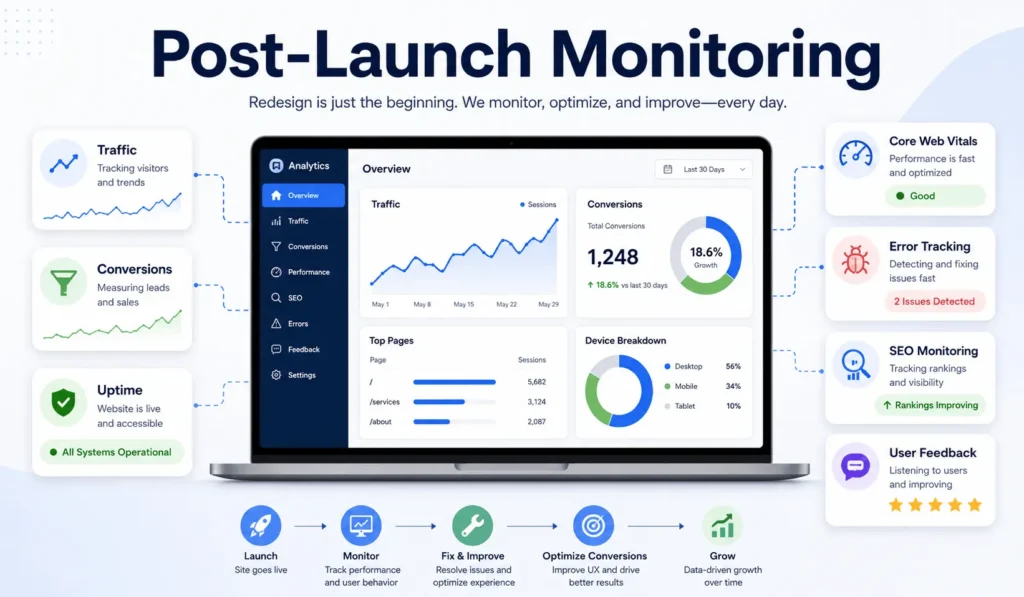
Monitor uptime, server errors, quote submissions, tracked calls, local landing pages, search console coverage, redirects, analytics events, conversion paths, page speed, traffic drops, and user feedback. Keep developers available for urgent fixes after launch.
Search rankings may fluctuate after a redesign, but large drops usually point to preventable issues: missing redirects, blocked indexing, changed internal links, removed content, slow templates, broken canonical tags, or metadata errors.
A modern website redesign checklist should include a 30-day monitoring window. Weekly checks are not enough during the first few days. Watch logs, not only dashboards.
When Filicode Becomes the Right Fit
Filicode works best when a website redesign is connected to deeper technical needs: custom WordPress development, WooCommerce optimization, API integrations, SaaS architecture, AI automation, CRM workflows, performance optimization, and maintainable system design.
Off-the-shelf tools work for many early-stage businesses. Custom development becomes necessary when the website is tied to operations, revenue, reporting, automation, or customer experience in a way generic templates cannot support.
For small teams planning growth, this guide on small business website design with scalable foundations can help clarify what should be simple now and what should be built properly before scale exposes the gaps.
FAQs About Contractor Website Redesign Projects
How much does a website redesign cost?
Cost depends on scope, content volume, design complexity, CMS structure, integrations, ecommerce needs, SEO migration, and QA depth. A simple redesign costs less, but a business-critical redesign needs planning, engineering, testing, and post-launch support.
How long does a redesign usually take?
Small redesigns may take a few weeks. Larger WordPress, WooCommerce, SaaS, healthcare, nonprofit, or enterprise projects can take several months because content migration, approvals, integrations, testing, and stakeholder signoff add real work.
Can a redesign hurt SEO rankings?
Yes. A redesign can hurt rankings if URLs change without redirects, content is removed, metadata is rewritten poorly, internal links are weakened, or pages become slower. A proper website redesign checklist reduces that risk.
Should we redesign or rebuild from scratch?
Redesign when the platform is healthy and the main issues are UX, content, branding, or conversion. Rebuild when the codebase, plugin stack, database, architecture, or integrations are limiting growth and maintenance.
Do we need custom development for a redesign?
Not always. Custom development is useful when workflows, integrations, permissions, checkout logic, automation, or reporting cannot be handled reliably with standard tools.
What should contractors protect during a website redesign?
Contractors should protect ranking service pages, location pages, reviews, project galleries, backlinks, phone tracking, quote forms, and Google Business Profile landing-page URLs. Any changed URL should have a relevant redirect.
Conclusion: Use the Contractor Website Redesign Checklist as an Operating Plan
A redesign should leave the business with a faster, cleaner, easier-to-maintain, better-measured system. If the project only changes visuals, the same operational problems will return under a newer interface.
Warning signs are easy to spot: slow pages, fragile plugins, duplicated content, poor lead tracking, manual CRM updates, checkout errors, missing logs, unclear ownership, broken redirects, and teams afraid to make changes because the site might break.
Use this contractor website redesign checklist before design approval, before development starts, before migration, and again after launch. The goal is not only a better-looking website. The goal is a website that generates leads and supports growth without creating hidden technical debt.
If your current website is becoming harder to scale, maintain, integrate, or measure, Filicode can help you review the architecture, identify bottlenecks, and plan the right next step. You can discuss your project with a technical team that understands WordPress, WooCommerce, custom software, SaaS systems, API integrations, automation, and long-term maintainability.