



Contents
- Choose the Right WordPress Migration Method
- Quick Summary: What Decision-Makers Should Protect During Migration
- What Actually Changes When You Migrate a Website to WordPress?
- WordPress Website Migration Checklist Before Production Work Starts
- How to Migrate a Website to WordPress: A Production Workflow
- 1. Build the Source Inventory and Migration Contract
- 2. Set Up the New WordPress Installation and Target Architecture
- 3. How to Migrate a Website to WordPress Without Losing Data Integrity
- 4. Rebuild Frontend Behavior, Not Just Visual Design
- 5. Reconnect APIs, Webhooks, Identity, and Operational Automations
- 6. Test the Staging Site Like a Production System
- 7. Plan WooCommerce Cutover and Transaction Safety
- 8. Execute a Controlled Go-Live
- 9. Monitor, Reconcile, and Remove Temporary Migration Logic
- Architecture Trade-Offs After the Website Migration to WordPress
- How to Migrate a Website to WordPress Without Post-Launch Bottlenecks
- When Custom Engineering Becomes Necessary
- Frequently Asked Questions
- How much does it cost to migrate a website to WordPress?
- How long does a website migration to WordPress take?
- Is WordPress scalable for high-traffic websites?
- What is the biggest risk when learning how to migrate a website to WordPress?
- Can WordPress integrate with CRM, SaaS, payment, and automation systems?
- How much maintenance is required after migration?
- Conclusion: Migrate the System, Not Just the Pages
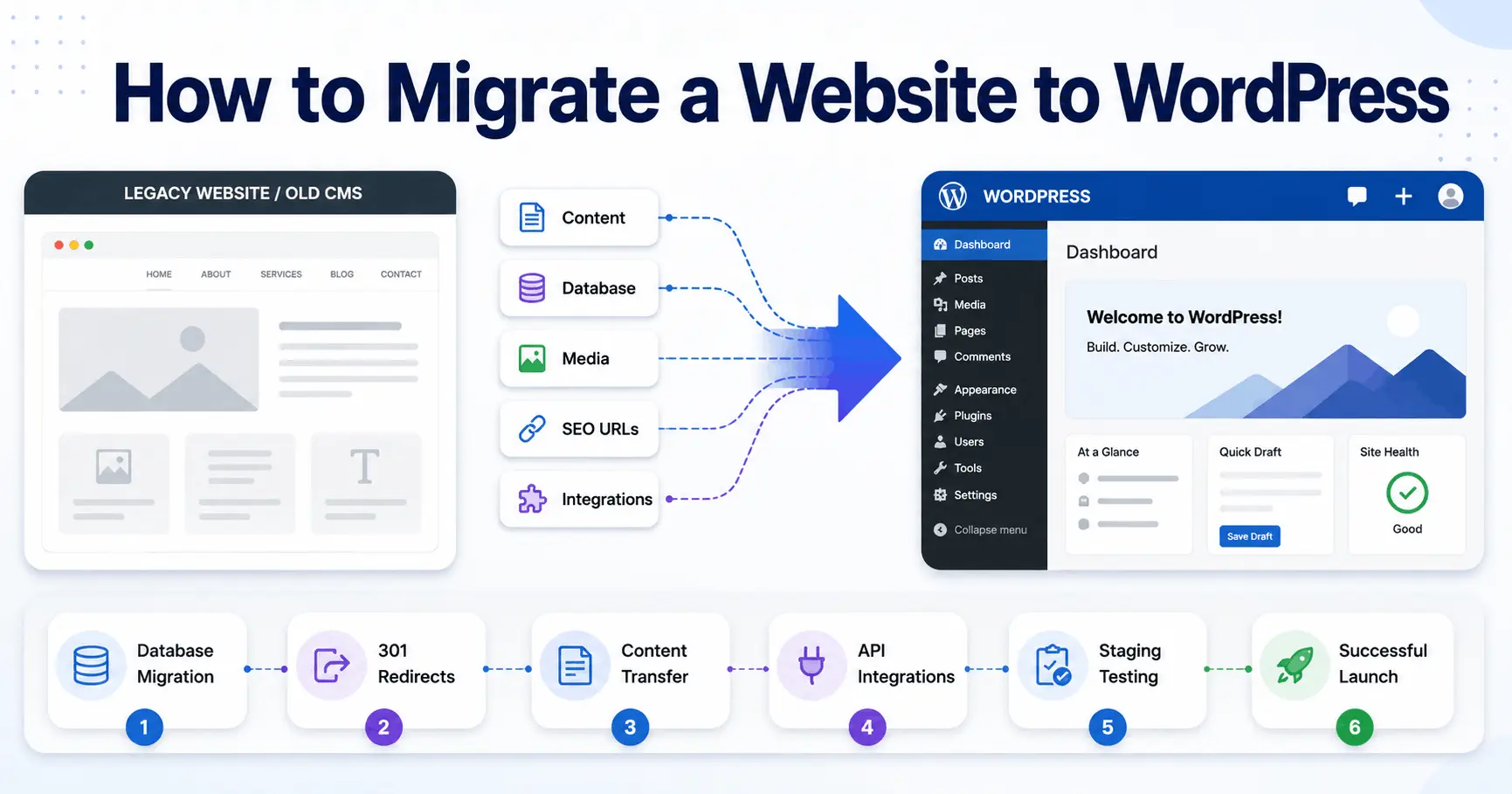
How to migrate a website to WordPress safely starts with auditing the existing site, backing up its files and data, creating the new WordPress installation on staging, transferring the content and functionality, mapping old URLs to new URLs, testing SEO and business-critical features, and completing a controlled launch with rollback and monitoring.
The exact method depends on whether you are moving from another WordPress host, a website builder such as Wix or Squarespace, an ecommerce platform, or a custom CMS. This guide provides a nine-step production workflow covering each stage.
Choose the Right WordPress Migration Method
Select the method according to the source platform, data volume, custom functionality, and acceptable downtime. Built-in export tools can suit simple publishing sites, while ecommerce and custom systems usually need structured imports, redirect mapping, integration testing, and a controlled cutover.
| Current platform | Typical approach | Main concern |
|---|---|---|
| WordPress | Migration plugin or files-and-database transfer | Environment and URL settings |
| Wix, Squarespace, or static HTML | Rebuild templates and import or recreate content | URLs, media, and formatting |
| Shopify or another ecommerce platform | Structured catalog, customer, and order migration | Transactions and redirects |
| Custom CMS or application | API, CSV, or custom ETL pipeline | Relationships and integrations |
Quick Summary: What Decision-Makers Should Protect During Migration
- A WordPress migration should preserve business behavior, not only page content and visual design.
- URL mapping, redirects, canonical tags, metadata, structured data, and internal links should be validated before launch, not repaired after traffic falls.
- APIs, webhooks, authentication, billing logic, scheduled jobs, queues, and third-party integrations need explicit migration ownership and test cases.
- Large sites should use staged imports, idempotent jobs, retry controls, reconciliation reports, and logs instead of one unobservable bulk transfer.
- WordPress can support complex platforms, but architecture should match the workload: monolith for simpler operations, API-led or headless patterns where channel scale and integration boundaries justify the added complexity.
What Actually Changes When You Migrate a Website to WordPress?
When teams ask how to migrate a website to WordPress, they often think about pages, posts, images, and theme files. The production boundary is wider: content models, URLs, identities, permissions, forms, search, analytics, CRM events, payments, email, background tasks, caching, and infrastructure.
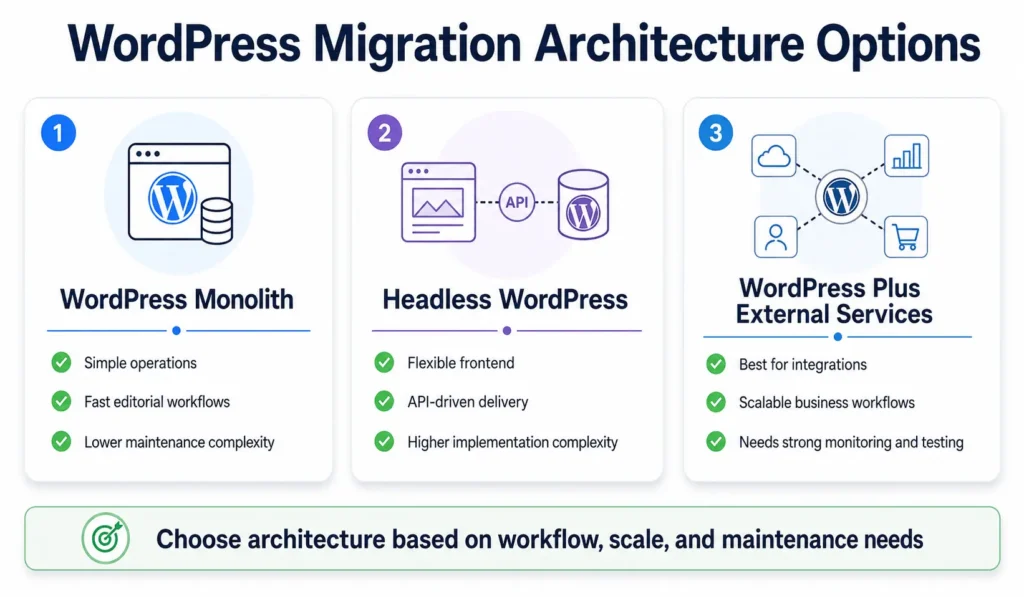
The first architecture decision is whether WordPress owns the full application or only the content layer. A conventional monolith keeps rendering, editorial workflows, plugins, authentication, and content storage together. A headless model separates the frontend through APIs, but adds deployment coordination, cache invalidation, preview complexity, and observability requirements.
For custom workflows, ecommerce, or integration-heavy builds, review the migration as a development project, not a theme installation. FiliCode’s NYC WordPress development services page shows the engineering scope often required when the target platform supports more than publishing.
WordPress Website Migration Checklist Before Production Work Starts
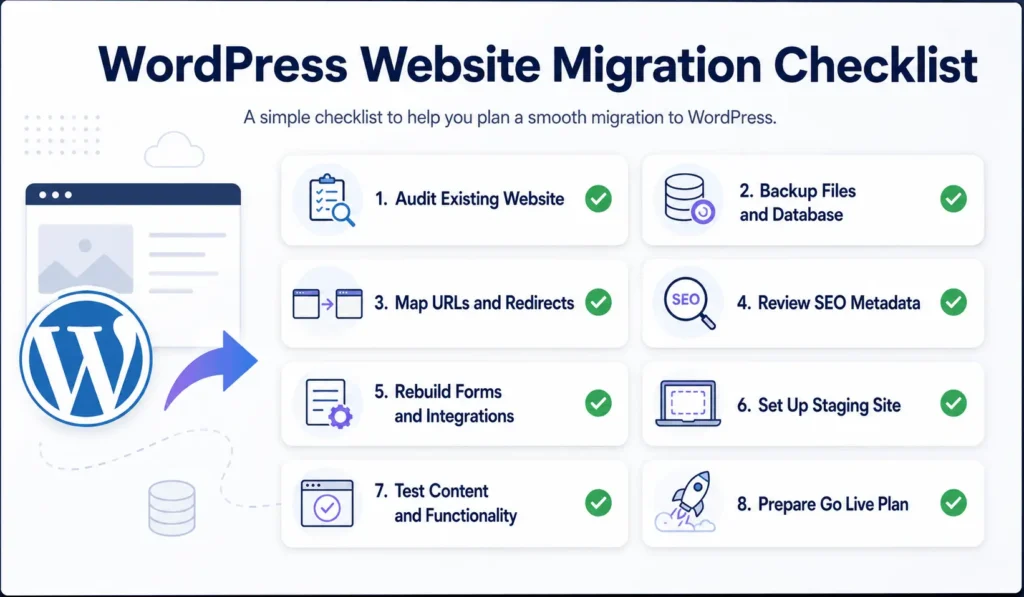
A useful WordPress website migration checklist begins with evidence. Crawl the site, export analytics landing pages, collect Search Console data, inventory forms and integrations, record DNS and CDN settings, and document scheduled processes. Before planning a WordPress migration, take a recoverable backup. The official WordPress backup guidance treats files and the database as separate recovery concerns.
Then classify every route and feature: migrate, rebuild, redirect, consolidate, archive, or decommission. A practical website redesign checklist helps because design changes often affect templates, navigation, components, and internal linking during the CMS conversion.
| Current system reality | Migration decision | Production risk if ignored |
|---|---|---|
| Traffic-bearing URL | Preserve it or map one 301 redirect | Ranking loss and redirect chains |
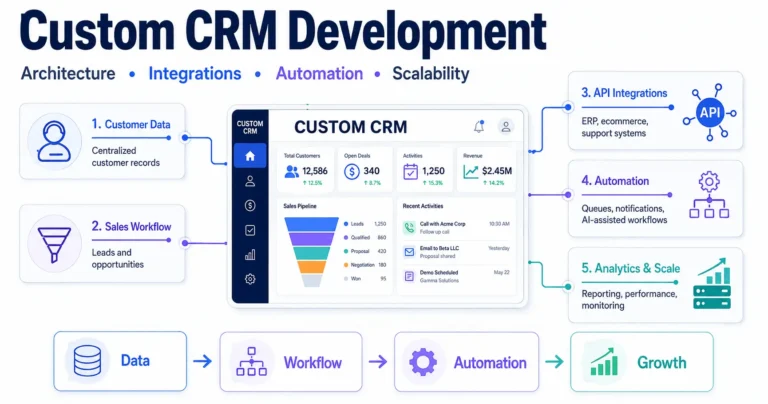
| CRM form | Rebuild validation, mapping, authentication, and retries | Lead loss or duplicates |
| Customer account | Map identity, sessions, roles, and RBAC | Lockouts or excessive permissions |
| Commerce workflow | Preserve order, refund, invoice, and payment states | Reconciliation gaps |
| Scheduled jobs | Redesign cron, queues, and monitoring | Silent synchronization failures |
How to Migrate a Website to WordPress: A Production Workflow
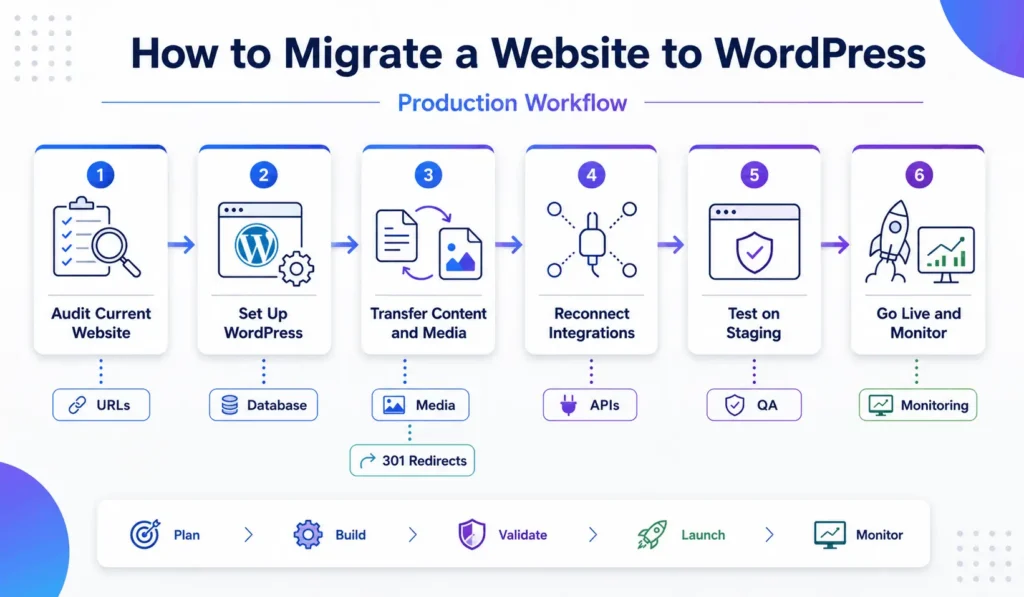
The safest approach is a phased WordPress migration with rollback points. The exact tooling changes by source platform, but the control model should stay consistent.
1. Build the Source Inventory and Migration Contract
Capture page types, taxonomies, metadata, media, users, forms, search behavior, ecommerce objects, API consumers, and admin workflows. Define field mappings before writing import code. During a WordPress migration, unclear data ownership creates more defects than the transfer mechanism itself.
For ecommerce, map products, variants, categories, customers, orders, coupons, tax data, and fulfillment references separately. Platform risks differ, so a Shopify migration checklist should not be reused blindly elsewhere. Larger catalog and API-heavy projects have different dependencies, as shown in this BigCommerce migration guide.
2. Set Up the New WordPress Installation and Target Architecture
Build on staging with production-like PHP, database, caching, storage, CDN, and security settings. Decide permalink structure early. Configure environments so secrets, API credentials, webhook signing keys, and service URLs are not copied casually between staging and production.
Keep plugin responsibility clear. Use plugins for stable, bounded capabilities, and custom code for domain-specific behavior. Custom hooks should be documented, integration calls should have timeouts, and critical actions should not depend on a long synchronous request when a queue or async job is safer.
3. How to Migrate a Website to WordPress Without Losing Data Integrity
For a large-scale WordPress migration, treat imports as data pipelines. Extract, normalize, validate, transform, load in controlled batches, and generate reconciliation reports. XML export/import suits simpler publishing. CSV, API-based migration, or custom ETL is often better for structured catalogs, memberships, or complex relationships.
Imports should be idempotent where possible. If a batch fails, rerunning it should update or skip known records rather than create duplicates. Use stable source IDs, checkpoints, retry limits, and dead-letter handling. AI-assisted classification can map unstructured legacy content, but production workflows still need deterministic validation, confidence thresholds, and human review for ambiguous cases.
4. Rebuild Frontend Behavior, Not Just Visual Design
A page that looks identical can behave differently. Recreate navigation state, filters, search, forms, validation, tracking events, accessibility, and responsive rules. Gutenberg remains maintainable when custom blocks are constrained to the design system rather than providing an unrestricted layout surface.
When teams migrate an existing website to WordPress, this is also the point to remove obsolete templates and consolidate duplicated components. A migration that carries every historical workaround into the new platform preserves technical debt instead of reducing it.
5. Reconnect APIs, Webhooks, Identity, and Operational Automations
Integrations need contract tests. Confirm request schemas, authentication flows, rate limits, webhook signatures, replay handling, and error codes. A reliable webhook consumer should acknowledge valid events quickly, process expensive work asynchronously, deduplicate event IDs, retry transient failures, and log final outcomes.
For SaaS or customer portals, map tenant isolation, subscription states, RBAC, audit logging, and real-time synchronization. For CRM or support automation, define orchestration, fallback rules, and a human-in-the-loop path. Monitoring automation output is part of the production system.
6. Test the Staging Site Like a Production System
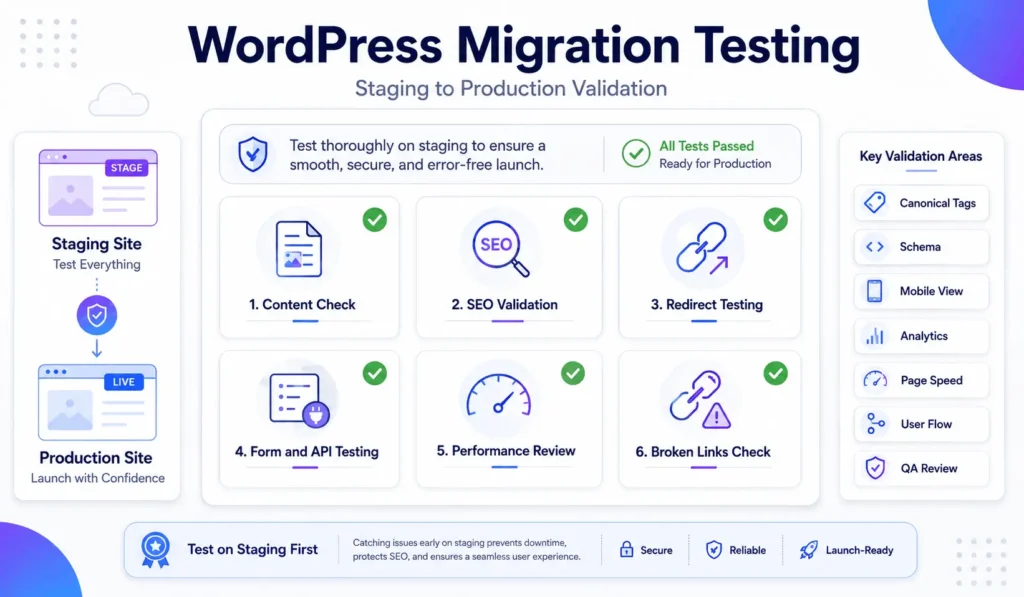
WordPress migration testing must cover content and operations. Crawl staging, compare URL inventories, inspect canonicals, validate schema, test redirects, check broken links, submit critical forms, and verify analytics events.
Load testing should target expensive paths: search, dashboards, checkout, bulk admin actions, and integration callbacks. Page caching helps anonymous traffic, while transactional traffic often reaches PHP and the database. Redis-backed object caching can reduce repeated database work, but it cannot fix slow queries, poor indexes, or inefficient plugin code.
7. Plan WooCommerce Cutover and Transaction Safety
WooCommerce migrations require a cutover strategy for orders created while data is moving. Freeze windows are simplest but not always commercially acceptable. Larger stores may need delta synchronization, controlled write restrictions, or a final reconciliation pass before DNS changes.
Payment testing must cover authorized, captured, failed, refunded, and disputed states. Webhook delivery can be delayed or repeated, so transaction handling should be idempotent. Reconcile gateway records against WooCommerce orders, refunds, invoices, and accounting exports.
8. Execute a Controlled Go-Live
Before launch, lower DNS TTL where appropriate, take final backups, pause conflicting jobs, complete the delta import, run smoke tests, and confirm rollback ownership. DNS propagation is not a testing plan; understand both environments during the transition.
After the switch, verify the homepage, priority landing pages, login, forms, checkout, robots directives, XML sitemaps, analytics, Search Console verification, email delivery, scheduled jobs, API calls, and CDN behavior. This is the operational core of a low-downtime WordPress migration.
9. Monitor, Reconcile, and Remove Temporary Migration Logic
Monitor HTTP errors, PHP exceptions, queue failures, webhook retries, database load, cache behavior, slow endpoints, failed forms, and revenue events. Correlation IDs should trace one customer action across the frontend, WordPress backend, queue worker, external API, and callback.
Keep redirects and migration reports under version control. Remove temporary import endpoints, old credentials, debug settings, and one-time admin accounts. Migration is incomplete while emergency tooling remains exposed.
Architecture Trade-Offs After the Website Migration to WordPress
There is no single correct target architecture. The choice depends on editorial complexity, traffic shape, integrations, release frequency, team capability, and tolerance for operational overhead. Complexity is not the same as scalability.
| Approach | Where it works well | Real trade-off |
|---|---|---|
| WordPress monolith | Content, marketing, and many B2B sites | Simpler operations; plugin discipline still matters |
| Headless WordPress | Multiple frontends and independent release cycles | More API, preview, caching, and observability complexity |
| WordPress plus services | CRM, search, billing, or automation with clear boundaries | Integration failures and eventual consistency require controls |
| WordPress Multisite | Related sites with centralized governance | Shared plugin and deployment choices affect the network |
Microservices are not a default upgrade from a monolith. They add network failure modes, distributed tracing, deployment coordination, service ownership, and data consistency problems. A modular WordPress system with a few external services is often easier to maintain. For growth platforms, the target WordPress architecture should be guided by measured bottlenecks, using CDN caching, object caching, query optimization, queues, or API controls only where evidence supports them. A custom WordPress architecture for scalable growth should be workload-driven.
How to Migrate a Website to WordPress Without Post-Launch Bottlenecks
Teams often discover the real cost of a WordPress migration after launch because staging data is clean and test traffic predictable. Database contention appears during checkout, imports overlap with peaks, cache invalidation creates stale content, and plugins compete for hooks or cron windows.
WP-Cron is request-driven by default, so time-sensitive work may need a server scheduler or external queue. Plugin conflict management also needs ownership: version pinning, staging updates, regression tests, rollback packages, and logs. Cheap development optimizes for delivery; maintainable systems optimize for change through clear boundaries, testable code, observability, documented integrations, and predictable deployment.
When Custom Engineering Becomes Necessary
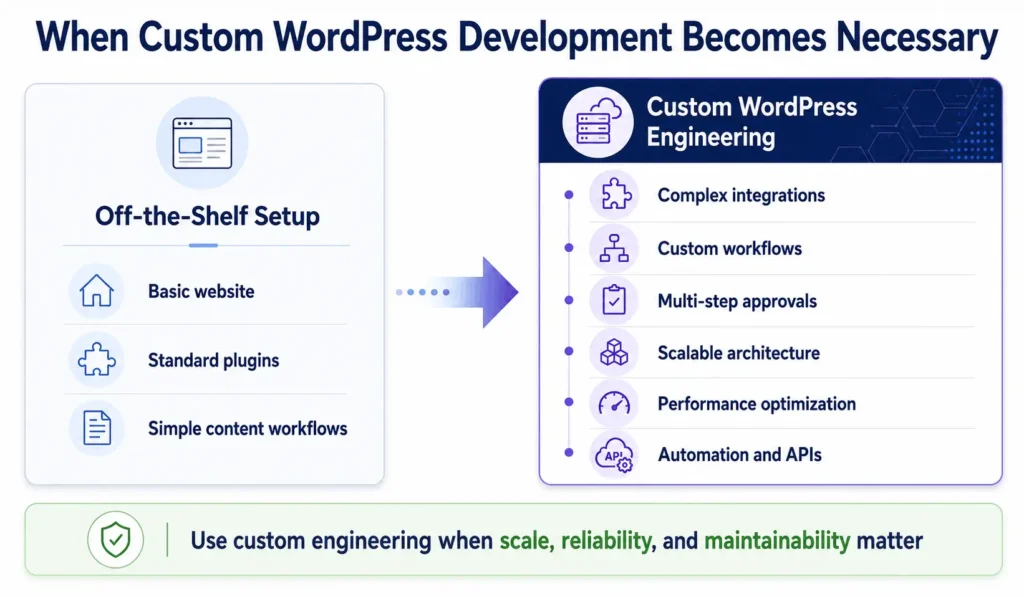
Off-the-shelf tools work well when workflows match their assumptions. Custom engineering becomes reasonable when the business depends on unusual approval paths, complex pricing, multi-tenant permissions, high-volume synchronization, specialized checkout behavior, proprietary data models, or automation that must be monitored and audited.
Filicode works across custom WordPress development, WooCommerce engineering, API integrations, SaaS development, AI automation, system architecture, and performance optimization. The goal is not to replace every plugin. Keep commodity capabilities standard and engineer the parts where business rules, scale, reliability, or maintainability require tighter control.
A migration decision should include future operating cost. A platform that needs manual fixes after releases, hides integration failures, or makes simple changes risky is already expensive.
Frequently Asked Questions
How much does it cost to migrate a website to WordPress?
The cost depends on content volume, design work, custom functionality, ecommerce data, integrations, user accounts, SEO preservation, and launch complexity. A publishing site may need a straightforward migration, while a transactional platform can require custom pipelines, integration testing, reconciliation, and controlled cutover planning.
How long does a website migration to WordPress take?
A simple site can take a few weeks, while complex ecommerce, membership, or integration-heavy platforms may take several months. Timeline depends on data quality, custom behavior, external systems, testing depth, approvals, and cutover constraints.
Is WordPress scalable for high-traffic websites?
Yes. When planning a high-traffic WordPress migration, design for the actual traffic pattern. CDN delivery, page caching, persistent object caching, optimized queries, controlled jobs, efficient plugins, and observability matter more than simply increasing server size.
What is the biggest risk when learning how to migrate a website to WordPress?
The biggest risk is treating migration as file transfer instead of system change. Lost redirects, broken integrations, incomplete relationships, failed jobs, bad permissions, and untested transaction states can create SEO, revenue, and support problems.
Can WordPress integrate with CRM, SaaS, payment, and automation systems?
Yes. WordPress integrations can use REST APIs, webhooks, custom plugins, middleware, queues, and external services. Reliable flows need authentication, validation, timeouts, retries, idempotency, structured logs, monitoring, and manual recovery.
How much maintenance is required after migration?
Post-migration maintenance should include core and plugin updates, backups, security hardening, uptime monitoring, log review, performance checks, dependency testing, database maintenance, and periodic validation of integrations and scheduled jobs. The workload depends on how customized and operationally critical the platform is.
Conclusion: Migrate the System, Not Just the Pages
A successful WordPress migration controls architecture, data, integrations, SEO, testing, cutover, and monitoring as one program. Warning signs include manual fixes after releases, slow admin workflows, integration failures, checkout instability, duplicated customer data, rising support tickets, and changes with unpredictable side effects.
At that point, consider custom development selectively. Start with an architecture review, document workflows and failure points, preserve what works, and engineer where the platform creates measurable operational cost. A successful migration should leave a system that is easier to change, observe, and operate under growth.